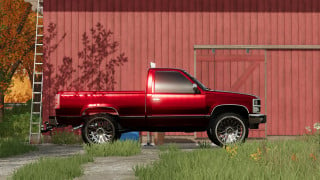
Green Valley AutoDrive v 2.0




Updates
Description:
- You will need to have a game save for Green Valley with AutoDrive loaded.
- If not an old game save, open a new game save, say 'Yes' to the generation of an AutoDrive course on initial load in, save the game, quit and close the game.
- Find the 'savegame #' folder in game folder (usually documents>my games>FarmingSimulator22>savegame #).
- Open the corresponding game save folder and find the 'AutoDrive_config' XML File and delete it.
- Take the 'AutoDrive_config' file out of the ZIP folder and place in the game save folder.
- Start up the game again and load up the save game and it should all be there.
Credits:
Farmer_Ed_Gaming
Description:
- You will need to have a game save for Green Valley with AutoDrive loaded.
- If not an old game save, open a new game save, say 'Yes' to the generation of an AutoDrive course on initial load in, save the game, quit and close the game.
- Find the 'savegame #' folder in game folder (usually documents>my games>FarmingSimulator22>savegame #).
- Open the corresponding game save folder and find the 'AutoDrive_config' XML File and delete it.
- Take the 'AutoDrive_config' file out of the ZIP folder and place in the game save folder.
- Start up the game again and load up the save game and it should all be there.
Credits:
Farmer_Ed_Gaming
External Download Links:
Direct Download Links
About Mod
| Latest Version | v 2.0 |
| Game | FS 22 |
| Downloads | 1440 |
| Created | 4 years ago |
| Last Updated | 4 years ago |
Download Latest Version
Version: v 2.0Updated: 4 years ago
Total Size: 211.97 KB Green_Vally_AutoDrive_v2_modland.zip direct download · 211.97 KB · added 4 years ago https://farmer-ed-gaming.itch.io/green-valley-autodrive external download · added 4 years ago