
![NeoForge Installer [Minecraft 1.21.1, 1.20.6 - 1.20.1]](https://i2.modland.net/i/66c5cbeb7e5ee/neoforge_modland.webp)
![Timeless and Classics Zero (TaCZ) [Minecraft 1.20.1, 1.19.2, 1.18.2]](https://i2.modland.net/i/669683678b42d/description_0ac47139-8e79-4b76-8a0c-d79bcb9039df_modland.webp)
Timeless and Classics Zero (TaCZ) [Minecraft 1.20.1, 1.19.2, 1.18.2]
44750
918
6
2 years ago
by
Rol_nd
![Armor Durability HUD [Minecraft 1.21.4, 1.21.3, 1.21.2, 1.21.1, 1.21]](https://i2.modland.net/i/674bc2c2c404b/190618141923060623_modland.webp)
Armor Durability HUD [Minecraft 1.21.4, 1.21.3, 1.21.2, 1.21.1, 1.21]
24707
345
8
1 year ago
by
Rol_nd
![[1.5] THE DROPPER](https://li1.modland.net/minecraft/maps/thumbnail/th_ModLandNet_1.jpg)
![Map Atlases [Forge]](https://temp2.modland.net/i/6abb8bc6ce51c/2023-11-11-12-1-lg_modland.jpg)
0/5,
0
votes
Description
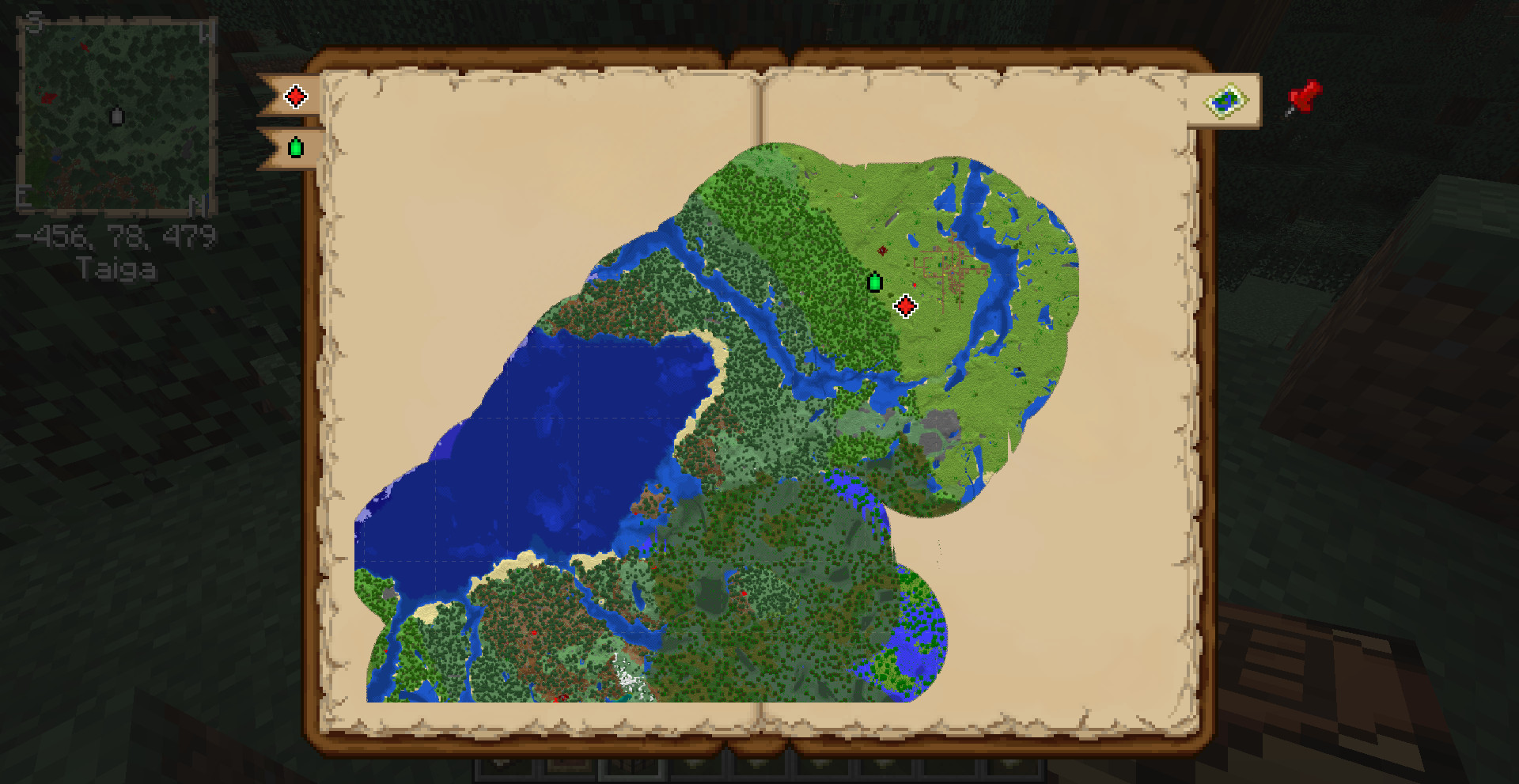
Map Atlases expands Minecraft's vanilla mapping system by combining multiple maps into a single atlas. It provides an automatically expanding minimap, a full world map, map markers, multiple dimensions and additional integrations with several popular mods.
Features
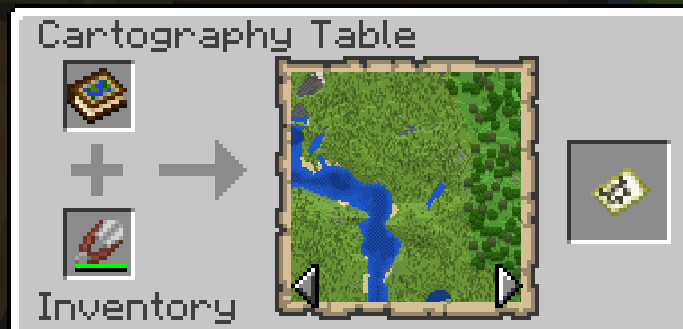
- Atlas Creation: Crafted using a Filled Map, a Book and either a Slimeball or Honey Bottle. The original Filled Map determines the scale. Expand it by adding Filled or Empty Maps via a Crafting Table or Cartography Table.
- Exploration and Minimap: An active Atlas displays a minimap in the upper-left corner (must be in hotbar or off-hand). It automatically consumes Empty Maps to explore new regions and works across dimensions.
- Minimap Display: Can show X, Y, Z coordinates, cardinal directions, current biome, map decorations, markers, and an optional rotating view.
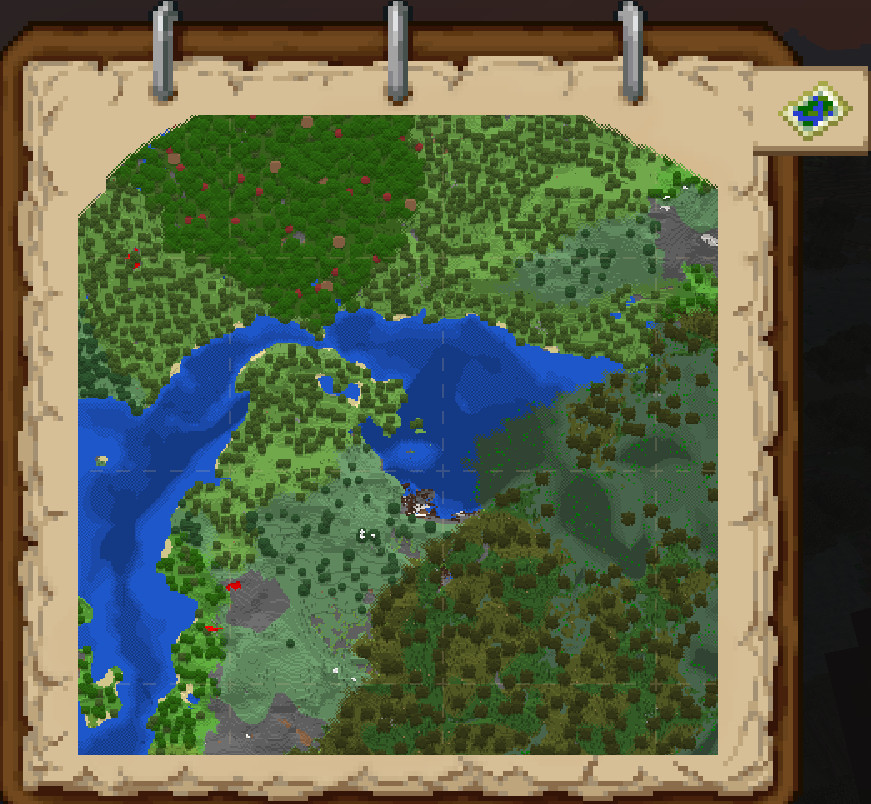
- World Map: Accessible via right-click, the M key, or by placing the Atlas on a Lectern. Features include separate bookmarks for dimensions, clickable decorations, mouse-wheel zoom, and click-and-drag panning.
- Moonlight Lib Integration: Add client-side waypoints using the red pin button or B key, including custom names, colors, and an optional Entity Radar.
- Supplementaries Integration: Supports Custom Map Markers, Slice Maps for the Nether, Antique Atlases, biome-colored maps, and death markers when holding a Recovery Compass.
- Curios Integration: The Atlas can be equipped in the Curios Hands slot.
- Twilight Forest Integration: Magic Maps and Maze Maps can be stored and switched via the Map Type button.
- Heartstones Integration: Displays heart markers showing the locations of other players.
Map Atlases expands Minecraft's vanilla mapping system by combining multiple maps into a single atlas. It provides an automatically expanding minimap, a full world map, map markers, multiple dimensions and additional integrations with several popular mods.
Features
- Atlas Creation: Crafted using a Filled Map, a Book and either a Slimeball or Honey Bottle. The original Filled Map determines the scale. Expand it by adding Filled or Empty Maps via a Crafting Table or Cartography Table.
- Exploration and Minimap: An active Atlas displays a minimap in the upper-left corner (must be in hotbar or off-hand). It automatically consumes Empty Maps to explore new regions and works across dimensions.
- Minimap Display: Can show X, Y, Z coordinates, cardinal directions, current biome, map decorations, markers, and an optional rotating view.
- World Map: Accessible via right-click, the M key, or by placing the Atlas on a Lectern. Features include separate bookmarks for dimensions, clickable decorations, mouse-wheel zoom, and click-and-drag panning.
- Moonlight Lib Integration: Add client-side waypoints using the red pin button or B key, including custom names, colors, and an optional Entity Radar.
- Supplementaries Integration: Supports Custom Map Markers, Slice Maps for the Nether, Antique Atlases, biome-colored maps, and death markers when holding a Recovery Compass.
- Curios Integration: The Atlas can be equipped in the Curios Hands slot.
- Twilight Forest Integration: Magic Maps and Maze Maps can be stored and switched via the Map Type button.
- Heartstones Integration: Displays heart markers showing the locations of other players.
External Download Links:
Direct Download Links
You Might Also Like »
![NeoForge Installer [Minecraft 1.21.1, 1.20.6 - 1.20.1]](https://i2.modland.net/i/66c5cbeb7e5ee/neoforge_modland.jpg)
![Timeless and Classics Zero (TaCZ) [Minecraft 1.20.1, 1.19.2, 1.18.2]](https://i2.modland.net/i/669683678b42d/description_0ac47139-8e79-4b76-8a0c-d79bcb9039df_modland.jpg)
![Armor Durability HUD [Minecraft 1.21.4, 1.21.3, 1.21.2, 1.21.1, 1.21]](https://i2.modland.net/i/674bc2c2c404b/190618141923060623_modland.jpg)
_modland.jpg)
_modland.jpg)
0 Comments
There are no comments. Be first to comment!