

![NeoForge Installer [Minecraft 1.21.1, 1.20.6 - 1.20.1]](https://i2.modland.net/i/66c5cbeb7e5ee/neoforge_modland.webp)
![Timeless and Classics Zero (TaCZ) [Minecraft 1.20.1, 1.19.2, 1.18.2]](https://i2.modland.net/i/669683678b42d/description_0ac47139-8e79-4b76-8a0c-d79bcb9039df_modland.webp)
Timeless and Classics Zero (TaCZ) [Minecraft 1.20.1, 1.19.2, 1.18.2]
44807
918
6
2 years ago
by
Rol_nd

![Armor Durability HUD [Minecraft 1.21.4, 1.21.3, 1.21.2, 1.21.1, 1.21]](https://i2.modland.net/i/674bc2c2c404b/190618141923060623_modland.webp)
Armor Durability HUD [Minecraft 1.21.4, 1.21.3, 1.21.2, 1.21.1, 1.21]
24735
345
8
1 year ago
by
Rol_nd
0/5,
0
votes
Description
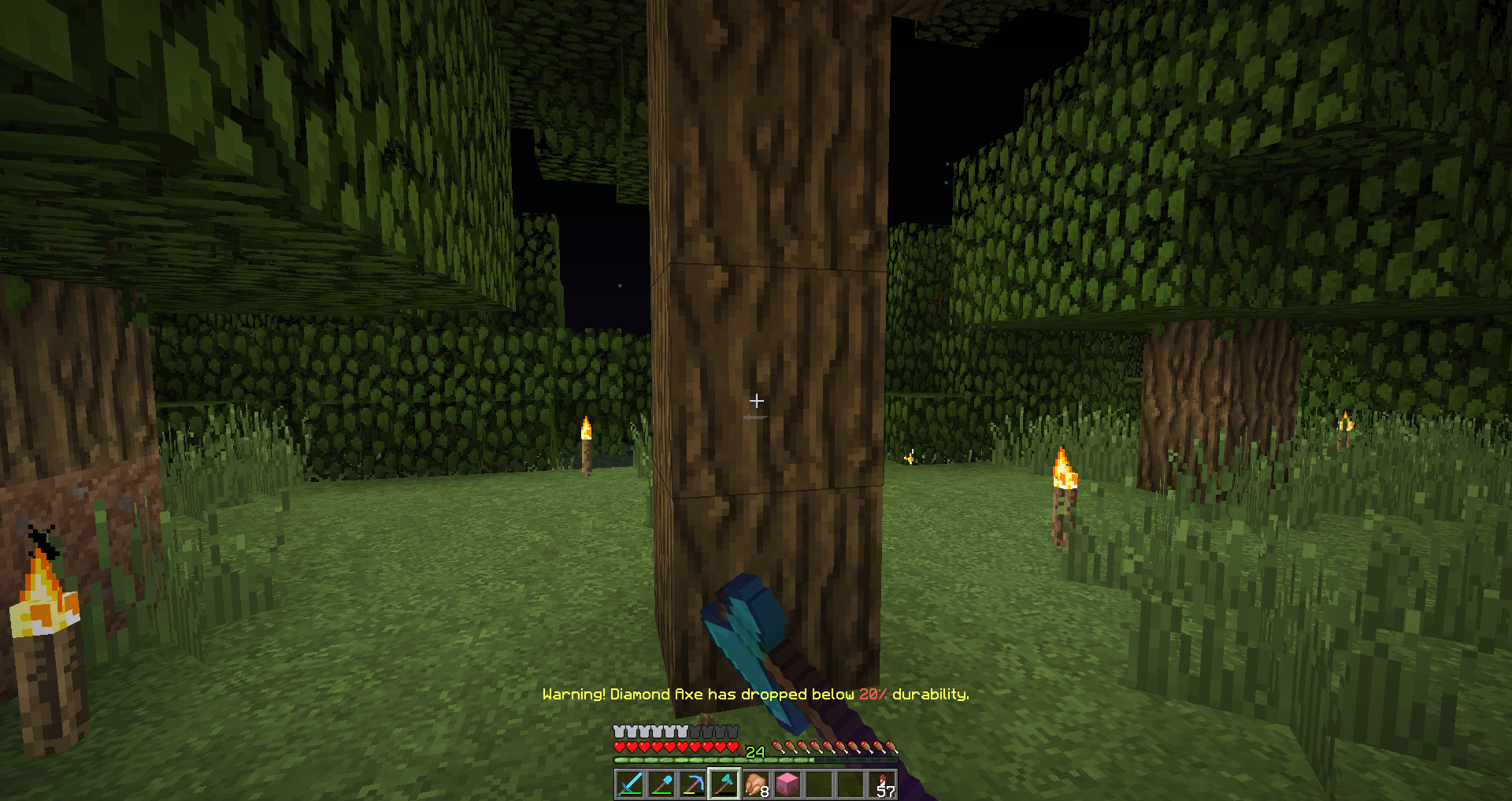
Durability Notifier is a lightweight client-side mod that warns you when your tools are getting close to breaking. The mod is designed to remain as compatible with vanilla servers as possible.
Features
- Notifications using messages, sounds, and other subtle effects
- Customizable settings for how and when warnings appear
Configuration
- Percentage – Sets the durability percentage at which warnings begin (1 to 100). Default: 10
- PlaySound – Plays a warning sound when attempting to use a low-durability tool. Default: false
- SendMessage – Displays a message when your tool is running low on durability. Default: true
- SendMessageColor – Changes the color of the durability warning message. Default: YELLOW
- soundlocation – Sets the sound used by PlaySound
- volume – Controls the volume of the warning sound
- GiveFatigue – Previously applied Mining Fatigue when a tool reached its limit. Default: false (disabled since Minecraft 1.13+)
Configuration Location
The configuration file can be found inside your instance's: config
In-Game Configuration
To edit the configuration through an in-game menu, install Configured.
Durability Notifier is a lightweight client-side mod that warns you when your tools are getting close to breaking. The mod is designed to remain as compatible with vanilla servers as possible.
Features
- Notifications using messages, sounds, and other subtle effects
- Customizable settings for how and when warnings appear
Configuration
- Percentage – Sets the durability percentage at which warnings begin (1 to 100). Default: 10
- PlaySound – Plays a warning sound when attempting to use a low-durability tool. Default: false
- SendMessage – Displays a message when your tool is running low on durability. Default: true
- SendMessageColor – Changes the color of the durability warning message. Default: YELLOW
- soundlocation – Sets the sound used by PlaySound
- volume – Controls the volume of the warning sound
- GiveFatigue – Previously applied Mining Fatigue when a tool reached its limit. Default: false (disabled since Minecraft 1.13+)
Configuration Location
The configuration file can be found inside your instance's: config
In-Game Configuration
To edit the configuration through an in-game menu, install Configured.
External Download Links:
Direct Download Links
You Might Also Like »
![[1.5] THE DROPPER](https://li1.modland.net/minecraft/maps/thumbnail/th_ModLandNet_1.jpg)
_modland.webp)



0 Comments
There are no comments. Be first to comment!