Arda's Uncrafting Table [ Uncraft / Recycle / Deconstruct Mod ] v1.0



Timeless and Classics Zero (TaCZ) [Minecraft 1.20.1, 1.19.2, 1.18.2]
45447
920
6
2 years ago
by
Rol_nd



0/5,
0
votes
Description
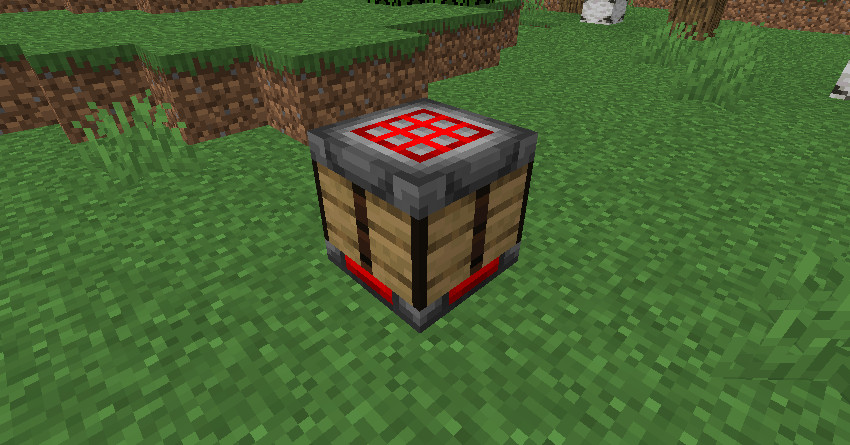
Arda's Uncrafting Table adds a utility block that lets you reverse crafting recipes and recover ingredients from finished items. It can be used to recycle unwanted loot, recover materials from accidental crafts or dismantle equipment you no longer need.
Features
- Universal Uncrafting: Works with both vanilla items and items from other mods that use standard crafting recipes.
- Durability System: Fully repaired items return 100% of ingredients, while damaged items use their remaining durability percentage to determine the chance of recovery (maximum of two ingredients lost).
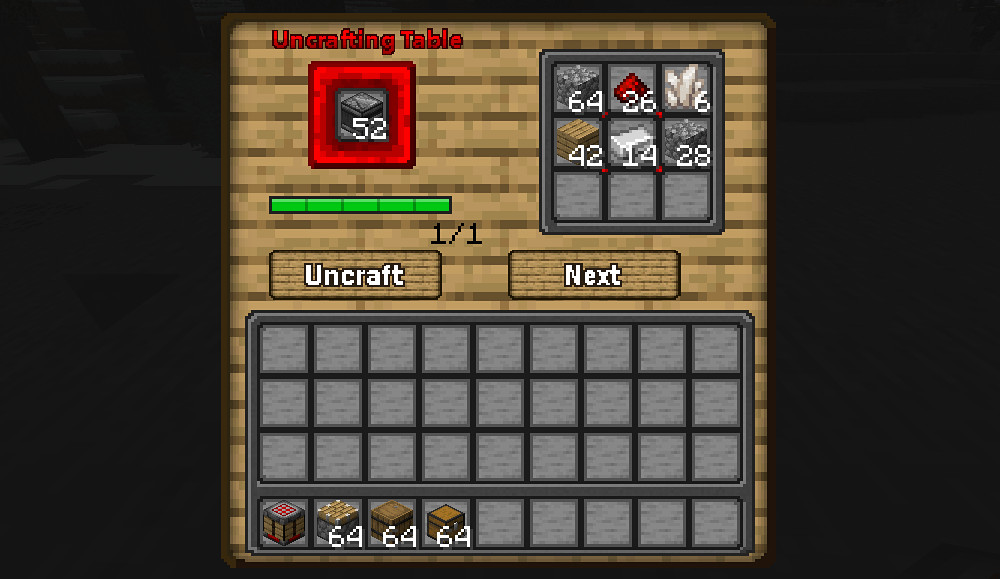
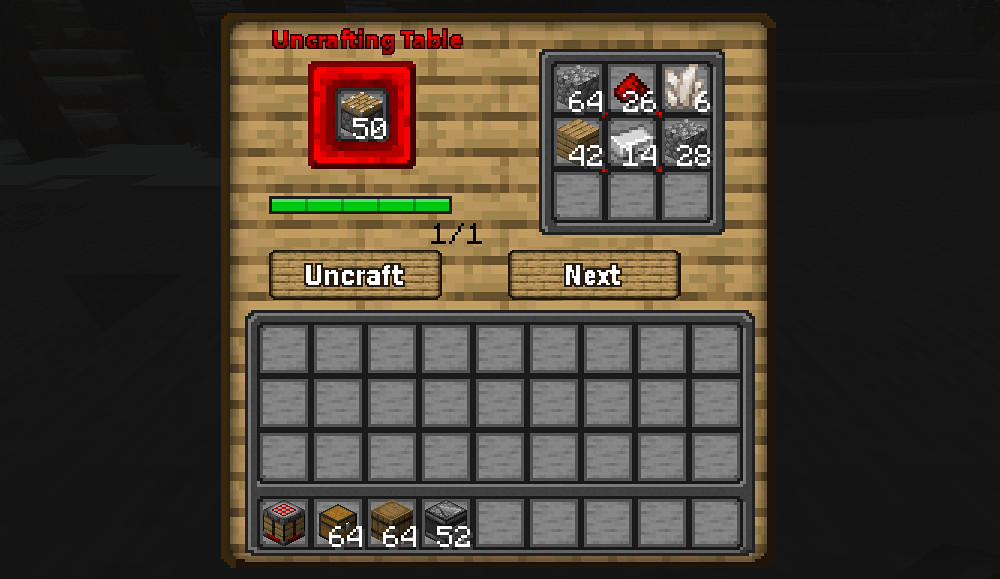
- Batch Uncrafting: Hold Shift while pressing the Uncraft button to process multiple items automatically until the input runs out or the output inventory is full.
- Output System: Recovered ingredients fill nine output slots. A transparent ghost preview shows which ingredients will be produced.
- Multiple Recipes: Switch between different valid crafting recipes using the Next Recipe button.
- Fair Exchange: Respects the amount produced by the original recipe to prevent resource duplication (e.g., stairs and torches).
- Safety: Ingredients that do not fit in the output grid are dropped at the player's feet.
- Server-side processing: Helps prevent ghost items and synchronization problems.
- Audio-Visuals: Grindstone-style mechanical sounds play during processing, and buttons feature pressed and hover effects.
- Compatibility: Fully compatible with other mods using the vanilla crafting system.
Installation Instructions
- Ensure you install the correct build for your Minecraft version and mod loader.
- Supported Versions:
-- Minecraft 1.21.1 (NeoForge)
-- Minecraft 1.20.1 (Forge)
-- Minecraft 1.16.5 (Forge)
-- Minecraft 1.12.2 (Forge)
-- Minecraft 1.7.10 (Forge)
-- Minecraft Beta 1.7.3 (Babric)
How to Use
- Craft an Uncrafting Table.
- Place the item you want to dismantle into the input slot.
- Make sure the item has a valid crafting recipe.
- Select the desired recipe with Next Recipe if multiple options are available.
- Press Uncraft, or Shift+Click to process multiple items.
- Collect the recovered materials from the output grid.
- JEI or REI can be used to view the Uncrafting Table recipe.
Arda's Uncrafting Table adds a utility block that lets you reverse crafting recipes and recover ingredients from finished items. It can be used to recycle unwanted loot, recover materials from accidental crafts or dismantle equipment you no longer need.
Features
- Universal Uncrafting: Works with both vanilla items and items from other mods that use standard crafting recipes.
- Durability System: Fully repaired items return 100% of ingredients, while damaged items use their remaining durability percentage to determine the chance of recovery (maximum of two ingredients lost).
- Batch Uncrafting: Hold Shift while pressing the Uncraft button to process multiple items automatically until the input runs out or the output inventory is full.
- Output System: Recovered ingredients fill nine output slots. A transparent ghost preview shows which ingredients will be produced.
- Multiple Recipes: Switch between different valid crafting recipes using the Next Recipe button.
- Fair Exchange: Respects the amount produced by the original recipe to prevent resource duplication (e.g., stairs and torches).
- Safety: Ingredients that do not fit in the output grid are dropped at the player's feet.
- Server-side processing: Helps prevent ghost items and synchronization problems.
- Audio-Visuals: Grindstone-style mechanical sounds play during processing, and buttons feature pressed and hover effects.
- Compatibility: Fully compatible with other mods using the vanilla crafting system.
Installation Instructions
- Ensure you install the correct build for your Minecraft version and mod loader.
- Supported Versions:
-- Minecraft 1.21.1 (NeoForge)
-- Minecraft 1.20.1 (Forge)
-- Minecraft 1.16.5 (Forge)
-- Minecraft 1.12.2 (Forge)
-- Minecraft 1.7.10 (Forge)
-- Minecraft Beta 1.7.3 (Babric)
How to Use
- Craft an Uncrafting Table.
- Place the item you want to dismantle into the input slot.
- Make sure the item has a valid crafting recipe.
- Select the desired recipe with Next Recipe if multiple options are available.
- Press Uncraft, or Shift+Click to process multiple items.
- Collect the recovered materials from the output grid.
- JEI or REI can be used to view the Uncrafting Table recipe.
External Download Links:
Direct Download Links
About Mod
| Latest Version | v1.0 |
| Game | Minecraft |
| Category | Game Mechanics |
| Game Version | 1.21.1 |
| Downloads | 22 |
| Created | 2 weeks ago |
You Might Also Like »





0 Comments
There are no comments. Be first to comment!