Customizable Brightness - Fullbright & Gamma Control v1.0



Timeless and Classics Zero (TaCZ) [Minecraft 1.20.1, 1.19.2, 1.18.2]
45347
920
6
2 years ago
by
Rol_nd


0/5,
0
votes
Description
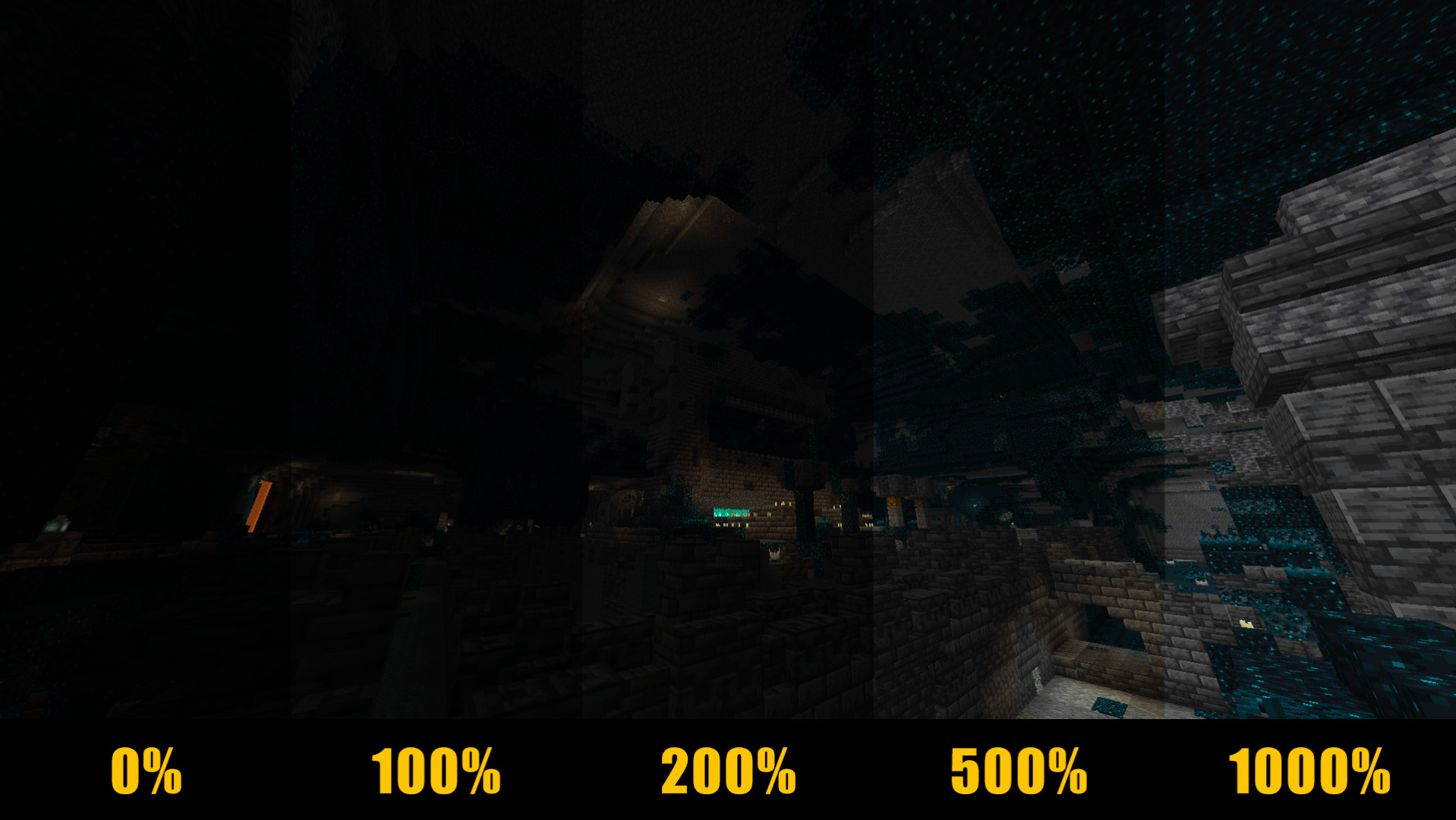
Customizable Brightness gives you more control over Minecraft's lighting with adjustable brightness levels instead of a simple fullbright toggle.
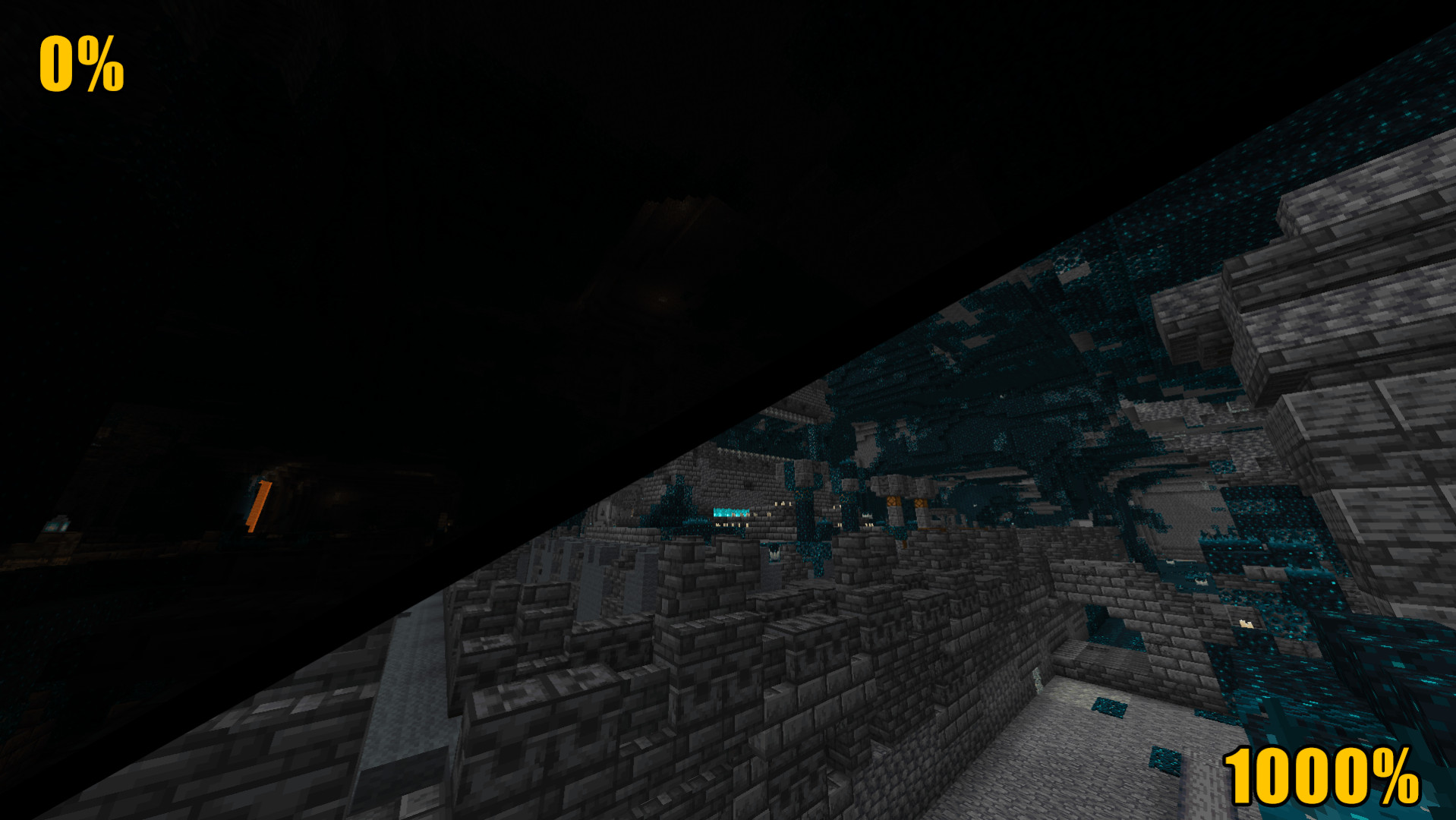
Press B to cycle through different brightness settings, from complete darkness to enhanced visibility in caves and other poorly lit areas. The mod saves your last selected level and restores it when you launch the game again.
Features
- Multiple brightness levels controlled by a single key
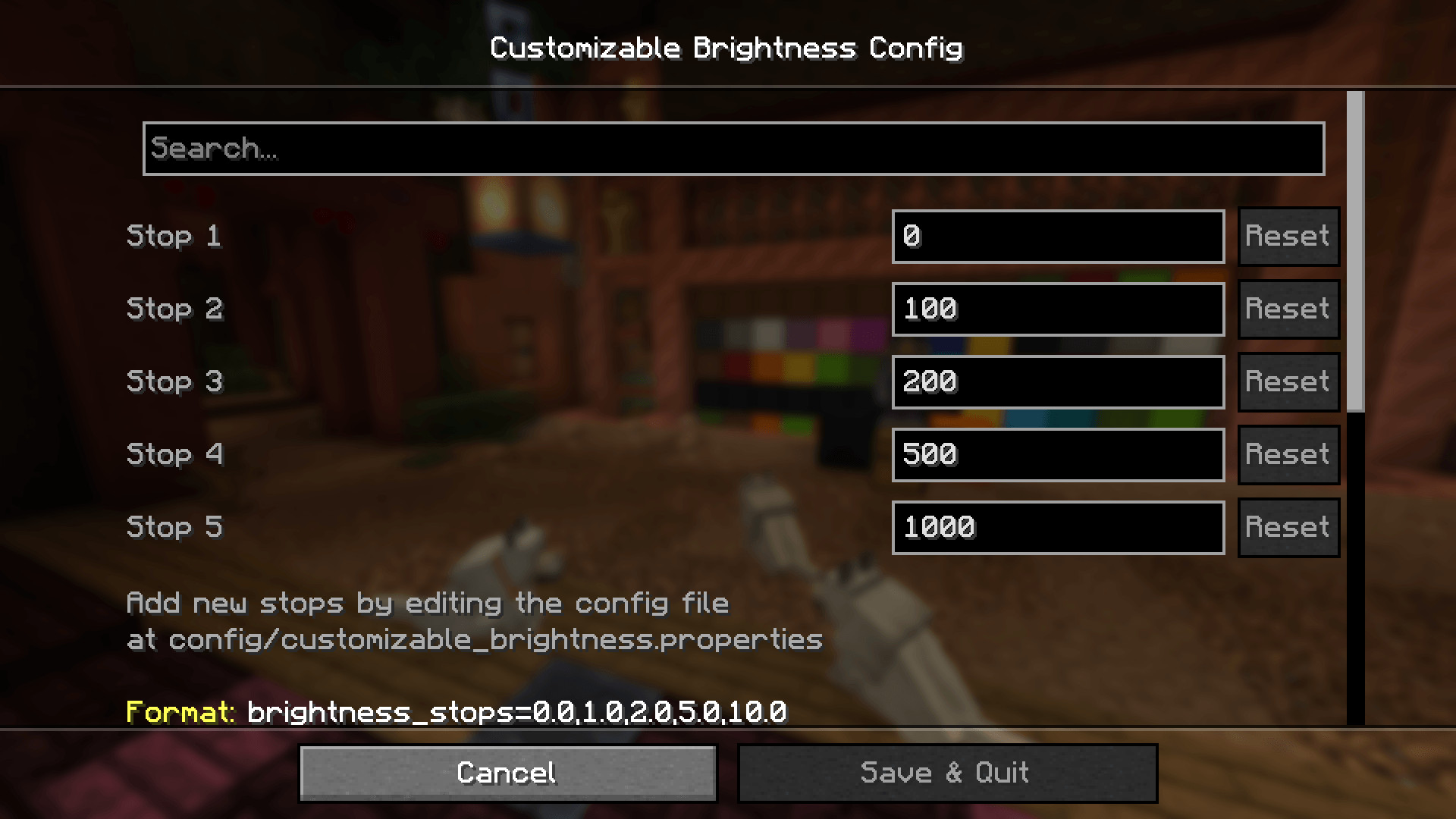
- Default settings: 0%, 100%, 200%, 500% and 1000%
- Custom brightness values ranging from 0% to 10000%
- Adjustable number of brightness levels
- Shader support with Iris on Minecraft 26.1+
- Automatically saves and restores the selected brightness
- Displays the current brightness percentage above the hotbar
- Shows a small keybind hint until the feature is used for the first time
- Synchronizes with Minecraft's vanilla Brightness slider
- Fully client-side, with no server installation required
- Compatible with Sodium
Controls
Press B to switch between brightness levels. By default, the sequence is: 0% → 100% → 200% → 500% → 1000%. After reaching the highest level, pressing the key cycles back to the beginning.
The keybind can be changed under: Options → Controls → Key Binds → Customizable Brightness
Shader Support
Minecraft 26.1 and newer supports enhanced brightness control with Iris shaders. Instead of applying a simple screen filter, the mod adjusts the shader pack's lighting, allowing brightness levels above 100% while preserving the shader's general appearance.
Tested shader packs:
- Complementary Reimagined
- Complementary Unbound
Some shader packs behave differently. On Minecraft versions older than 26.1, shader brightness is limited to the normal 0–100% range.
Installation Instructions
Prerequisites:
- Fabric API
- Fabric Loader
Optional:
- Mod Menu: Provides access to the in-game configuration menu
- Cloth Config: Required for the optional in-game configuration interface on Minecraft 1.16.5 and newer
- Iris: Enables shader compatibility, including enhanced brightness on Minecraft 26.1+
Customizable Brightness gives you more control over Minecraft's lighting with adjustable brightness levels instead of a simple fullbright toggle.
Press B to cycle through different brightness settings, from complete darkness to enhanced visibility in caves and other poorly lit areas. The mod saves your last selected level and restores it when you launch the game again.
Features
- Multiple brightness levels controlled by a single key
- Default settings: 0%, 100%, 200%, 500% and 1000%
- Custom brightness values ranging from 0% to 10000%
- Adjustable number of brightness levels
- Shader support with Iris on Minecraft 26.1+
- Automatically saves and restores the selected brightness
- Displays the current brightness percentage above the hotbar
- Shows a small keybind hint until the feature is used for the first time
- Synchronizes with Minecraft's vanilla Brightness slider
- Fully client-side, with no server installation required
- Compatible with Sodium
Controls
Press B to switch between brightness levels. By default, the sequence is: 0% → 100% → 200% → 500% → 1000%. After reaching the highest level, pressing the key cycles back to the beginning.
The keybind can be changed under: Options → Controls → Key Binds → Customizable Brightness
Shader Support
Minecraft 26.1 and newer supports enhanced brightness control with Iris shaders. Instead of applying a simple screen filter, the mod adjusts the shader pack's lighting, allowing brightness levels above 100% while preserving the shader's general appearance.
Tested shader packs:
- Complementary Reimagined
- Complementary Unbound
Some shader packs behave differently. On Minecraft versions older than 26.1, shader brightness is limited to the normal 0–100% range.
Installation Instructions
Prerequisites:
- Fabric API
- Fabric Loader
Optional:
- Mod Menu: Provides access to the in-game configuration menu
- Cloth Config: Required for the optional in-game configuration interface on Minecraft 1.16.5 and newer
- Iris: Enables shader compatibility, including enhanced brightness on Minecraft 26.1+
External Download Links:
Direct Download Links
You Might Also Like »







0 Comments
There are no comments. Be first to comment!