
![Timeless and Classics Zero (TaCZ) [Minecraft 1.20.1, 1.19.2, 1.18.2]](https://i2.modland.net/i/669683678b42d/description_0ac47139-8e79-4b76-8a0c-d79bcb9039df_modland.webp)
Timeless and Classics Zero (TaCZ) [Minecraft 1.20.1, 1.19.2, 1.18.2]
44361
916
6
2 years ago
by
Rol_nd
![NeoForge Installer [Minecraft 1.21.1, 1.20.6 - 1.20.1]](https://i2.modland.net/i/66c5cbeb7e5ee/neoforge_modland.webp)
![Armor Durability HUD [Minecraft 1.21.4, 1.21.3, 1.21.2, 1.21.1, 1.21]](https://i2.modland.net/i/674bc2c2c404b/190618141923060623_modland.webp)
Armor Durability HUD [Minecraft 1.21.4, 1.21.3, 1.21.2, 1.21.1, 1.21]
24494
342
8
1 year ago
by
Rol_nd
![[1.5] THE DROPPER](https://li1.modland.net/minecraft/maps/thumbnail/th_ModLandNet_1.jpg)
0/5,
0
votes
Description
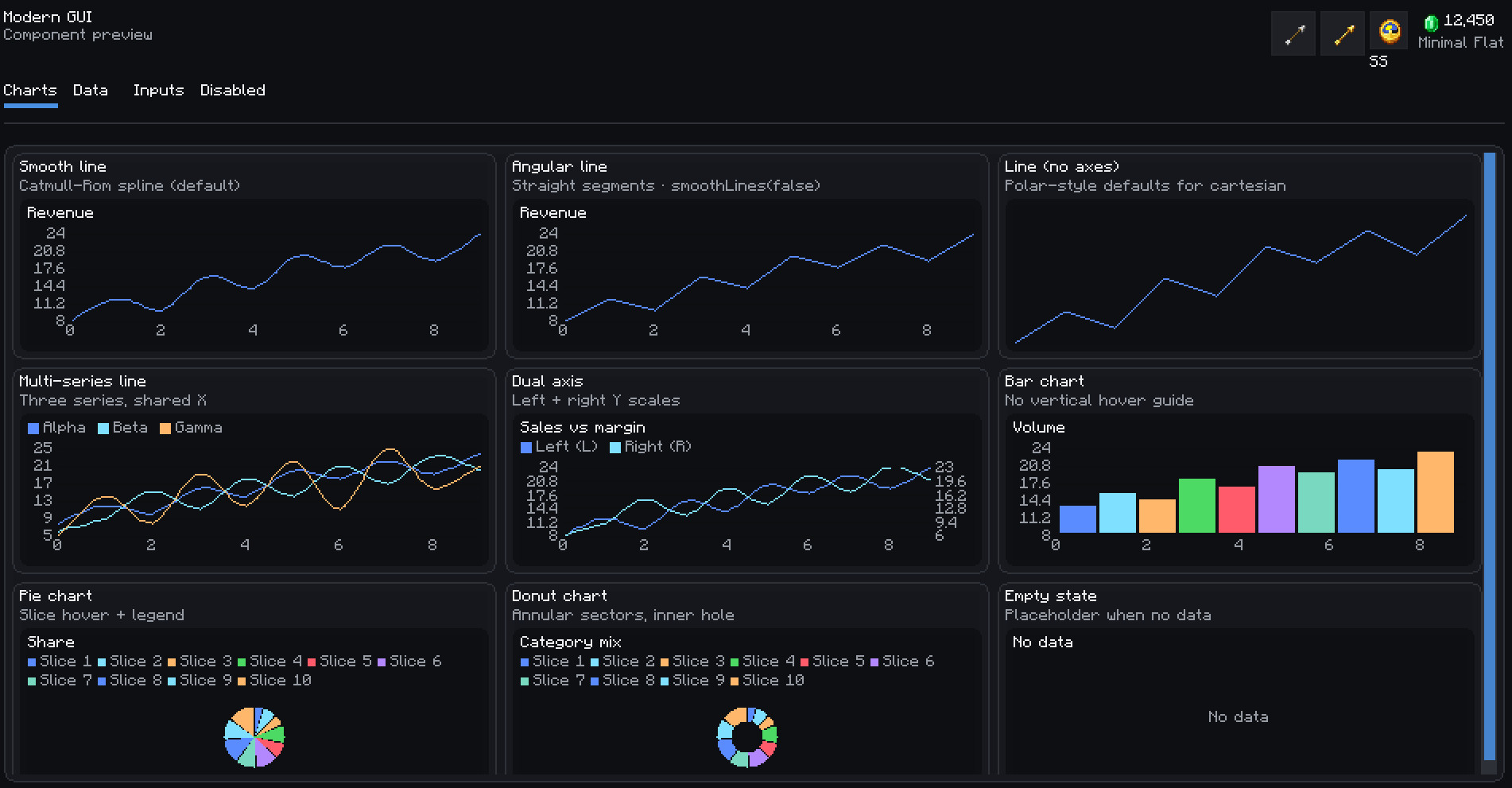
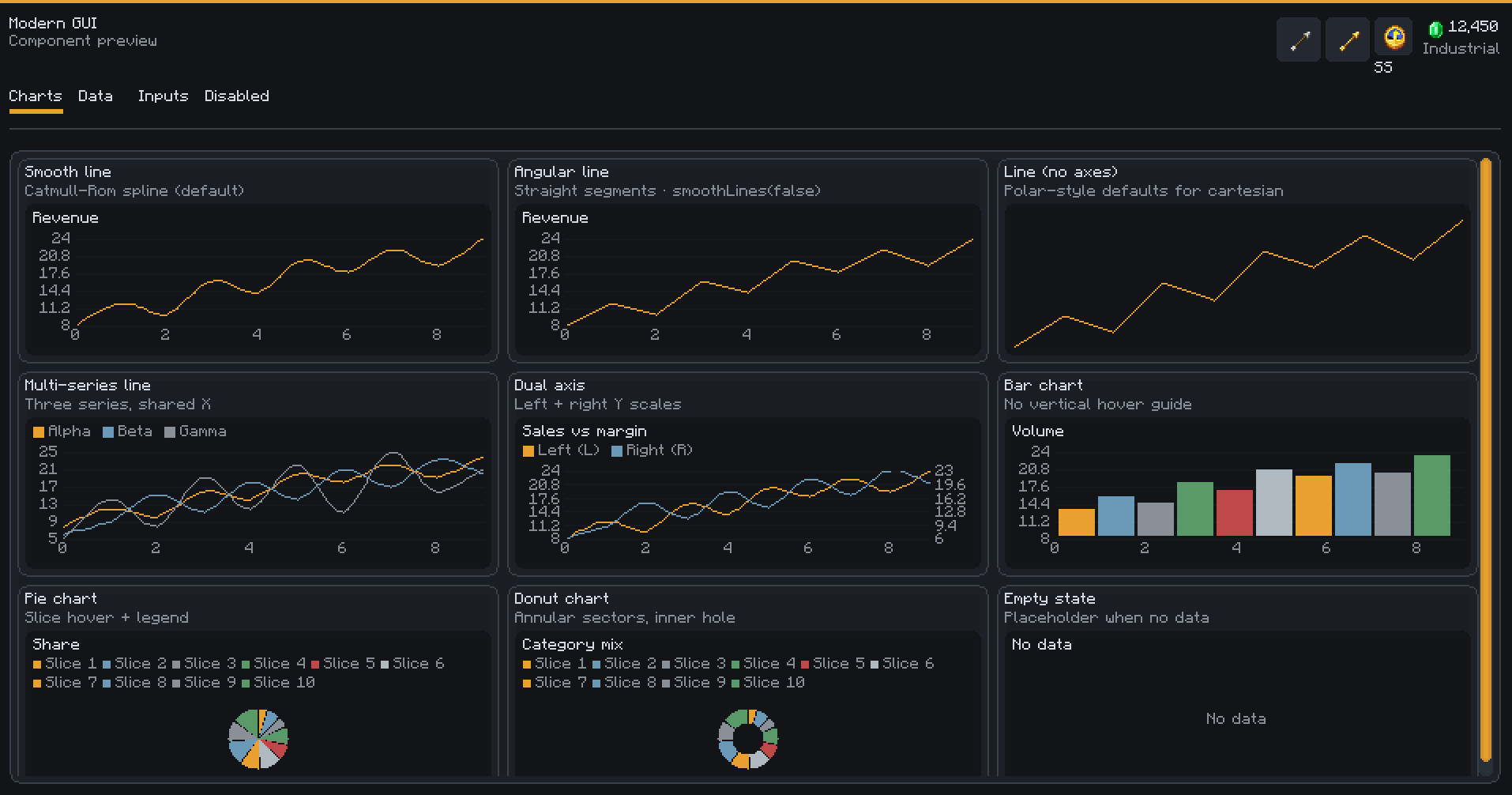
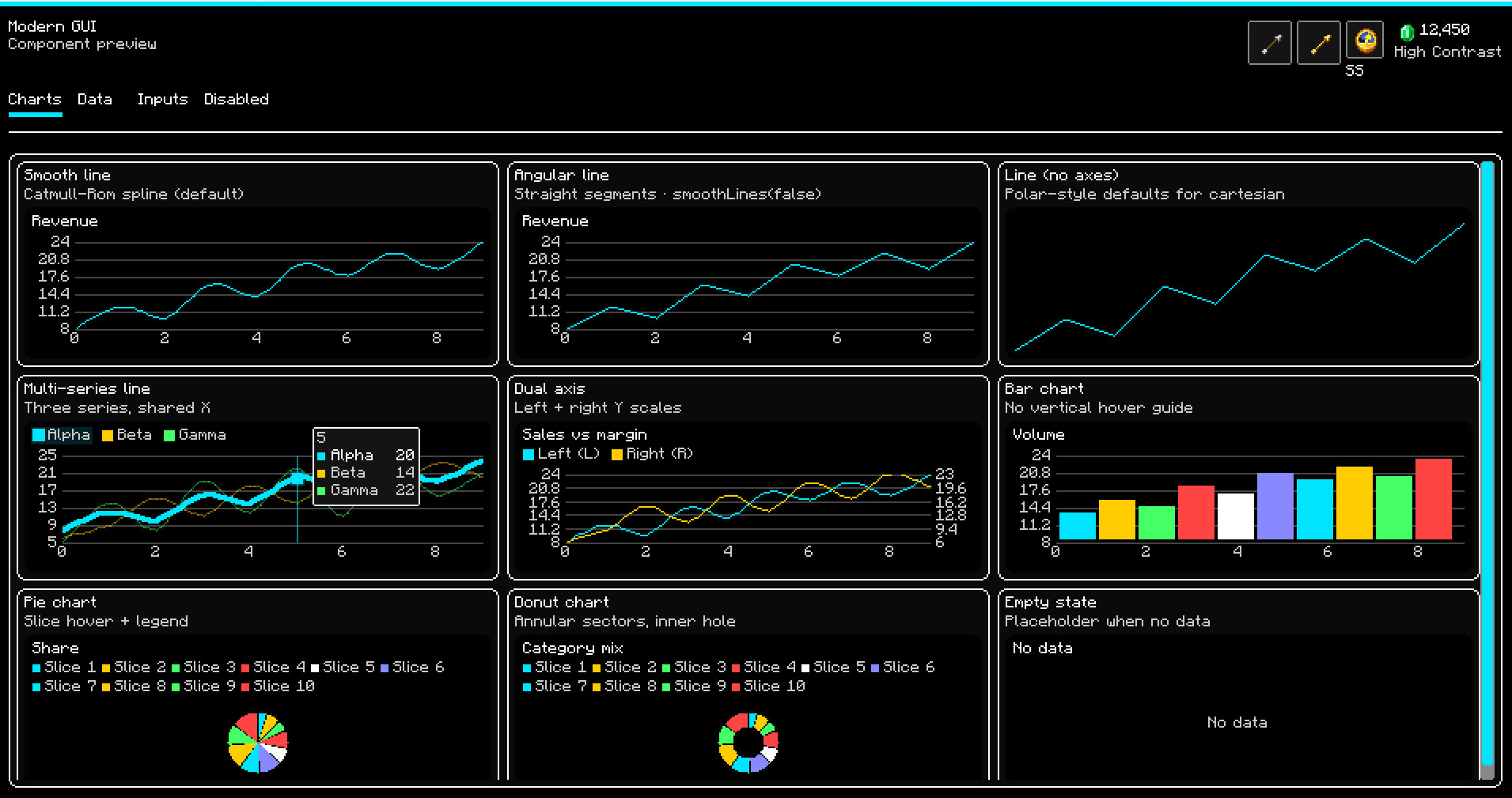
Modern GUI is a reusable client-side GUI framework for Minecraft mods, which aims to make complex interfaces easier to build, scale, theme and maintain. The goal is to help mod developers create modern dashboard-style interfaces without manually managing coordinates, GUI scaling, text overflow, or layout issues.
Features
- Responsive layout containers for rows, columns, grids, cards, scroll areas, and tabs
- Automatic GUI scaling through an independent virtual UI space
- Built-in themes, density modes, spacing tokens, borders, and semantic colors
- Ready-to-use widgets including buttons, text fields, search fields, dropdowns, sliders, toggles, checkboxes, tables, and lists
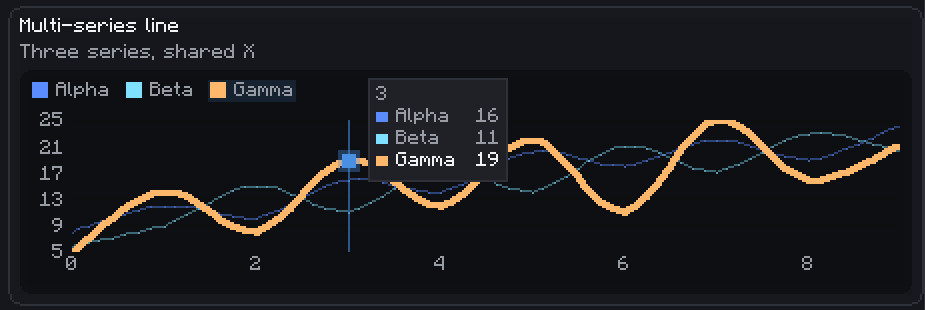
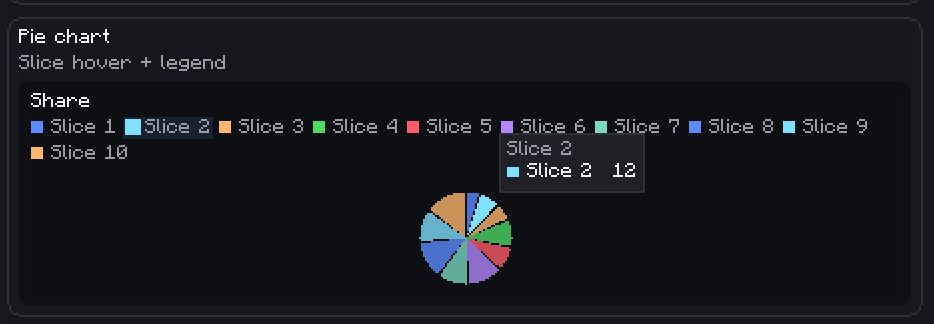
- Interactive charts including line, bar, pie, donut, multi-series, and dual-axis charts
- Built-in hover states, tooltips, legends, focus handling, keyboard navigation, and scrolling
- Developer validation screens and inspector tools for testing layout, input, and component behavior
How It Works
Create a Modern GUI screen, compose widgets using the provided layout containers, apply a theme or density profile, and let the framework handle measurement, rendering, scaling, clipping, input, focus, and default interaction behavior.
Advanced behavior can still be customized through component options, chart options, theme tokens, and layout constraints when a screen requires more precise control.
Screens are built as component trees. A Modern screen owns a root container, the root container owns layout containers, and layout containers own widgets.
Example Structure:
ModernScreen
└── RootContainer
├── Header / Toolbar
├── TabBar
└── ScrollContainer
└── ContentContainer
├── Card
│ ├── Text
│ ├── Button
│ └── Chart
├── Table
└── Form Inputs
Instead of placing every widget using fixed coordinates, you compose interfaces with rows, columns, grids, cards, tabs, scroll areas, and popovers. The framework automatically measures components, assigns bounds, clips rendering, routes input, manages focus, handles scrolling, and applies theme and density defaults.
Modern GUI is a reusable client-side GUI framework for Minecraft mods, which aims to make complex interfaces easier to build, scale, theme and maintain. The goal is to help mod developers create modern dashboard-style interfaces without manually managing coordinates, GUI scaling, text overflow, or layout issues.
Features
- Responsive layout containers for rows, columns, grids, cards, scroll areas, and tabs
- Automatic GUI scaling through an independent virtual UI space
- Built-in themes, density modes, spacing tokens, borders, and semantic colors
- Ready-to-use widgets including buttons, text fields, search fields, dropdowns, sliders, toggles, checkboxes, tables, and lists
- Interactive charts including line, bar, pie, donut, multi-series, and dual-axis charts
- Built-in hover states, tooltips, legends, focus handling, keyboard navigation, and scrolling
- Developer validation screens and inspector tools for testing layout, input, and component behavior
How It Works
Create a Modern GUI screen, compose widgets using the provided layout containers, apply a theme or density profile, and let the framework handle measurement, rendering, scaling, clipping, input, focus, and default interaction behavior.
Advanced behavior can still be customized through component options, chart options, theme tokens, and layout constraints when a screen requires more precise control.
Screens are built as component trees. A Modern screen owns a root container, the root container owns layout containers, and layout containers own widgets.
Example Structure:
ModernScreen
└── RootContainer
├── Header / Toolbar
├── TabBar
└── ScrollContainer
└── ContentContainer
├── Card
│ ├── Text
│ ├── Button
│ └── Chart
├── Table
└── Form Inputs
Instead of placing every widget using fixed coordinates, you compose interfaces with rows, columns, grids, cards, tabs, scroll areas, and popovers. The framework automatically measures components, assigns bounds, clips rendering, routes input, manages focus, handles scrolling, and applies theme and density defaults.
External Download Links:
- Modsfire.com - modern_gui-1.1.0.jar [216.29 KB]
Direct Download Links
You Might Also Like »
_modland.webp)
_modland.webp)
![Mod Menu [Minecraft 1.21.1 - 1.14]](https://i2.modland.net/i/670844d8dfaa0/220113162237010137 (1)_modland.webp)
0 Comments
There are no comments. Be first to comment!