
![Timeless and Classics Zero (TaCZ) [Minecraft 1.20.1, 1.19.2, 1.18.2]](https://i2.modland.net/i/669683678b42d/description_0ac47139-8e79-4b76-8a0c-d79bcb9039df_modland.webp)
Timeless and Classics Zero (TaCZ) [Minecraft 1.20.1, 1.19.2, 1.18.2]
![NeoForge Installer [Minecraft 1.21.1, 1.20.6 - 1.20.1]](https://i2.modland.net/i/66c5cbeb7e5ee/neoforge_modland.webp)
![Armor Durability HUD [Minecraft 1.21.4, 1.21.3, 1.21.2, 1.21.1, 1.21]](https://i2.modland.net/i/674bc2c2c404b/190618141923060623_modland.webp)
Armor Durability HUD [Minecraft 1.21.4, 1.21.3, 1.21.2, 1.21.1, 1.21]
![[1.5] THE DROPPER](https://li1.modland.net/minecraft/maps/thumbnail/th_ModLandNet_1.jpg)

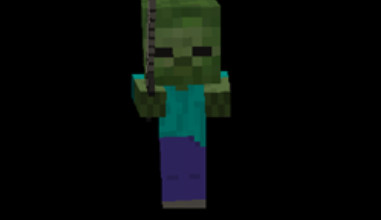
Improvements to AI
A Minecraft mod that makes AI optimization easier and focuses on performance and low-level AI improvements. It fixes problems like too many animals, zombie swarms, and tasks that bigger optimization mods don't do, making the game better for modded environments.
Notes:
– You can ask for help if you have performance problems that aren't listed.
– This mod doesn't always make things faster; it's best to test it first.
The story:
AI Improvements was made to fix problems with server performance in heavily modded packs. The focus was on Minecraft's AI itself, not on taking away mods or limiting content. By looking at how entities act and AI math, we were able to make big improvements to the CPU, especially for player farms.
Questions and Answers:
– Built-in AI fixes may make big performance improvements less noticeable in newer versions of Minecraft.
– You can only install the mod on the server.
– It can also be installed on the client side, but the FPS improvements may not be very big.
– Places to set up:
– For versions 1.12.2 and older, the file is '.minecraft/config/bbm/AI_Improvements.cfg'; for versions 1.14 and newer, it is '.minecraft/config/aiimprovements-common.toml'; and turning off the EntityLookHelper replacement lowers AI improvements but keeps other features working.
– The main way to improve performance is to cache values that take a lot of time to calculate. This uses less CPU power and costs a little more RAM.
What it has right now:
– Set up to turn off AI Watch Closest Entity. Removes the head rotation AI segment, which frees up CPU power but may cause some minor visual problems.
– Set up to turn off AI Look Random. Stops head movement when not in use, which makes large servers work better.
– Set up to replace EntityLookHelper with a better version (this is the default setting). Reduces CPU usage by 50–80%, which means big TPS gains on servers with a lot of players.
![Timeless and Classics Zero (TaCZ) [Minecraft 1.20.1, 1.19.2, 1.18.2]](https://i2.modland.net/i/669683678b42d/description_0ac47139-8e79-4b76-8a0c-d79bcb9039df_modland.jpg)
![NeoForge Installer [Minecraft 1.21.1, 1.20.6 - 1.20.1]](https://i2.modland.net/i/66c5cbeb7e5ee/neoforge_modland.jpg)
![Armor Durability HUD [Minecraft 1.21.4, 1.21.3, 1.21.2, 1.21.1, 1.21]](https://i2.modland.net/i/674bc2c2c404b/190618141923060623_modland.jpg)

_modland.jpg)
_modland.jpg)
![Mod Menu [Minecraft 1.21.1 - 1.14]](https://i2.modland.net/i/670844d8dfaa0/220113162237010137 (1)_modland.jpg)