
![Timeless and Classics Zero (TaCZ) [Minecraft 1.20.1, 1.19.2, 1.18.2]](https://i2.modland.net/i/669683678b42d/description_0ac47139-8e79-4b76-8a0c-d79bcb9039df_modland.webp)
Timeless and Classics Zero (TaCZ) [Minecraft 1.20.1, 1.19.2, 1.18.2]
44354
916
6
2 years ago
by
Rol_nd
![NeoForge Installer [Minecraft 1.21.1, 1.20.6 - 1.20.1]](https://i2.modland.net/i/66c5cbeb7e5ee/neoforge_modland.webp)
![Armor Durability HUD [Minecraft 1.21.4, 1.21.3, 1.21.2, 1.21.1, 1.21]](https://i2.modland.net/i/674bc2c2c404b/190618141923060623_modland.webp)
Armor Durability HUD [Minecraft 1.21.4, 1.21.3, 1.21.2, 1.21.1, 1.21]
24490
341
8
1 year ago
by
Rol_nd
![[1.5] THE DROPPER](https://li1.modland.net/minecraft/maps/thumbnail/th_ModLandNet_1.jpg)

0/5,
0
votes
Description
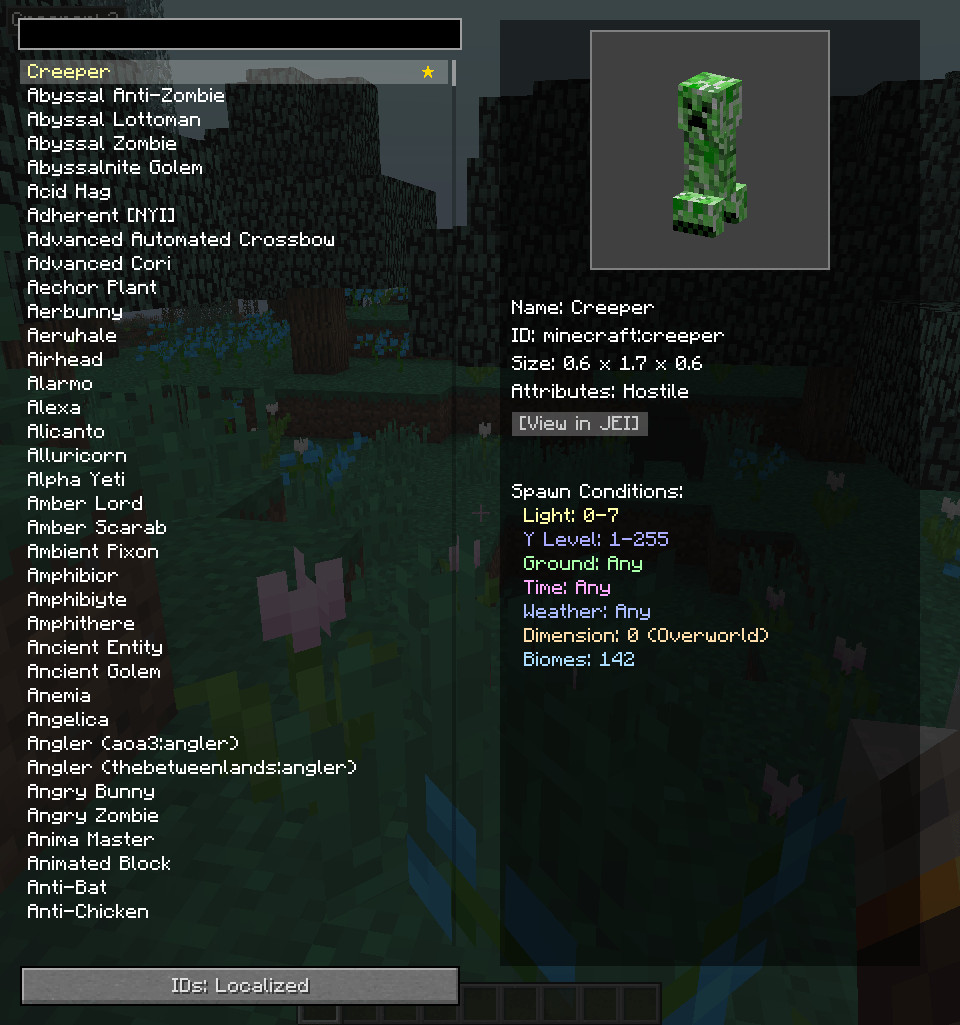
Super Mob Tracker is a client-side Minecraft 1.12.2 mod that lets you check mob spawn conditions and track selected mobs in real time without needing any item.
Features
- Open the interface with a configurable keybind, O by default, or through a button in the inventory.
- Browse a searchable and scrollable mob list on the left. The right side shows information about the selected mob and its spawn requirements.
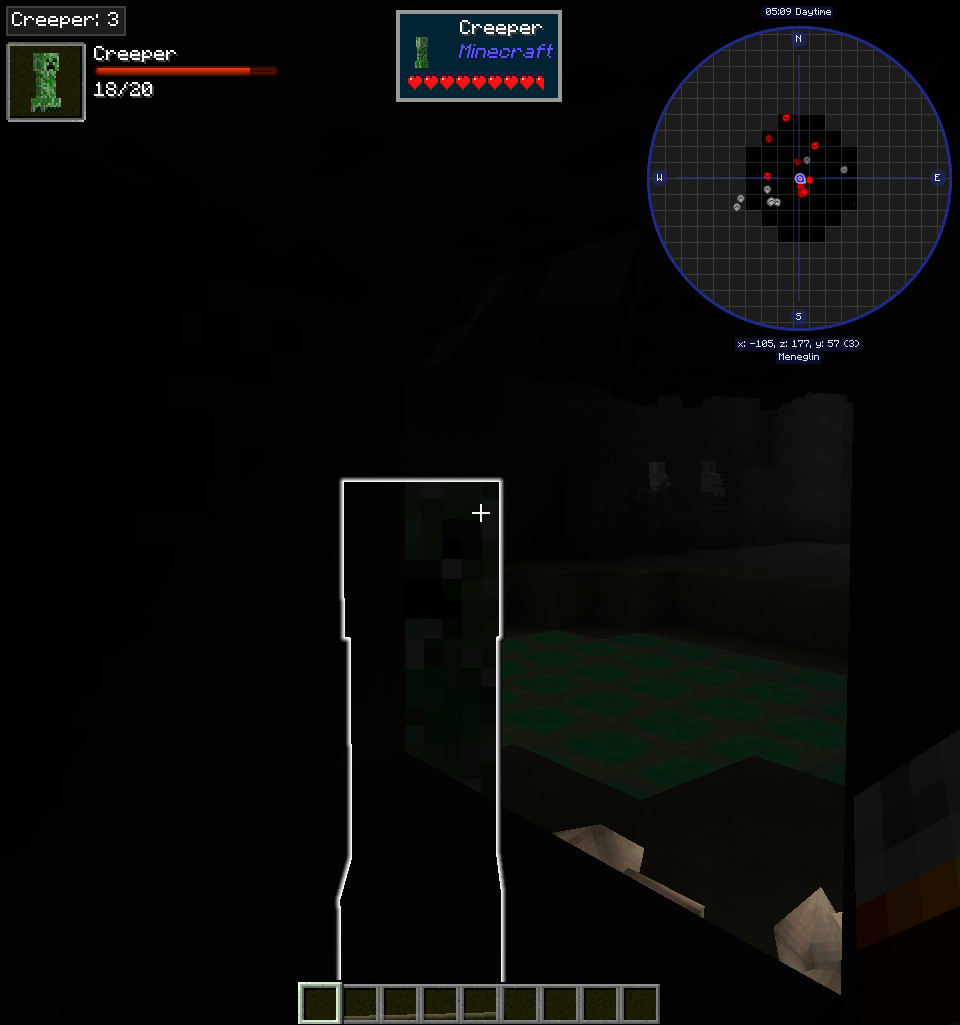
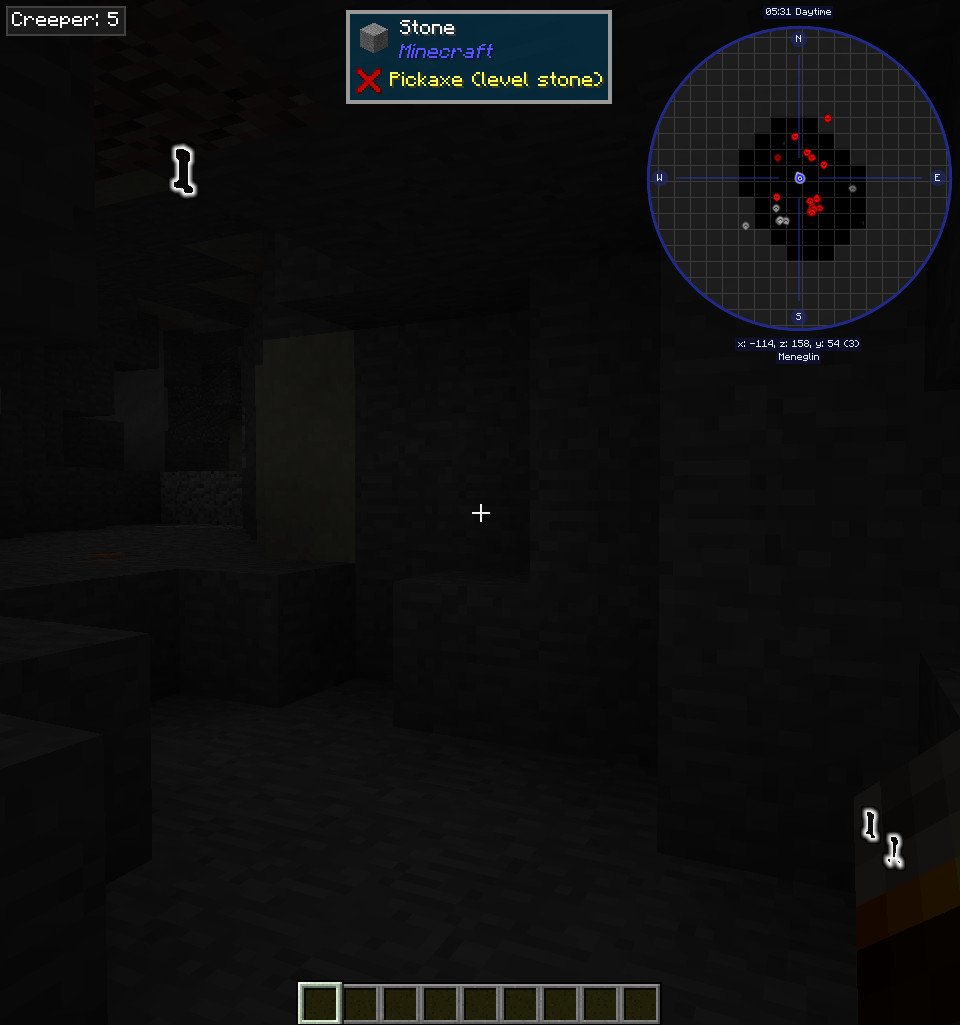
- Track a selected mob directly on the main screen. Double-click a mob in the list to enable or disable tracking.
- Click the biome list to copy biome names to your clipboard.
- Supports Just Enough Resources, a custom drop viewer, and full loot table integration with JEI.
- The custom drop viewer requires the mod to be installed on the server. Singleplayer users do not need to worry about this.
- JEI loot table integration works without server-side installation as long as the loot dump file is present in the config folder.
- In the custom drop viewer, use R or left-click to open recipes and U or right-click to view uses.
Configs
- enableTracking: Turns mob tracking on or off globally. A restart is required after changing this option.
- detectionRange: Sets the radius used when checking nearby spawn attempts.
- loot dump: Required for JEI loot table integration. More information is available in the /smtlootdump section below.
External Spawn Hints
Some mobs never use normal biome spawn tables, which means the analyzer has no standard data to read. For these mobs, Super Mob Tracker can use fallback spawn information from:
config/supermobtracker/spawn_hints.json
The mod includes spawn hints for a small number of other mods by default, but many mobs will still need custom entries.
/smtlootdump
The /smtlootdump command exports all loot tables into one compressed JSON file inside: config/supermobtracker/
This file is required for JEI loot table support. Run the command again whenever loot tables change, such as after adding or removing mods or changing mod configuration. An outdated dump will still work, but the displayed loot information may no longer match the current setup.
You can also specify how many simulations should be performed for each loot table. If no value is provided, the mod uses the dropSimulationCount setting.
Q&A
Do I need to install the mod on a server?
No, unless you want to use the custom loot table viewer inside the mod's interface. For most users, JER and JEI support should be enough. Loot data created with /smtlootdump is close to what the custom viewer provides, so server-side installation can be skipped if the dump file has already been generated.
How does the mob search work?
The search field checks both localized and internal mob names. You can search using:
- The mod name
- The mob name in your selected language
- The default English name
Why do some spawn conditions look inaccurate?
Some mobs use random spawn checks that are difficult to reproduce perfectly. Increasing spawnCheckRetries can improve the results, but some conditions may still be incomplete. Selecting the mob again can also produce slightly different results. This is also why certain mobs take longer to analyze.
Why do some biomes, dimensions, or blocks appear as registry names?
Some mods do not include proper localization entries for their content. In those cases, the modpack needs to provide the missing language entries. For a raw name such as :<biome_name>, the expected formats are:
- Biomes: biome..<biome_name>.path
- Dimensions: dimension..<dimension_name>.path
- Blocks: tile..<block_name>.name
Super Mob Tracker does not include localization fixes for content from unrelated mods. If proper localization already exists and the raw registry name still appears, it should be reported as a bug.
Why are some drops missing or incorrect?
The loot simulator uses a fake player and creates the mob inside a minimal simulated world. Some mobs depend on a real player or initialize their loot tables in a custom way that cannot be reproduced by the simulator. In those cases, certain drops can be missing or incorrect. Loot tables also contain random elements, so estimated drop rates will naturally vary unless the item is guaranteed. Increasing dropSimulationCount reduces this variance, but extremely rare drops may still fail to appear during simulation.
Credits
- CurseForge icon by Star Artsy.
Super Mob Tracker is a client-side Minecraft 1.12.2 mod that lets you check mob spawn conditions and track selected mobs in real time without needing any item.
Features
- Open the interface with a configurable keybind, O by default, or through a button in the inventory.
- Browse a searchable and scrollable mob list on the left. The right side shows information about the selected mob and its spawn requirements.
- Track a selected mob directly on the main screen. Double-click a mob in the list to enable or disable tracking.
- Click the biome list to copy biome names to your clipboard.
- Supports Just Enough Resources, a custom drop viewer, and full loot table integration with JEI.
- The custom drop viewer requires the mod to be installed on the server. Singleplayer users do not need to worry about this.
- JEI loot table integration works without server-side installation as long as the loot dump file is present in the config folder.
- In the custom drop viewer, use R or left-click to open recipes and U or right-click to view uses.
Configs
- enableTracking: Turns mob tracking on or off globally. A restart is required after changing this option.
- detectionRange: Sets the radius used when checking nearby spawn attempts.
- loot dump: Required for JEI loot table integration. More information is available in the /smtlootdump section below.
External Spawn Hints
Some mobs never use normal biome spawn tables, which means the analyzer has no standard data to read. For these mobs, Super Mob Tracker can use fallback spawn information from:
config/supermobtracker/spawn_hints.json
The mod includes spawn hints for a small number of other mods by default, but many mobs will still need custom entries.
/smtlootdump
The /smtlootdump command exports all loot tables into one compressed JSON file inside: config/supermobtracker/
This file is required for JEI loot table support. Run the command again whenever loot tables change, such as after adding or removing mods or changing mod configuration. An outdated dump will still work, but the displayed loot information may no longer match the current setup.
You can also specify how many simulations should be performed for each loot table. If no value is provided, the mod uses the dropSimulationCount setting.
Q&A
Do I need to install the mod on a server?
No, unless you want to use the custom loot table viewer inside the mod's interface. For most users, JER and JEI support should be enough. Loot data created with /smtlootdump is close to what the custom viewer provides, so server-side installation can be skipped if the dump file has already been generated.
How does the mob search work?
The search field checks both localized and internal mob names. You can search using:
- The mod name
- The mob name in your selected language
- The default English name
Why do some spawn conditions look inaccurate?
Some mobs use random spawn checks that are difficult to reproduce perfectly. Increasing spawnCheckRetries can improve the results, but some conditions may still be incomplete. Selecting the mob again can also produce slightly different results. This is also why certain mobs take longer to analyze.
Why do some biomes, dimensions, or blocks appear as registry names?
Some mods do not include proper localization entries for their content. In those cases, the modpack needs to provide the missing language entries. For a raw name such as :<biome_name>, the expected formats are:
- Biomes: biome..<biome_name>.path
- Dimensions: dimension..<dimension_name>.path
- Blocks: tile..<block_name>.name
Super Mob Tracker does not include localization fixes for content from unrelated mods. If proper localization already exists and the raw registry name still appears, it should be reported as a bug.
Why are some drops missing or incorrect?
The loot simulator uses a fake player and creates the mob inside a minimal simulated world. Some mobs depend on a real player or initialize their loot tables in a custom way that cannot be reproduced by the simulator. In those cases, certain drops can be missing or incorrect. Loot tables also contain random elements, so estimated drop rates will naturally vary unless the item is guaranteed. Increasing dropSimulationCount reduces this variance, but extremely rare drops may still fail to appear during simulation.
Credits
- CurseForge icon by Star Artsy.
External Download Links:
- Modsfire.com - supermobtracker-1.5.2.jar [325.11 KB]
Direct Download Links
You Might Also Like »
_modland.webp)
_modland.webp)


![Mod Menu [Minecraft 1.21.1 - 1.14]](https://i2.modland.net/i/670844d8dfaa0/220113162237010137 (1)_modland.webp)
0 Comments
There are no comments. Be first to comment!