Classical - Colorful Textures v0.1.0

![Timeless and Classics Zero (TaCZ) [Minecraft 1.20.1, 1.19.2, 1.18.2]](https://i2.modland.net/i/669683678b42d/description_0ac47139-8e79-4b76-8a0c-d79bcb9039df_modland.webp)
Timeless and Classics Zero (TaCZ) [Minecraft 1.20.1, 1.19.2, 1.18.2]
44354
916
6
2 years ago
by
Rol_nd
![NeoForge Installer [Minecraft 1.21.1, 1.20.6 - 1.20.1]](https://i2.modland.net/i/66c5cbeb7e5ee/neoforge_modland.webp)
![Armor Durability HUD [Minecraft 1.21.4, 1.21.3, 1.21.2, 1.21.1, 1.21]](https://i2.modland.net/i/674bc2c2c404b/190618141923060623_modland.webp)
Armor Durability HUD [Minecraft 1.21.4, 1.21.3, 1.21.2, 1.21.1, 1.21]
24490
341
8
1 year ago
by
Rol_nd
![[1.5] THE DROPPER](https://li1.modland.net/minecraft/maps/thumbnail/th_ModLandNet_1.jpg)

0/5,
0
votes
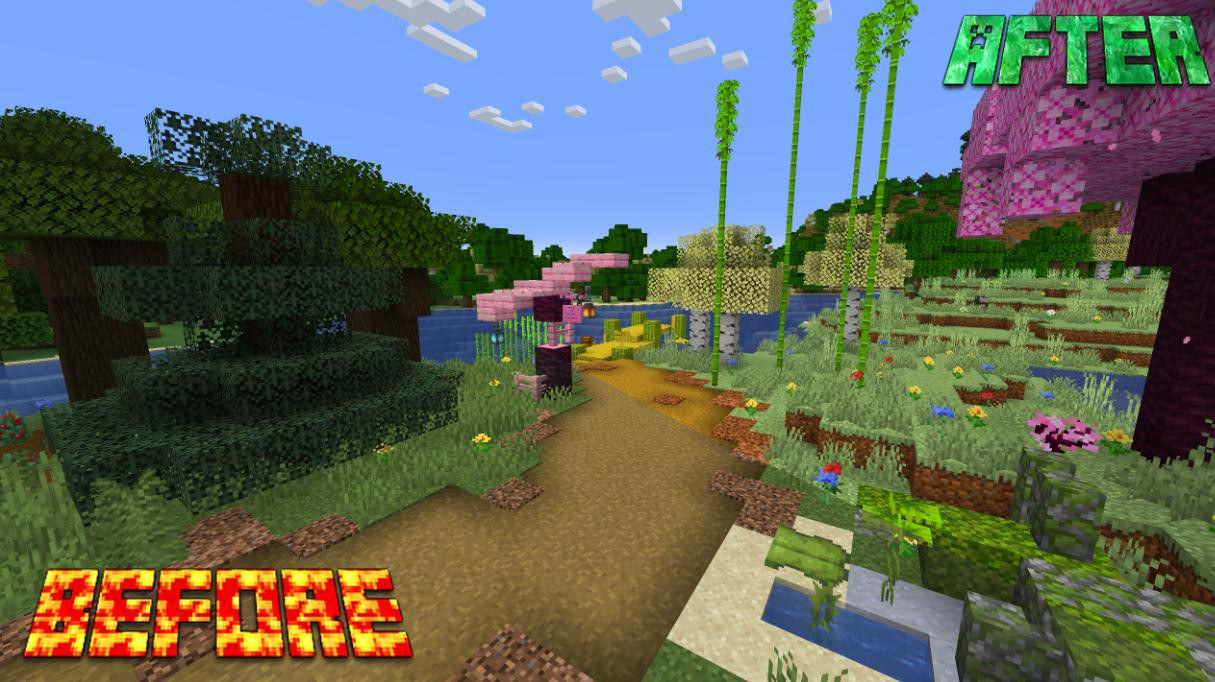
This mod will restore the previous brightness and contrast that were present in the classic versions of Minecraft.
If you're tired of the gray and monotonous color palette in the game, this mod will allow you to change the game and add more brightness and saturation to it by altering all the textures in the game. The game will resemble previous alpha versions of Minecraft.
How to install:
- Download the textures from the link below.
- Copy the archive (without unpacking it) into the "resourcepacks" folder located in the game directory.
- Launch Minecraft and in the settings, select the installed texture pack.
- That's it.
It's preferable to install Optifine HD! But it's not necessary at all, the textures will work fine even without it!
Credits: Apothicon
Textures will work on versions of the game 1.20.5-1.20.6.
External Download Links:
About Mod
| Latest Version | v0.1.0 |
| Game | Minecraft |
| Category | Texture Packs |
| Downloads | 137 |
| Created | 2 years ago |
You Might Also Like »
_modland.webp)
_modland.webp)

![Mod Menu [Minecraft 1.21.1 - 1.14]](https://i2.modland.net/i/670844d8dfaa0/220113162237010137 (1)_modland.webp)
0 Comments
There are no comments. Be first to comment!