Not Enough Items (NEI) [Minecraft 1.12.x, 1.11.2, 1.10.2, 1.9.4, 1.7.10] v2.4.3.245

![Timeless and Classics Zero (TaCZ) [Minecraft 1.20.1, 1.19.2, 1.18.2]](https://i2.modland.net/i/669683678b42d/description_0ac47139-8e79-4b76-8a0c-d79bcb9039df_modland.webp)
Timeless and Classics Zero (TaCZ) [Minecraft 1.20.1, 1.19.2, 1.18.2]
![NeoForge Installer [Minecraft 1.21.1, 1.20.6 - 1.20.1]](https://i2.modland.net/i/66c5cbeb7e5ee/neoforge_modland.webp)
![Armor Durability HUD [Minecraft 1.21.4, 1.21.3, 1.21.2, 1.21.1, 1.21]](https://i2.modland.net/i/674bc2c2c404b/190618141923060623_modland.webp)
Armor Durability HUD [Minecraft 1.21.4, 1.21.3, 1.21.2, 1.21.1, 1.21]
![[1.5] THE DROPPER](https://li1.modland.net/minecraft/maps/thumbnail/th_ModLandNet_1.jpg)

![Not Enough Items (NEI) [Minecraft 1.12.x, 1.11.2, 1.10.2, 1.9.4, 1.7.10]](https://i2.modland.net/i/67391ec3014d9/nei_2 (1)-lg_modland.jpg)
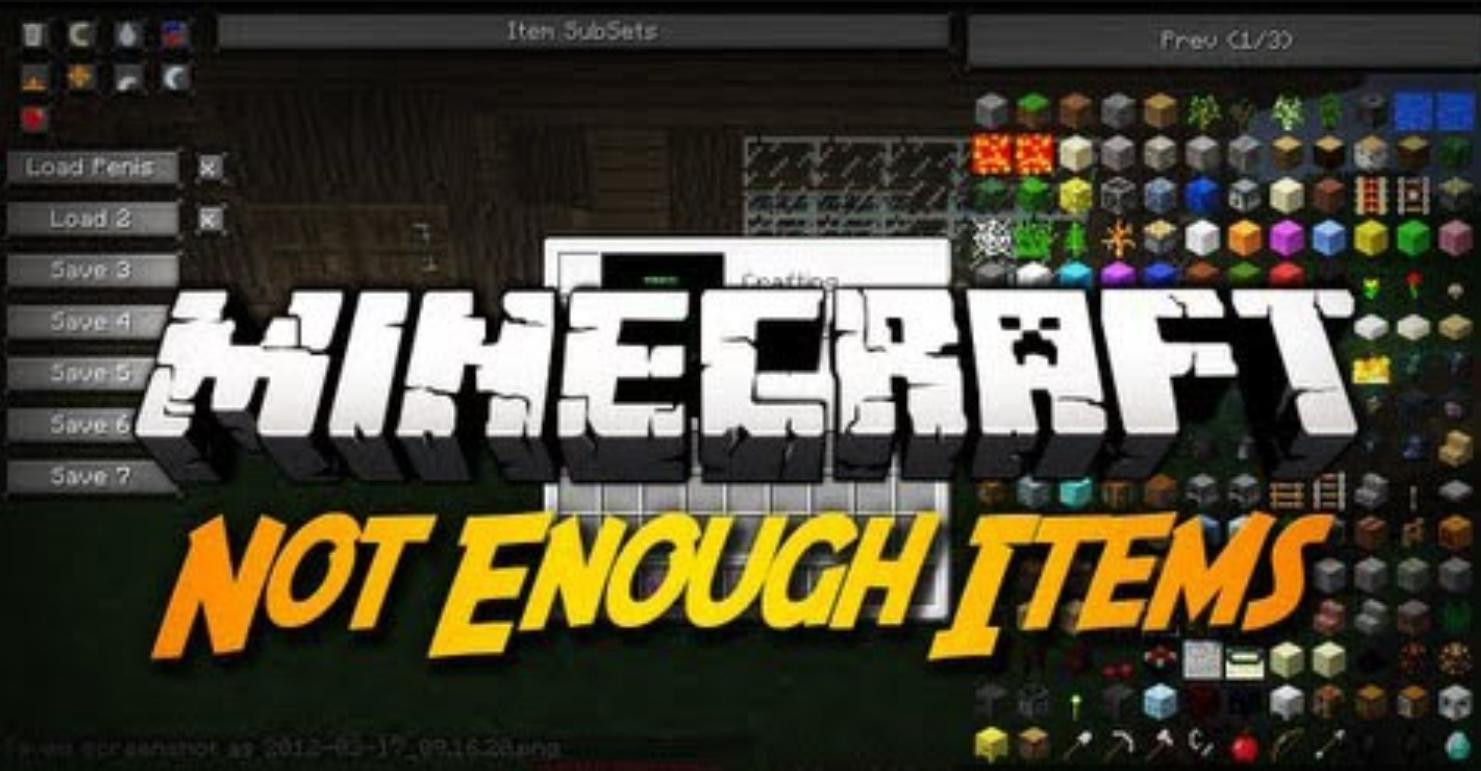
Not Enough Items (NEI) is a universal modification for Minecraft that provides a wide range of features, including viewing crafting recipes, obtaining items, controlling weather and time, as well as interacting with the functionality of other mods. This tool combines the functionality of such modifications as TooManyItems and Recipe Book, adding powerful sorting and item search features.
Main Features of NEI
With NEI, you can explore the recipes for any block or item in the game. To do this, simply hover over an object and press the R key to see its crafting methods, or U to find out in which recipes it is used. For example, the mod supports showing recipes for crafting tables, furnaces, brewing stands, and other specialized blocks, including modified devices such as alloy furnaces from mods.
When an item has several variants (e.g., different types of wood or wool), the mod will cycle through these variants, showing the available subtypes. This simplifies understanding how one material can be used under different conditions. NEI also supports recipe searching using key combinations or the menu.
Graphical Interface and Controls
NEI integrates additional control elements into the Minecraft interface, allowing you to:
Quickly switch the time of day (morning, noon, evening, night) using buttons in the inventory.
Turn rain on or off, which is useful when building open structures.
Activate the "magnet" mode, causing nearby items to automatically attract to the player.
These features are particularly convenient when testing the behavior of objects or materials without distractions.
Mod Operating ModesNEI offers two main operating modes:
Recipe Mode – allows you to only view recipes and information about items without adding them to your inventory.
Cheat Mode – enables instant acquisition of any item from the list on the right, modification of parameters (e.g., enchantment levels or potion properties), as well as enabling infinite health and hunger.
These modes can be switched in the mod settings, adapting it to the needs of both players seeking fair gameplay and those who want to quickly test new features.
Convenient Item Search
A search field is located at the bottom of the screen, filtering items by keywords. The field supports:
Simple text filtering (e.g., entering "wood" will show all types of wood).
Using special symbols (*, ?) for more precise searches.
Java regex support for complex queries.
The search function is especially useful when using large modpacks with hundreds of modified items.
Working with Item Subsets
NEI allows you to sort items into groups – so-called "subsets." These can be:
Items from a specific mod.
Specific categories, such as weapons, tools, building blocks.
Lists created manually by the player via configuration files.
Subsets simplify working with an extensive set of blocks and items, helping to find what you need faster.
Additional Features
1. Enchanting
The mod includes a separate menu for enchanting items. It allows you to select any available effect, set its level, and instantly apply the enchantment. Restrictions are also taken into account – incompatible effects cannot be applied simultaneously.
2. Trash Management
NEI has a built-in "trash can" that allows you to:
Delete individual items held in your hand.
Delete all items of one type by holding Shift.
Completely clear the inventory.
3. Mob Spawn Zones Display
By pressing the F7 key, you can enable the highlighting of low-light zones. Red areas show spots where mobs can spawn at any time of day, while yellow areas indicate spots where they spawn only at night.
4. Inventory Saving
The mod supports creating up to seven inventory "saves," allowing players to quickly switch between different sets of items.
Compatibility with Other Mods
NEI supports integration with most popular mods, such as RedPower, IndustrialCraft, and BuildCraft. It automatically loads crafting recipes unique to these modifications and provides access to custom features, such as alloy furnace or energy unit recipes.
This compatibility makes NEI an ideal tool for use in modpacks with dozens of modifications.
Mod Configuration
The mod allows you to configure almost every aspect of its operation through configuration files (NEI.cfg and NEIServer.cfg). This includes:
Restricting access to certain functions for specific players on the server.
Creating a blacklist of prohibited items.
Adjusting the display of item information (e.g., showing IDs).
NEI Installation
For Versions 1.11.2 and Above:
- Install Just Enough Items (JEI) and CodeChickenLib.
- Place the mod archive into the .minecraft\mods folder.
For Versions 1.10.2 and 1.9.4:
- Install CodeChickenLib, CodeChickenCore, and Just Enough Items.
- Copy the archive into the .minecraft\mods folder.
For Older Versions:
Versions 1.6.4–1.8 require only CodeChickenCore.
For version 1.5.2 the folder .minecraft\coremods instead of .minecraft\mods.
The mod works for Minecraft: 1.12.x, 1.11.2, 1.10.2, 1.19.4, 1.8, 1.7.10, 1.7.2, 1.6.4, 1.5.2.
External Download Links:
- Modsfire.com - NotEnoughItems_1.12.2_2.4.3.245_universal.jar [for Minecraft 1.12.2] [459.8 KB]
- Modsfire.com - NotEnoughItems_1.12_2.4.0.231_universal.jar [for Minecraft 1.12.x] [458.72 KB]
- Modsfire.com - NotEnoughItems_1.11.2_2.3.0.227_universal.jar [for Minecraft 1.11.2] [471.59 KB]
- Modsfire.com - NotEnoughItems_1.10.2_2.1.3.220_universal.jar [for Minecraft 1.10.2] [569.92 KB]
- Modsfire.com - NotEnoughItems_1.9.4_2.0.1.133_universal.jar [for Minecraft 1.9.4] [526.16 KB]
- Modsfire.com - NotEnoughItems_1.8_1.0.5.82_universal.jar [for Minecraft 1.8] [498.47 KB]
- Modsfire.com - NotEnoughItems-1.7.10-1.0.5.120-universal.zip [for Minecraft 1.7.10] [597.75 KB]
- Modsfire.com - notenoughitems_1.7.2_rc2.jar [for Minecraft 1.7.2] [396.2 KB]
- Modsfire.com - not_enough_items_1.6.4.jar [for Minecraft 1.6.4] [425.93 KB]
- Modsfire.com - NotEnoughItems_1.5.2.28.jar [for Minecraft 1.5.2] [369.47 KB]
_modland.webp)
_modland.webp)
![Mod Menu [Minecraft 1.21.1 - 1.14]](https://i2.modland.net/i/670844d8dfaa0/220113162237010137 (1)_modland.webp)