Remove HUD but Not Hand [Minecraft 1.12.2, 1.10.2, 1.9.4, 1.7.10] v2.0

![Timeless and Classics Zero (TaCZ) [Minecraft 1.20.1, 1.19.2, 1.18.2]](https://i2.modland.net/i/669683678b42d/description_0ac47139-8e79-4b76-8a0c-d79bcb9039df_modland.jpg)
Timeless and Classics Zero (TaCZ) [Minecraft 1.20.1, 1.19.2, 1.18.2]
44417
917
6
2 years ago
by
Rol_nd
![NeoForge Installer [Minecraft 1.21.1, 1.20.6 - 1.20.1]](https://i2.modland.net/i/66c5cbeb7e5ee/neoforge_modland.jpg)
![Armor Durability HUD [Minecraft 1.21.4, 1.21.3, 1.21.2, 1.21.1, 1.21]](https://i2.modland.net/i/674bc2c2c404b/190618141923060623_modland.jpg)
Armor Durability HUD [Minecraft 1.21.4, 1.21.3, 1.21.2, 1.21.1, 1.21]
24516
343
8
1 year ago
by
Rol_nd
![[1.5] THE DROPPER](https://li1.modland.net/minecraft/maps/thumbnail/th_ModLandNet_1.jpg)
![Remove HUD but Not Hand [Minecraft 1.12.2, 1.10.2, 1.9.4, 1.7.10]](https://temp2.modland.net/i/677277f8190e7/060113020659010159-lg_modland.jpg)
0/5,
0
votes
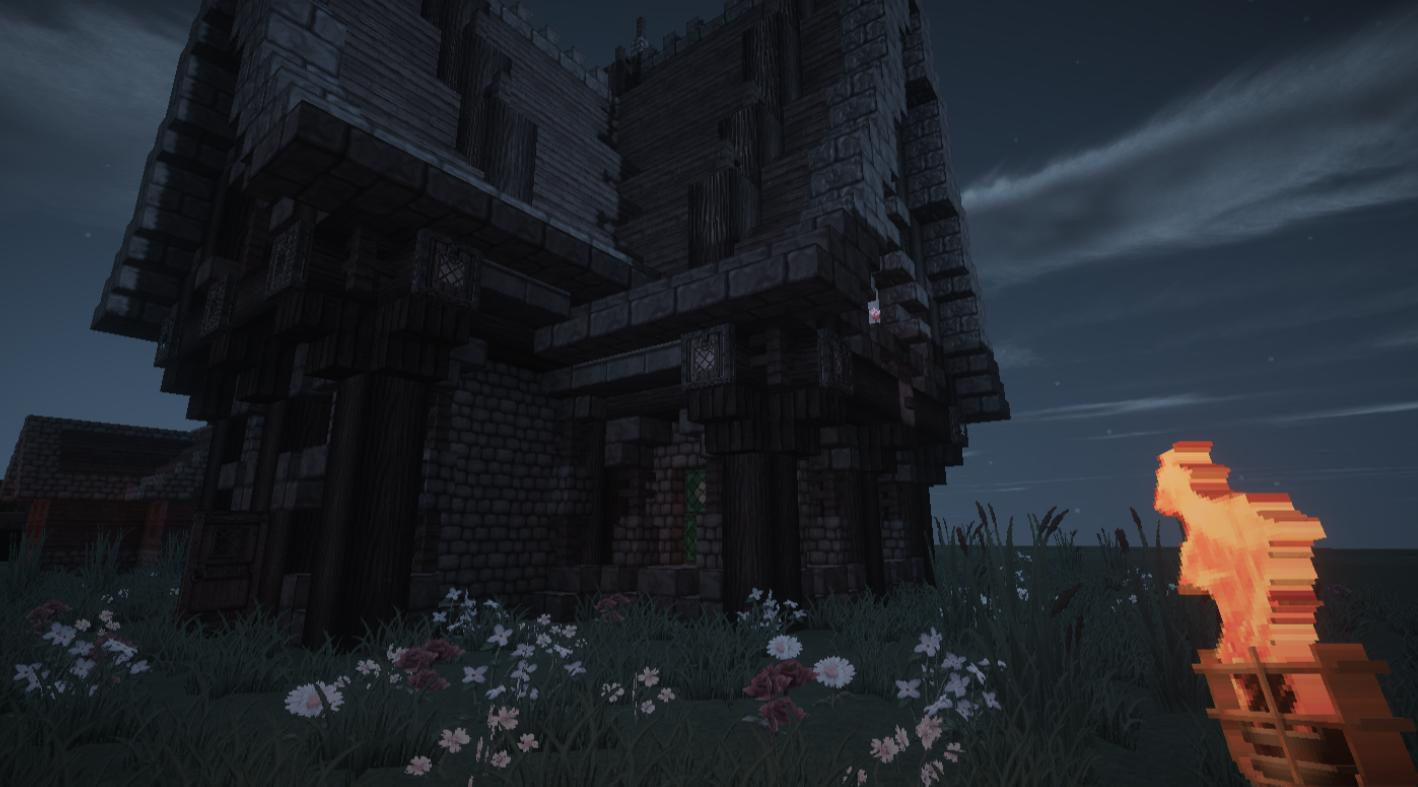
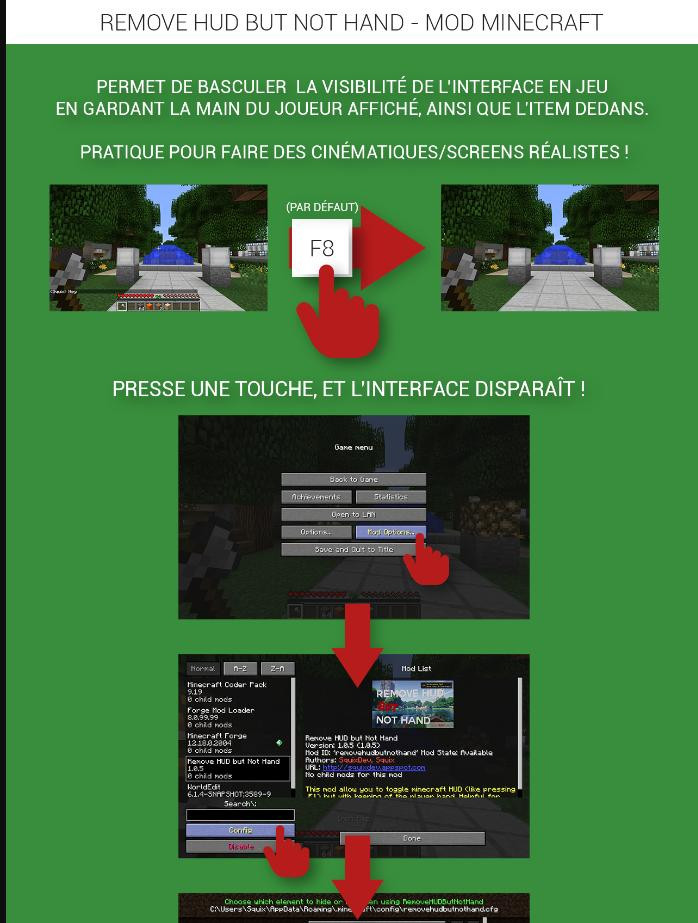
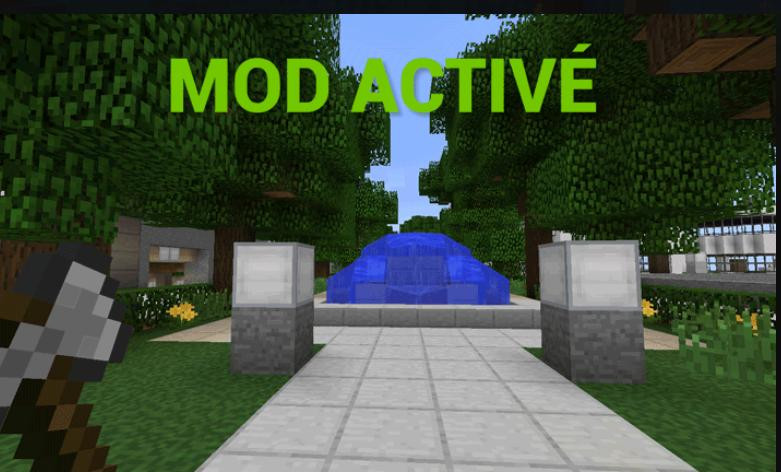
This mod allows you to hide the entire interface in Minecraft (similar to the F1 key), but with the player's hand display preserved. This is especially useful for creating realistic cinematic first-person scenes or screenshots.
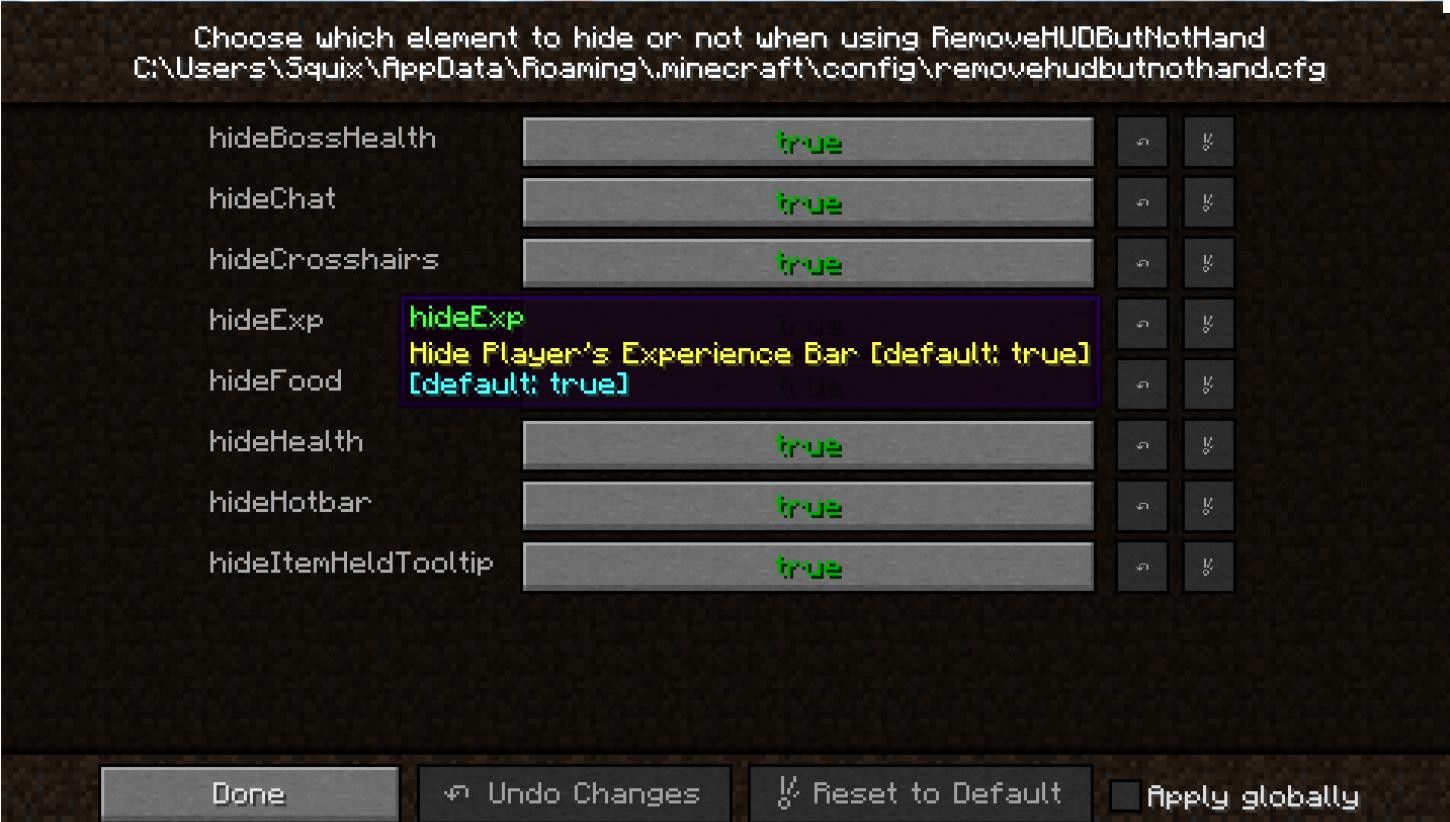
What can be hidden:
Main features:
- Customization flexibility: You decide which interface elements to hide.
- Key assignment support: Ability to bind a key to quickly turn the interface on/off.
What can be hidden:
-
Player health bar
-
Food bar
-
Experience bar
-
Underwater air strip
-
Armor strip
-
Mount Health Band
-
Mount Jump Stripe
-
Current item hint
-
Hotbar
-
Helmet layer (e.g. pumpkin)
-
Aim
-
In-game chat
-
Block highlighting
-
Boss health bar
-
Entity names
-
Potion effect icons
-
Subtitles
-
Great for making cinematic videos.
-
Improved visual aesthetics when creating screenshots.
-
Ability to integrate checking for mod updates.
-
If you want to know how it works, check out the source code of the mod on GitHub:
-
RemoveHudButNotHand source code (distributed under the MIT license).
Installation and customization:
-
Download the mod from GitHub or another source.
-
Install in the mods folder in your Minecraft client.
Customize the key and settings in the mods menu.
Requirements: Forge
Credits: SquixReal
You Might Also Like »
![Timeless and Classics Zero (TaCZ) [Minecraft 1.20.1, 1.19.2, 1.18.2]](https://i2.modland.net/i/669683678b42d/description_0ac47139-8e79-4b76-8a0c-d79bcb9039df_modland.webp)
![NeoForge Installer [Minecraft 1.21.1, 1.20.6 - 1.20.1]](https://i2.modland.net/i/66c5cbeb7e5ee/neoforge_modland.webp)

_modland.webp)
_modland.webp)
![Mod Menu [Minecraft 1.21.1 - 1.14]](https://i2.modland.net/i/670844d8dfaa0/220113162237010137 (1)_modland.webp)
0 Comments
There are no comments. Be first to comment!