-lg_modland.jpg)
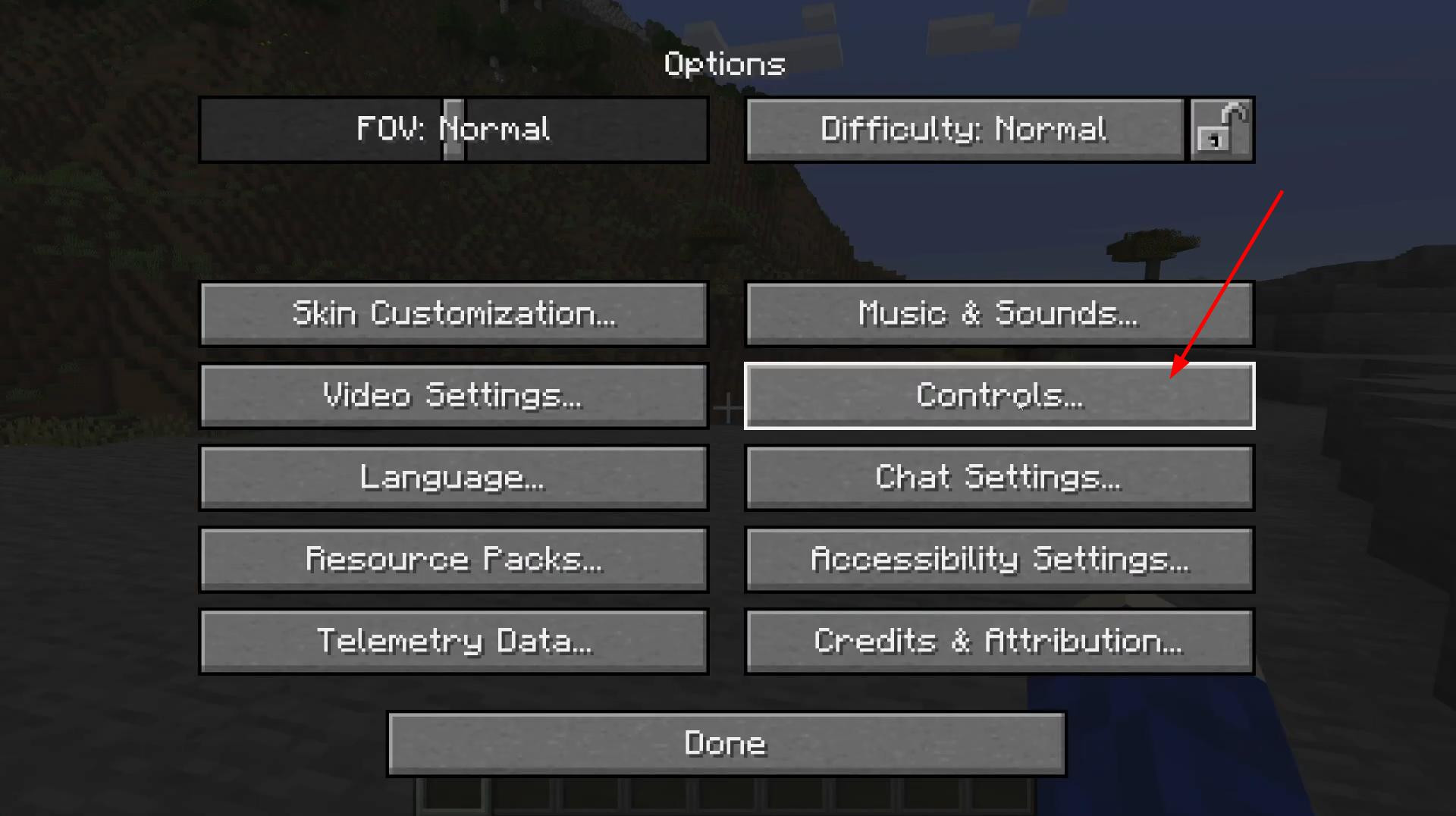
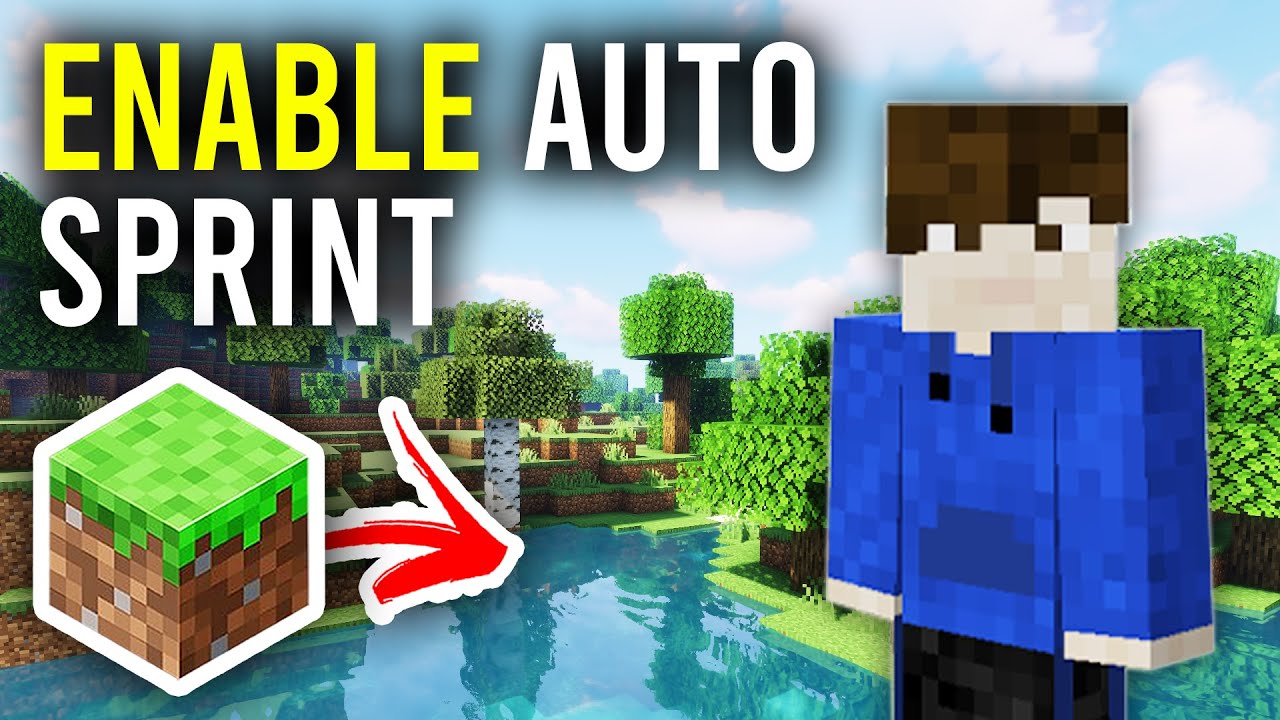
Minecraft has an auto-sprint feature that allows your character to start running without having to hold down a key.
Activating auto-sprint will make it easier for you to cover long distances and move around the world.
Activating sprint toggle mode
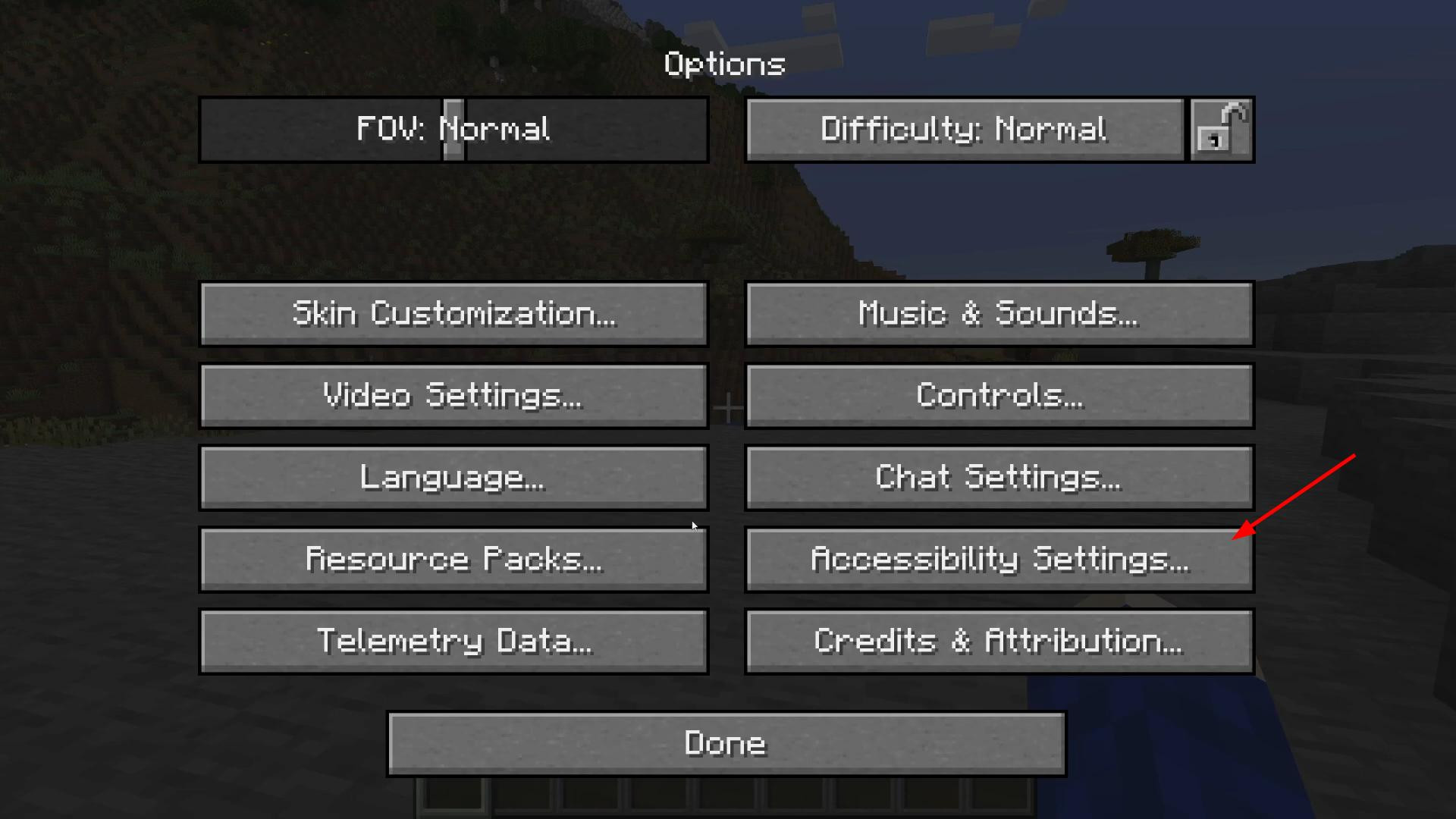
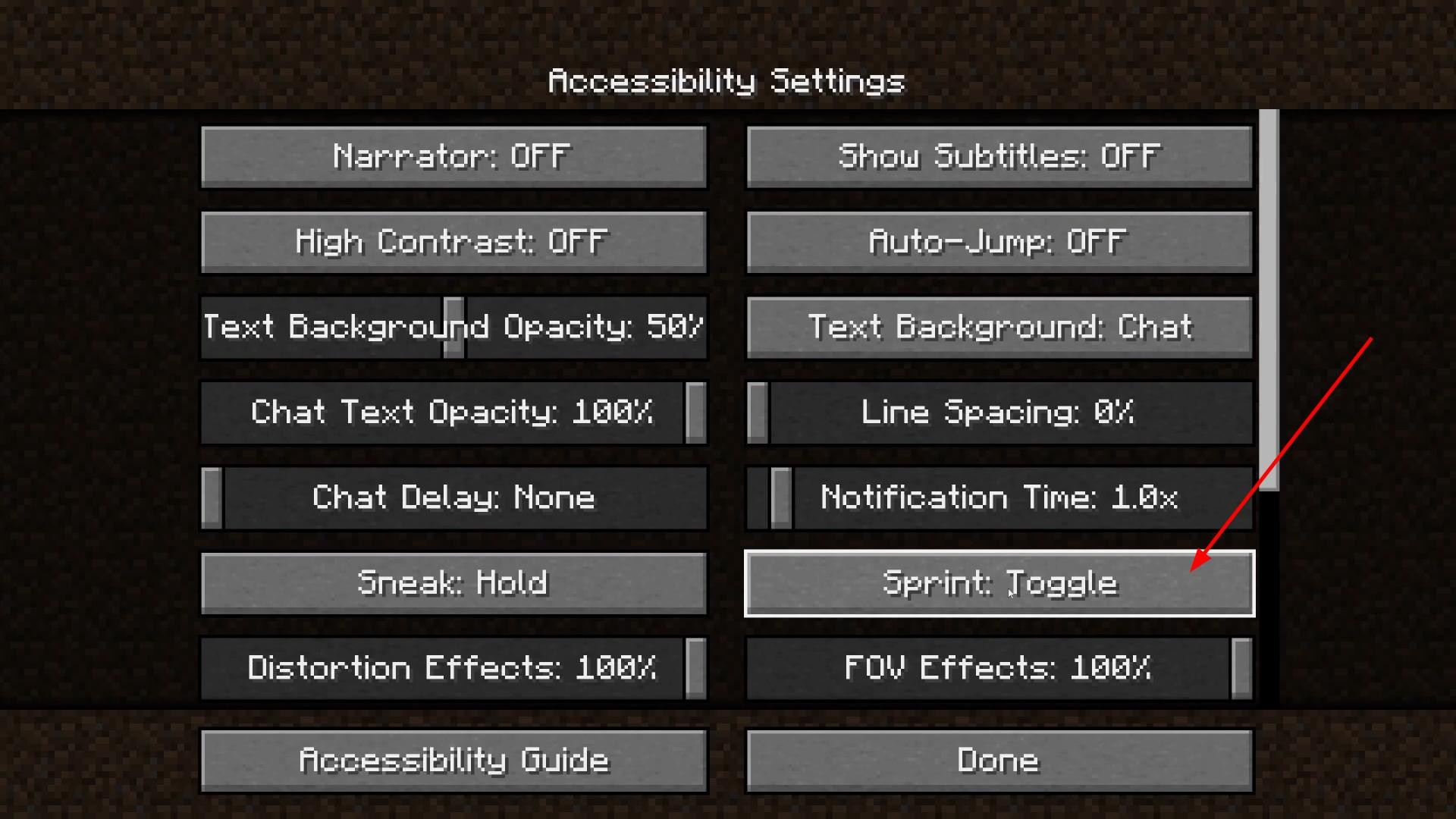
Pause the game. Select “Settings” and open Accessibility Settings.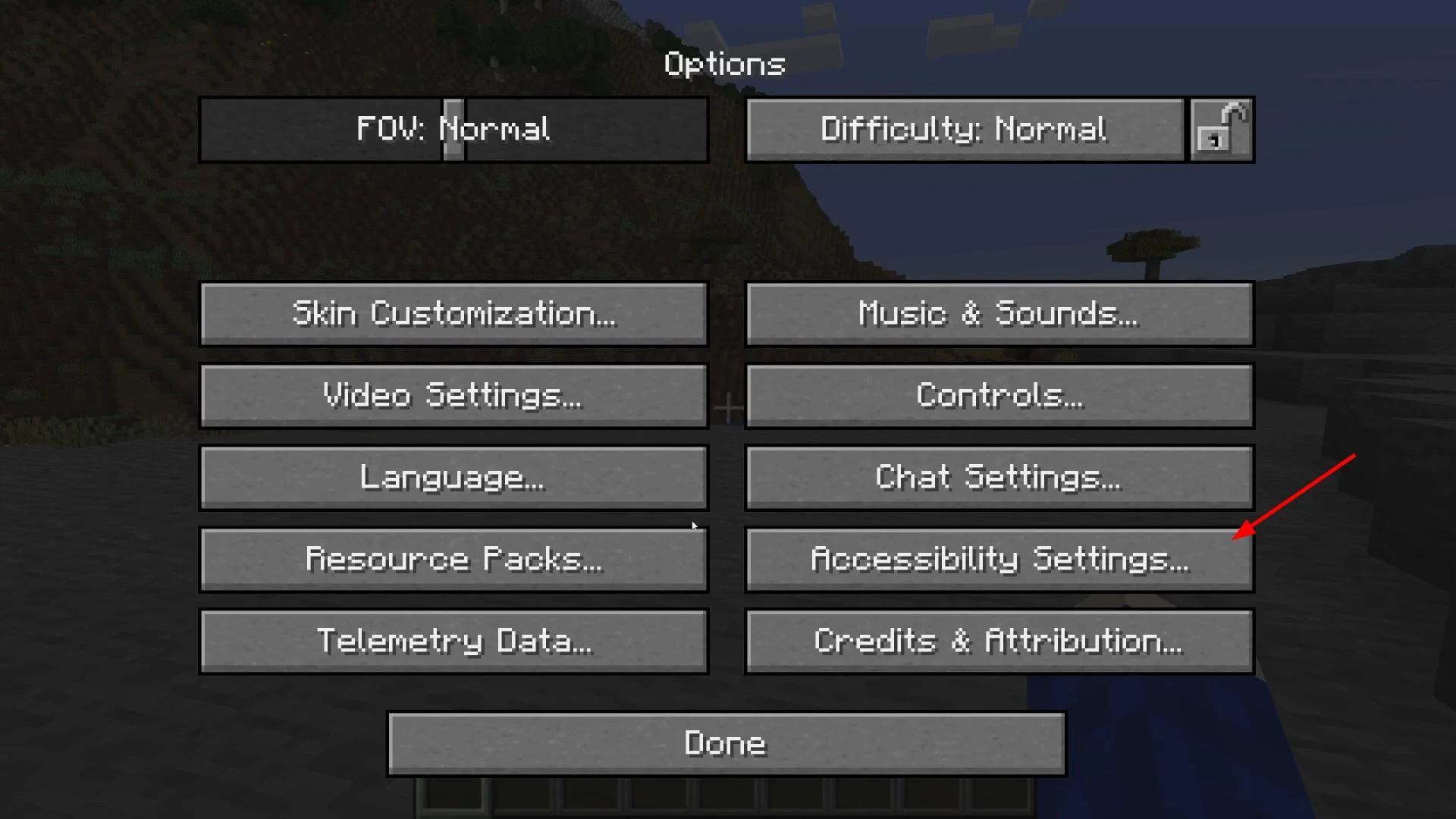
Find the “Run” option and switch it from ‘Hold’ to “Toggle”.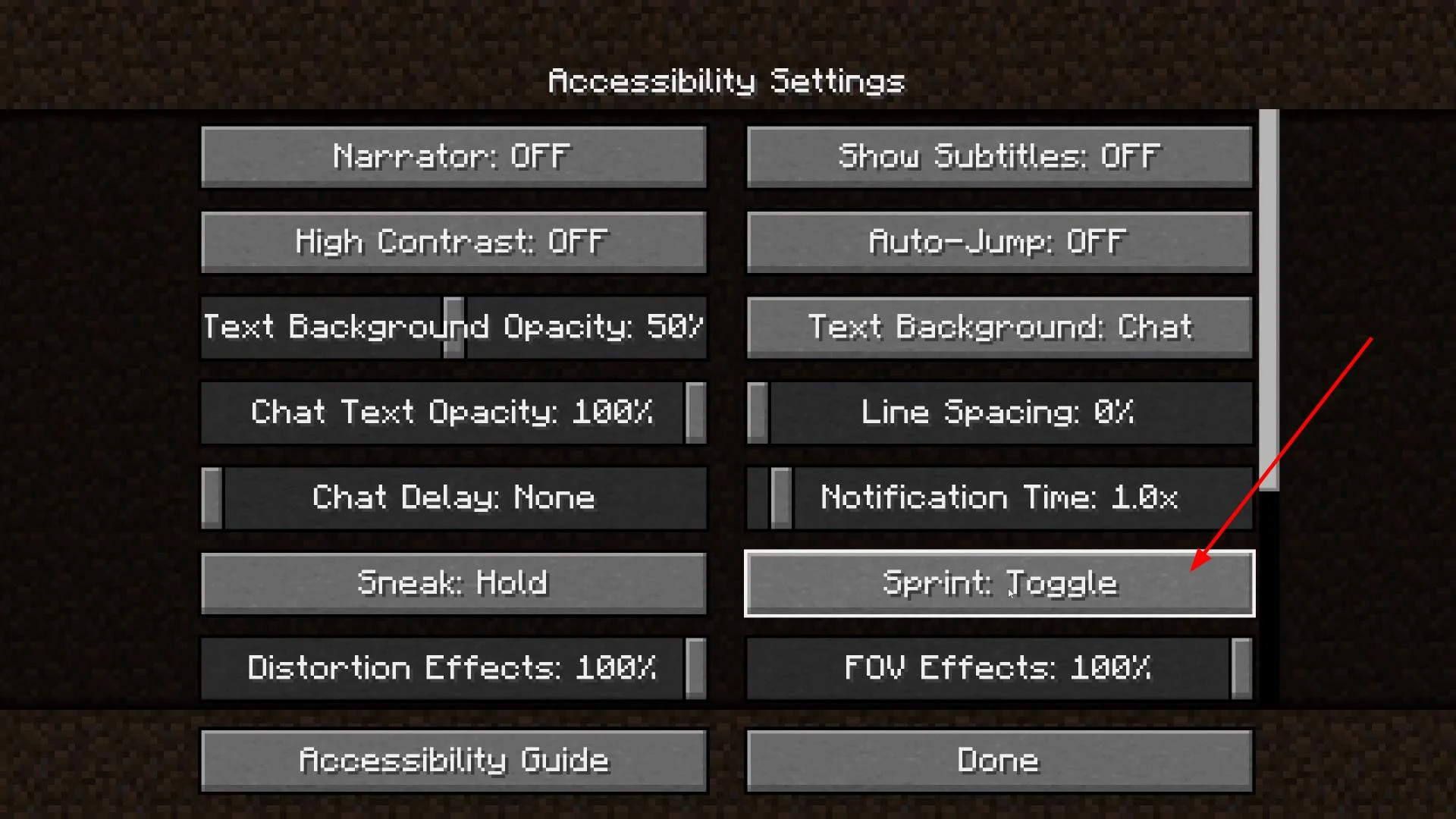
After changing the setting, click “Done” to save the changes.
Checking and using the sprint key
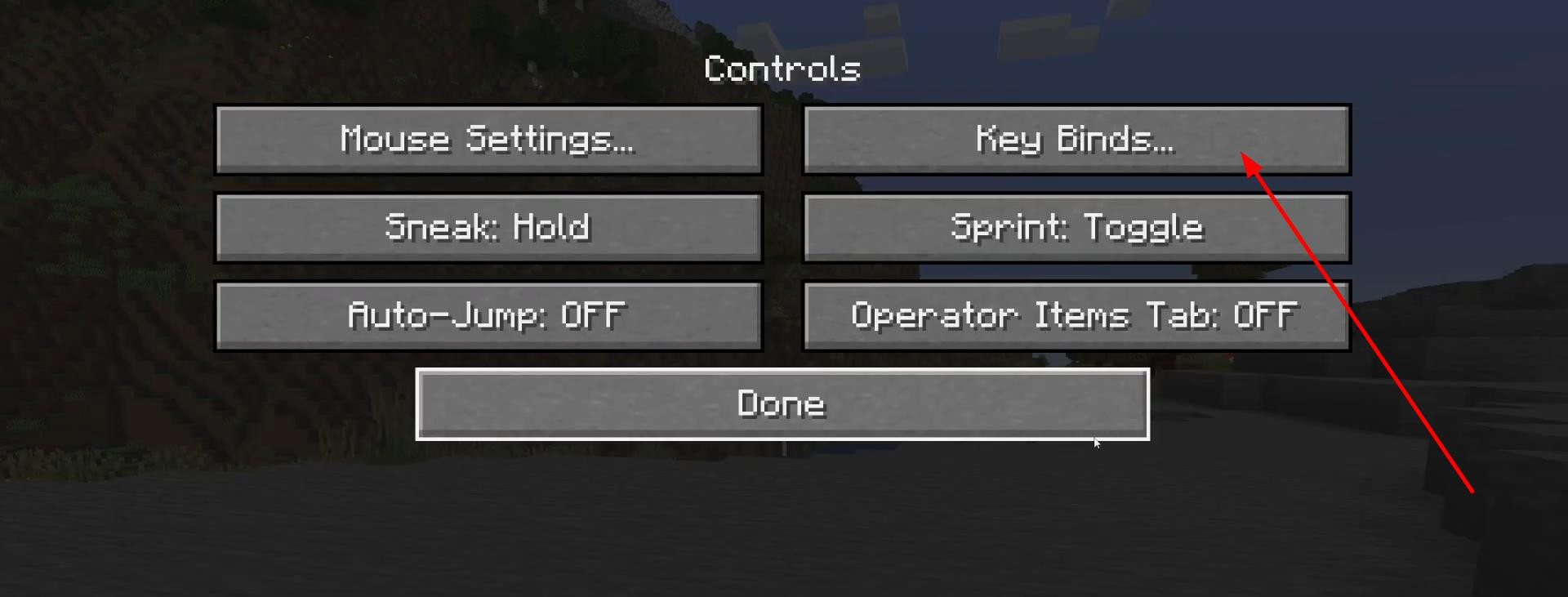
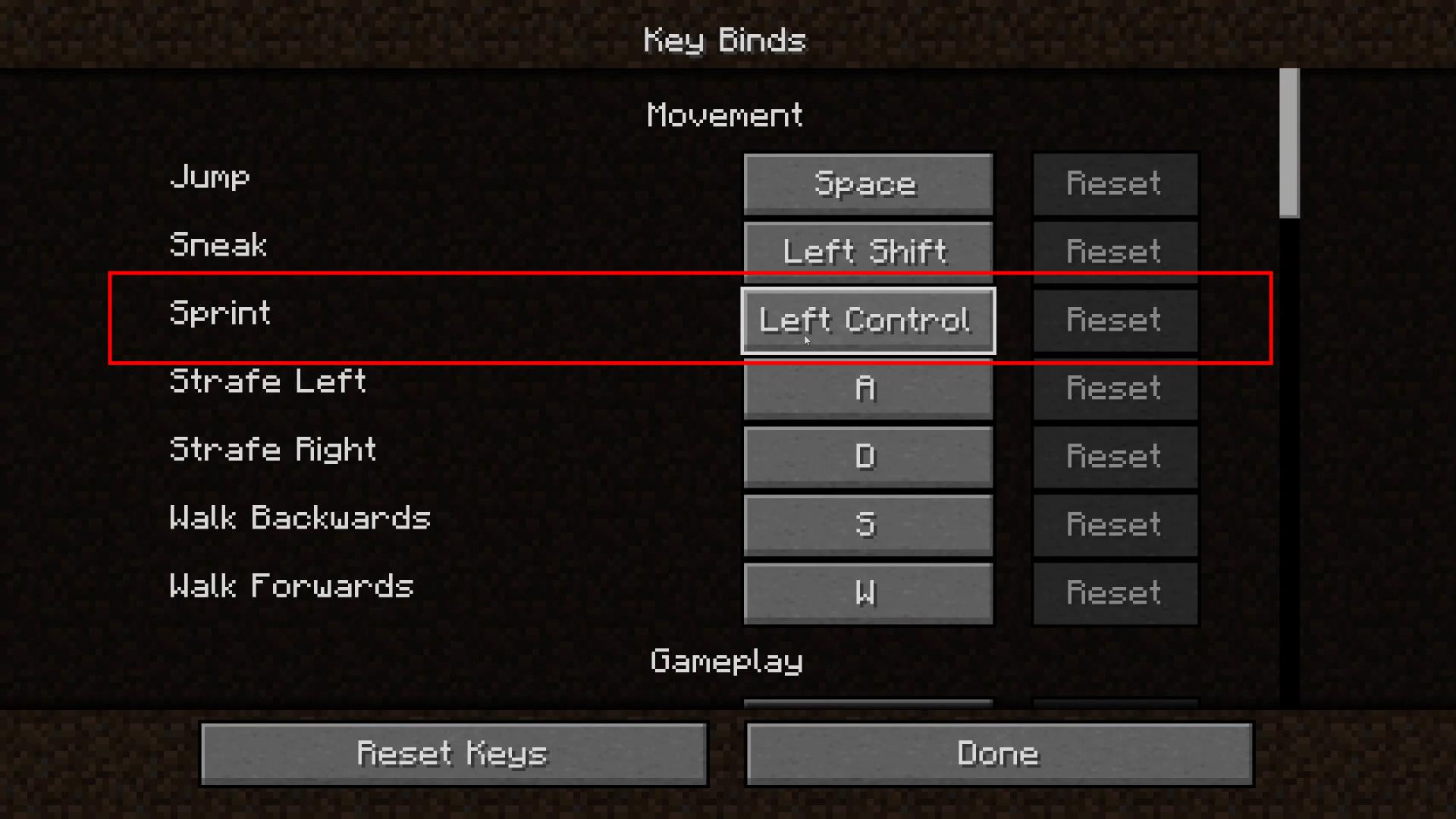
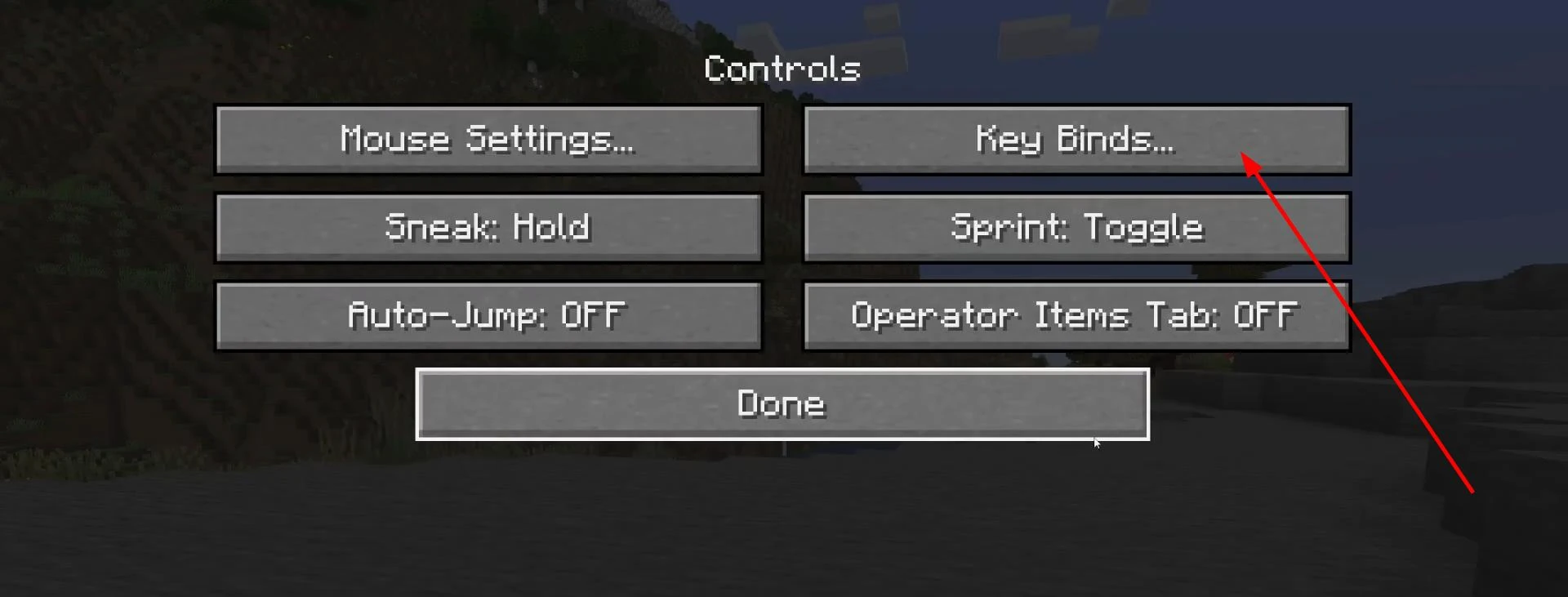
Next, go to the “Controls” section, then to the “Key Assignments” subsection.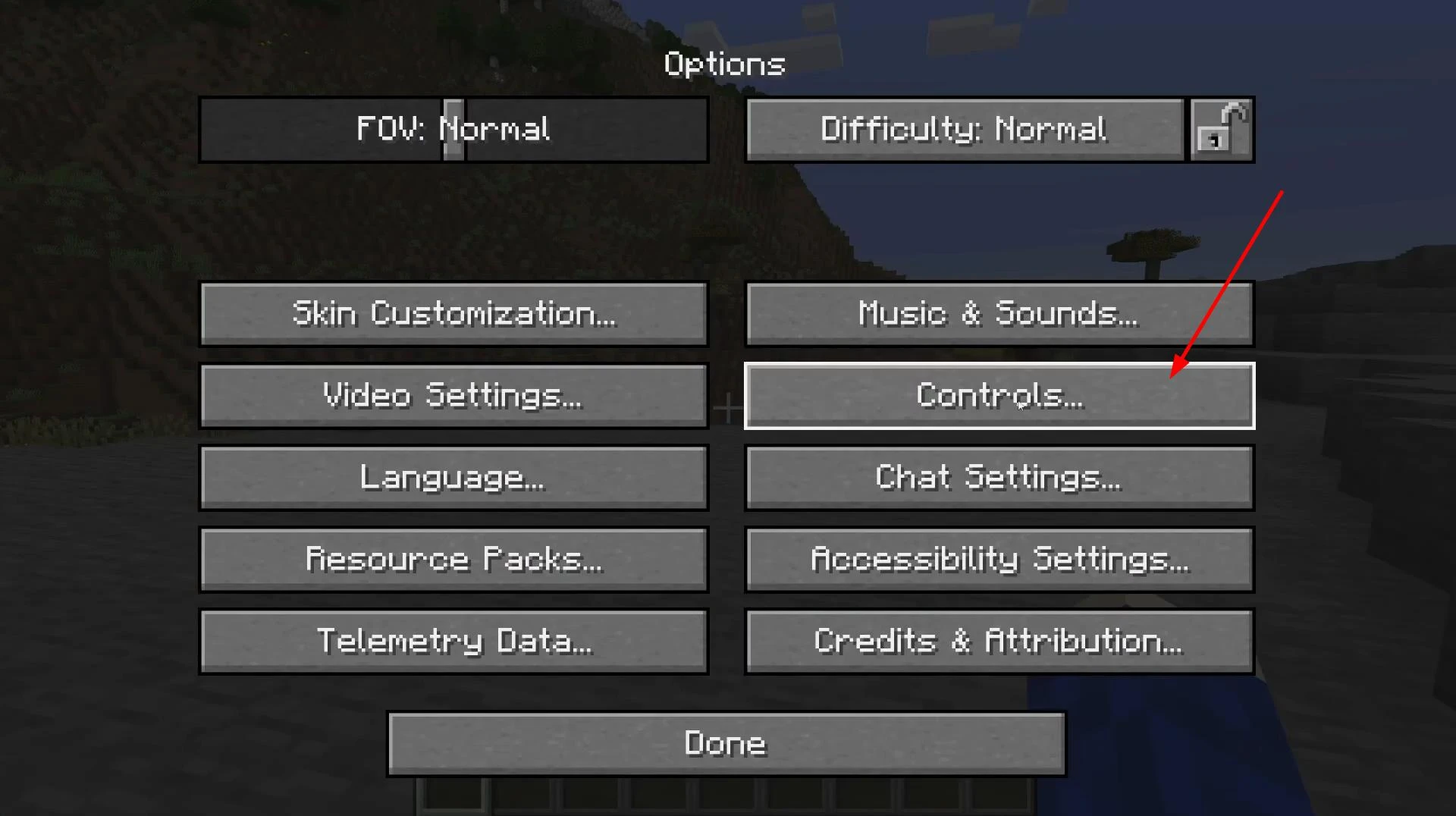
This list displays all current key combinations, including the one responsible for sprinting. By default, this is the left Ctrl key, but it can be changed manually.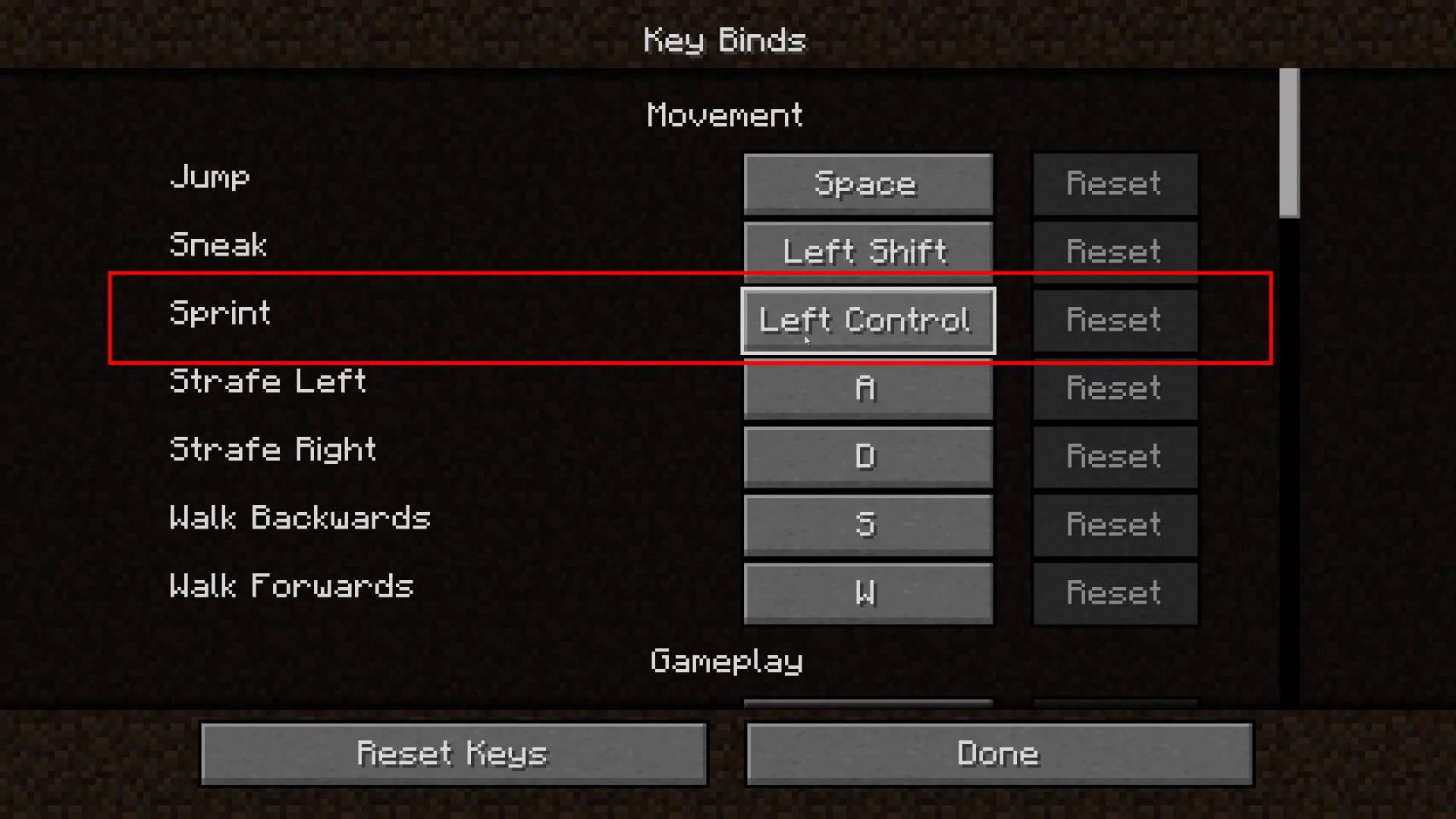
Here you can see which key activates sprint in the current control configuration.
Knowing the right key to activate, you can easily activate auto-sprint at the right moment.
Auto-sprint is disabled by pressing the key again.
Videos
Added by

![Timeless and Classics Zero (TaCZ) [Minecraft 1.20.1, 1.19.2, 1.18.2]](https://i2.modland.net/i/669683678b42d/description_0ac47139-8e79-4b76-8a0c-d79bcb9039df_modland.webp)
![NeoForge Installer [Minecraft 1.21.1, 1.20.6 - 1.20.1]](https://i2.modland.net/i/66c5cbeb7e5ee/neoforge_modland.webp)
![[1.5] THE DROPPER](https://li1.modland.net/minecraft/maps/thumbnail/th_ModLandNet_1.jpg)

_modland.webp)
_modland.webp)
![Mod Menu [Minecraft 1.21.1 - 1.14]](https://i2.modland.net/i/670844d8dfaa0/220113162237010137 (1)_modland.webp)