How to Enable Infinite Night Vision in Minecraft
-lg_modland.jpg)
To activate the permanent night vision effect in Minecraft, you will need access to the command console and cheats enabled.
This feature will be very useful in caves and dark places.
Enabling cheats in the world
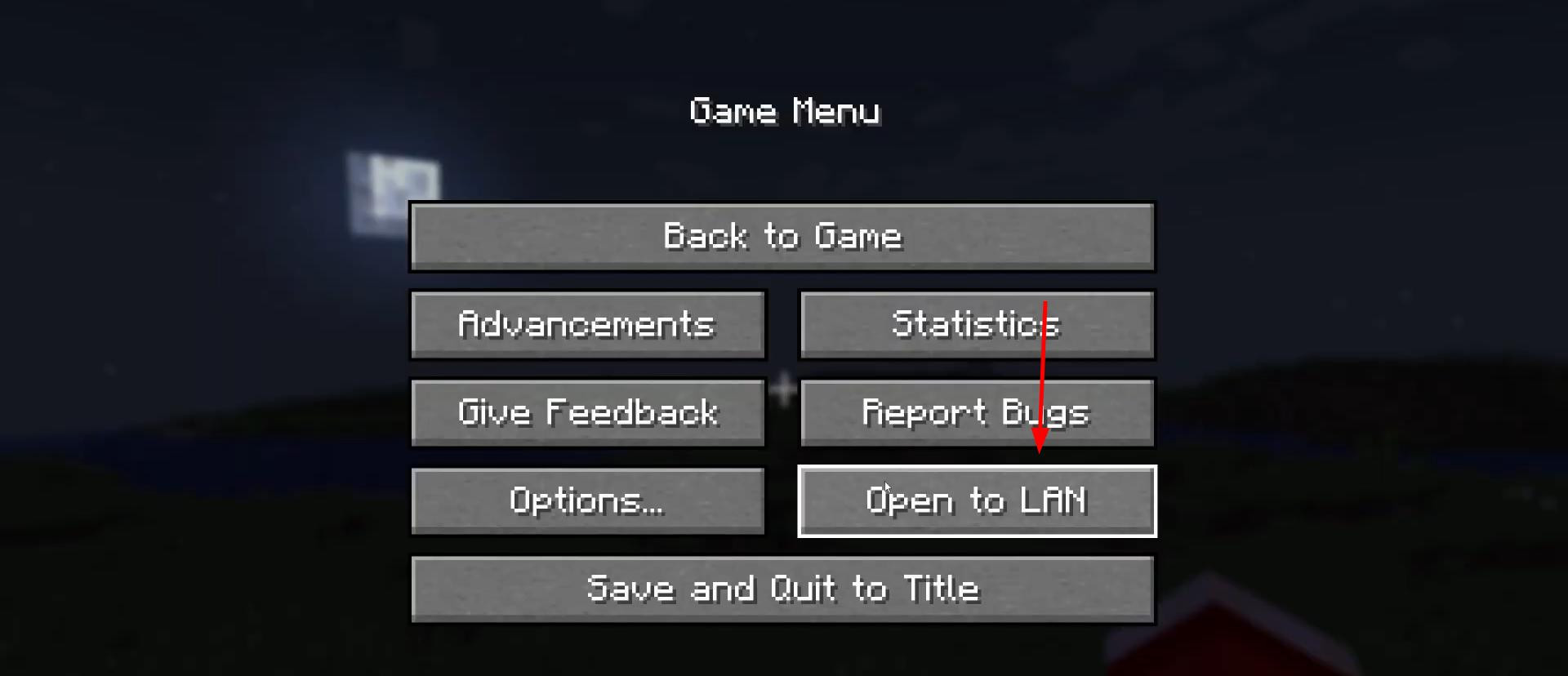
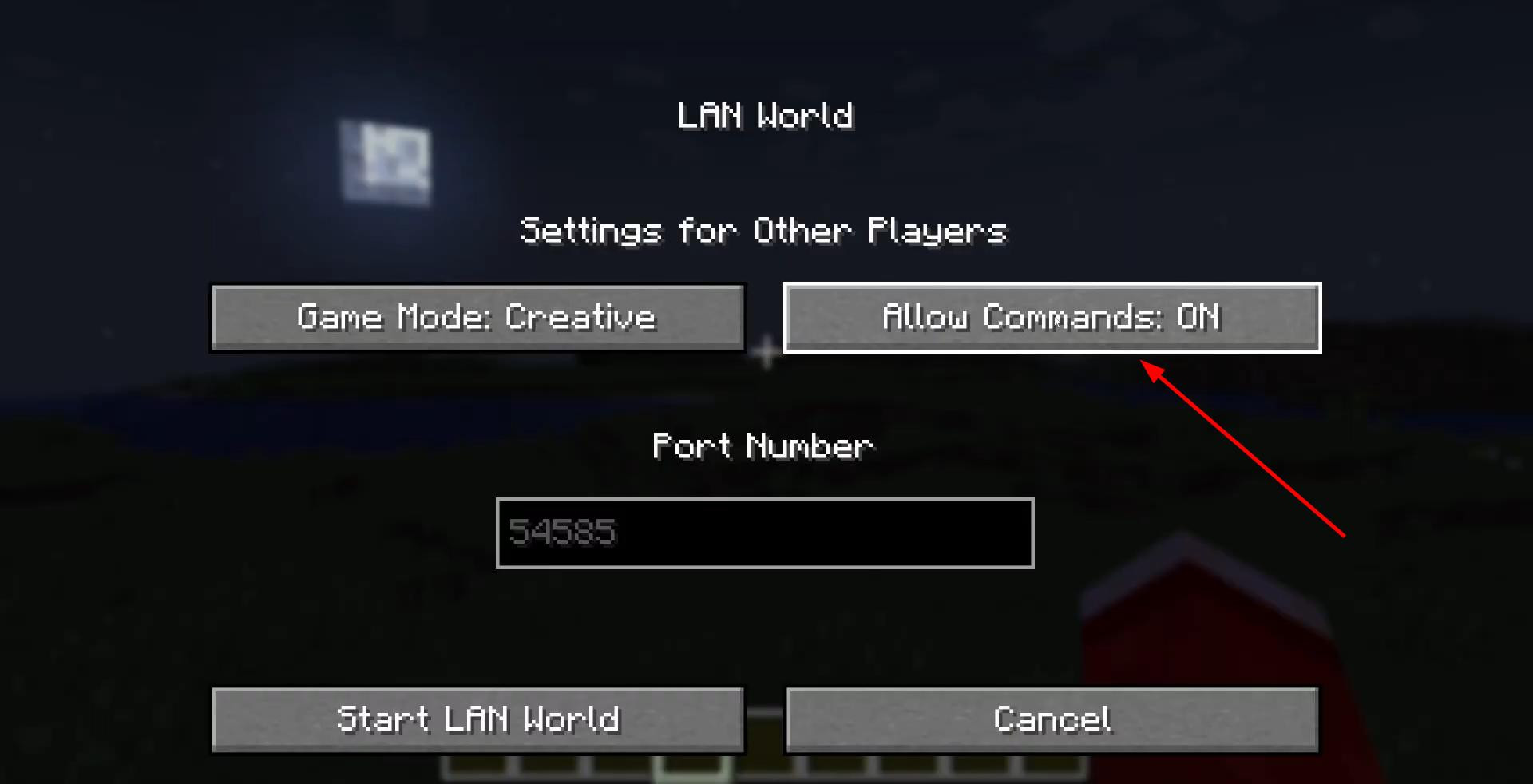
If you are not playing in creative mode, you must first enable cheats.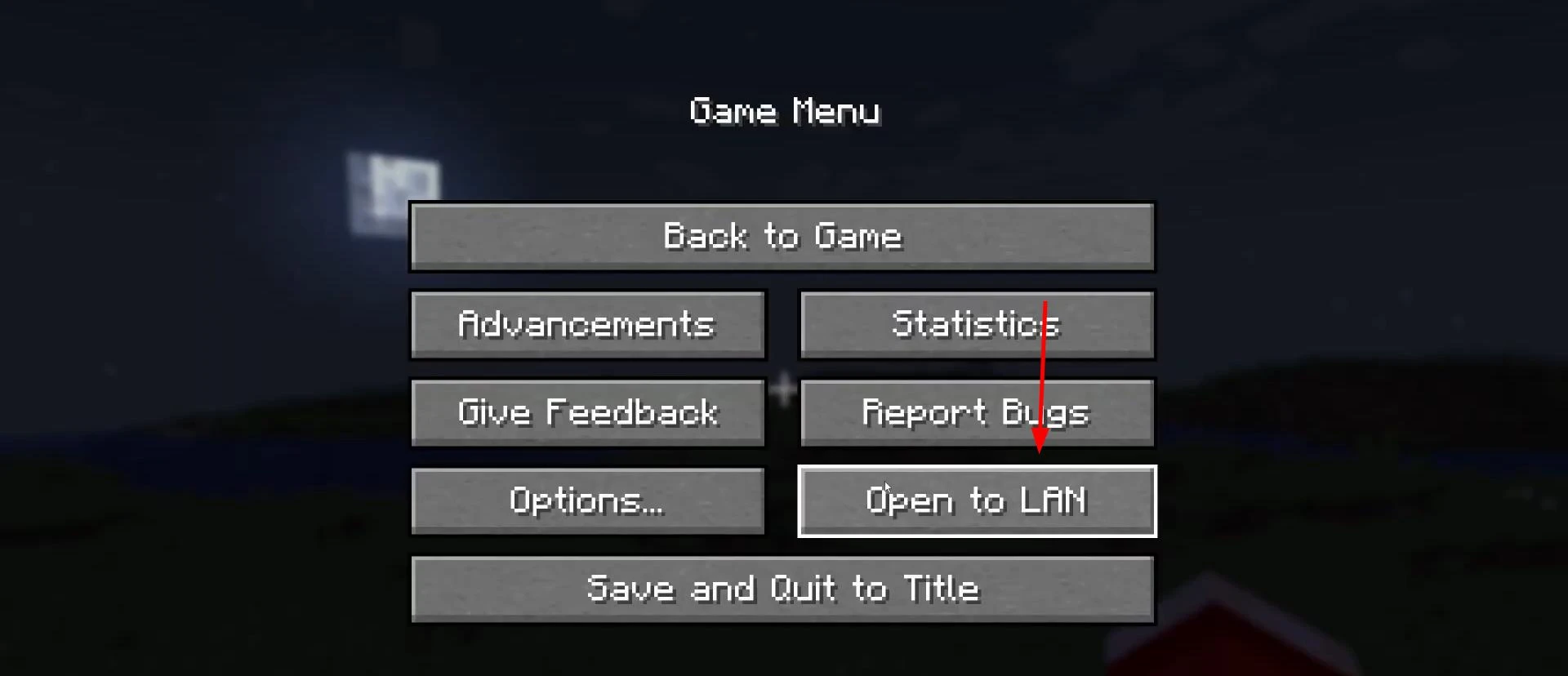
To do this, press pause, select “Open to network”, then activate the “Allow cheats” option and start the world in network mode.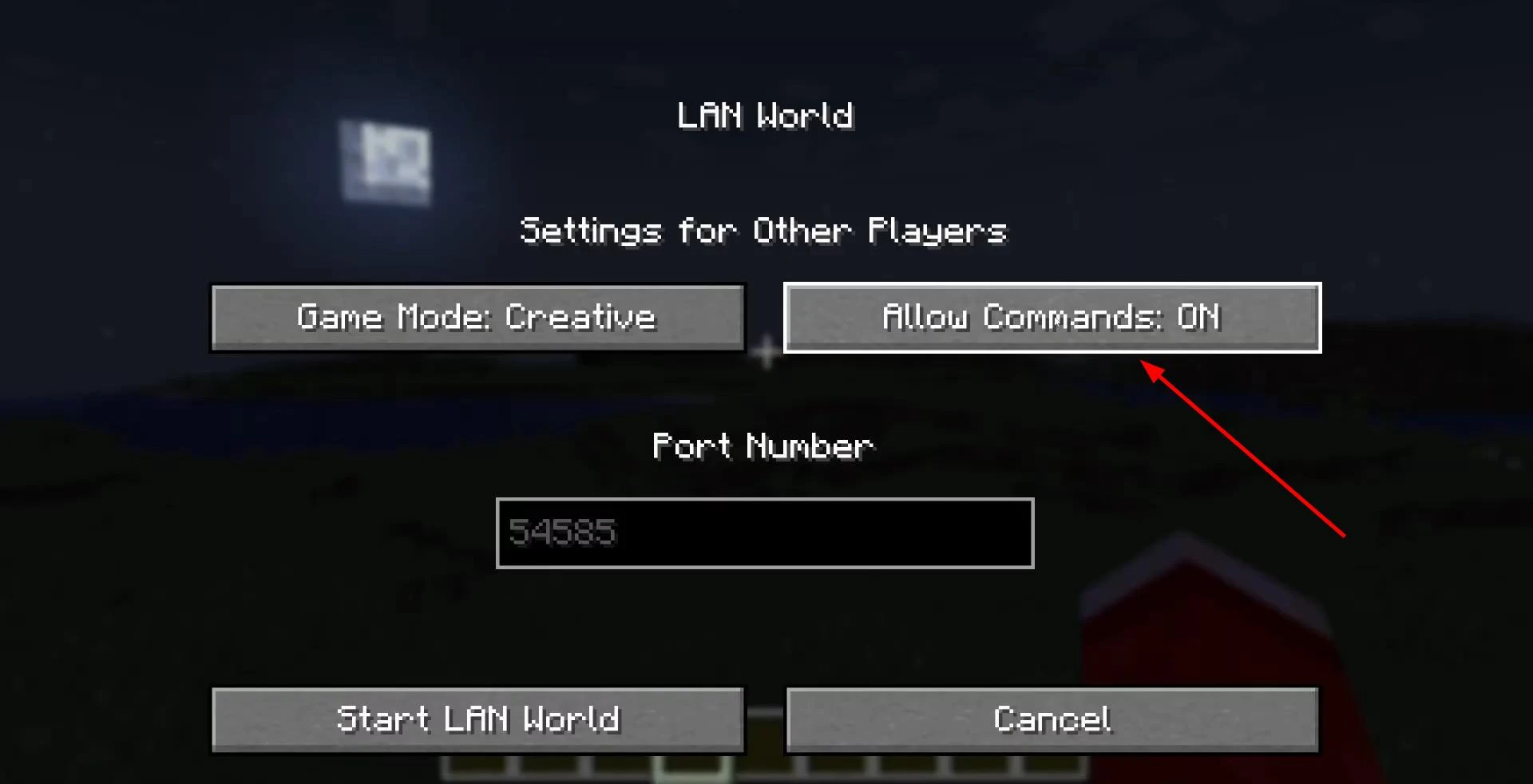
This will give you access to console commands, even if it was initially disabled.
Entering the night vision command
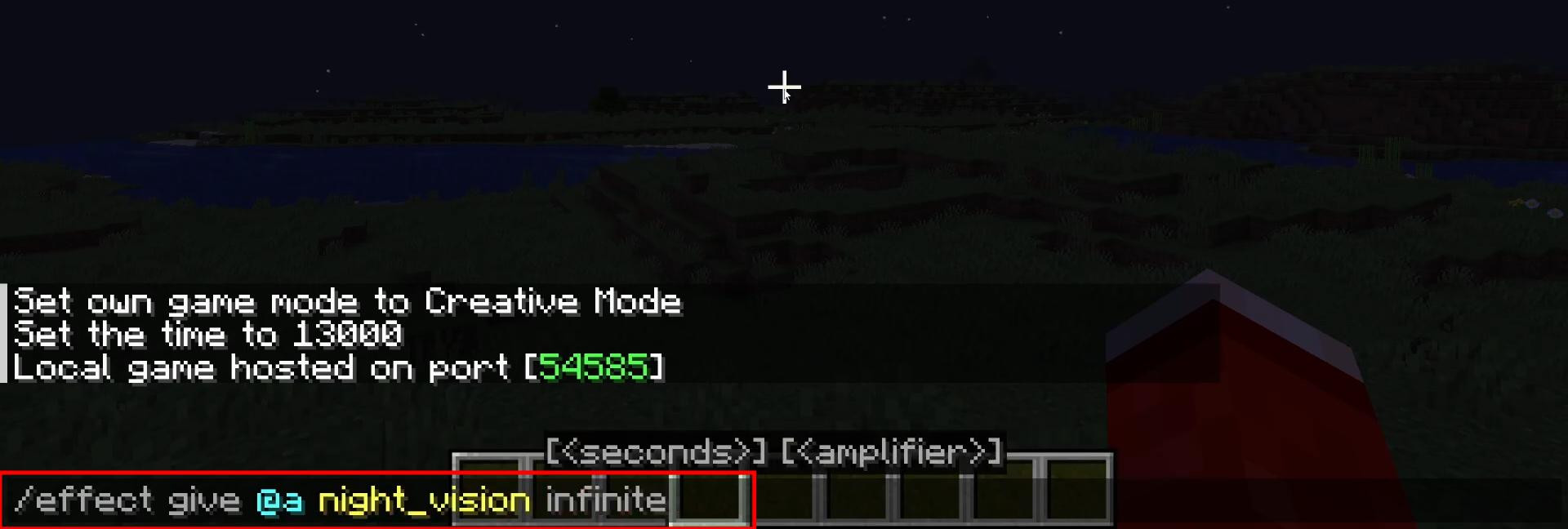
Open the chat with the T key and enter the following command:
/effect give @a night_vision 9999999
The value 9999999 is the duration of the effect in ticks, which is equivalent to several days of real time in the game. The effect is virtually unlimited and visually appears to be infinite. If you are using a newer version of Minecraft, you can use the keyword infinite if it is supported: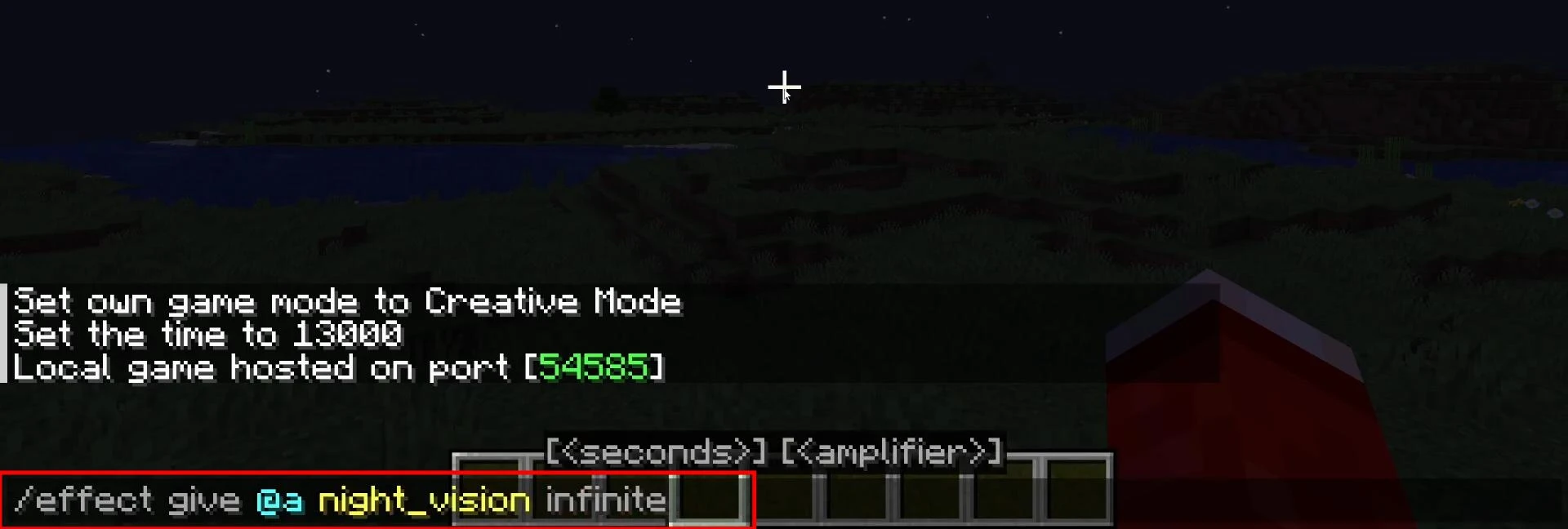
/effect give @a night_vision infinite
The command must be entered without errors or extra characters, otherwise it will not be accepted by the game.
Result and ease of use
After entering the command, the effect is activated instantly and the screen will take on a characteristic bluish tint, and all dark areas will become clearly visible.
The effect can be removed manually with the command:
/effect clear @a night_vision
Videos
Added by

![Timeless and Classics Zero (TaCZ) [Minecraft 1.20.1, 1.19.2, 1.18.2]](https://i2.modland.net/i/669683678b42d/description_0ac47139-8e79-4b76-8a0c-d79bcb9039df_modland.webp)
![NeoForge Installer [Minecraft 1.21.1, 1.20.6 - 1.20.1]](https://i2.modland.net/i/66c5cbeb7e5ee/neoforge_modland.webp)
![[1.5] THE DROPPER](https://li1.modland.net/minecraft/maps/thumbnail/th_ModLandNet_1.jpg)

_modland.webp)
_modland.webp)

![Mod Menu [Minecraft 1.21.1 - 1.14]](https://i2.modland.net/i/670844d8dfaa0/220113162237010137 (1)_modland.webp)