How to Find the “.minecraft” Folder on Different Operating Systems

![Timeless and Classics Zero (TaCZ) [Minecraft 1.20.1, 1.19.2, 1.18.2]](https://i2.modland.net/i/669683678b42d/description_0ac47139-8e79-4b76-8a0c-d79bcb9039df_modland.webp)
Timeless and Classics Zero (TaCZ) [Minecraft 1.20.1, 1.19.2, 1.18.2]
![NeoForge Installer [Minecraft 1.21.1, 1.20.6 - 1.20.1]](https://i2.modland.net/i/66c5cbeb7e5ee/neoforge_modland.webp)
![Armor Durability HUD [Minecraft 1.21.4, 1.21.3, 1.21.2, 1.21.1, 1.21]](https://i2.modland.net/i/674bc2c2c404b/190618141923060623_modland.webp)
Armor Durability HUD [Minecraft 1.21.4, 1.21.3, 1.21.2, 1.21.1, 1.21]
![[1.5] THE DROPPER](https://li1.modland.net/minecraft/maps/thumbnail/th_ModLandNet_1.jpg)

 (1)-lg_modland.jpg)
The .minecraft folder is where all the main game files are stored, including settings, world saves, installed mods and textures. Sometimes you need to find it to make changes, add modifications or fix technical problems.
In this article, we will detail where it is located on different operating systems and how to quickly access it.
For Windows
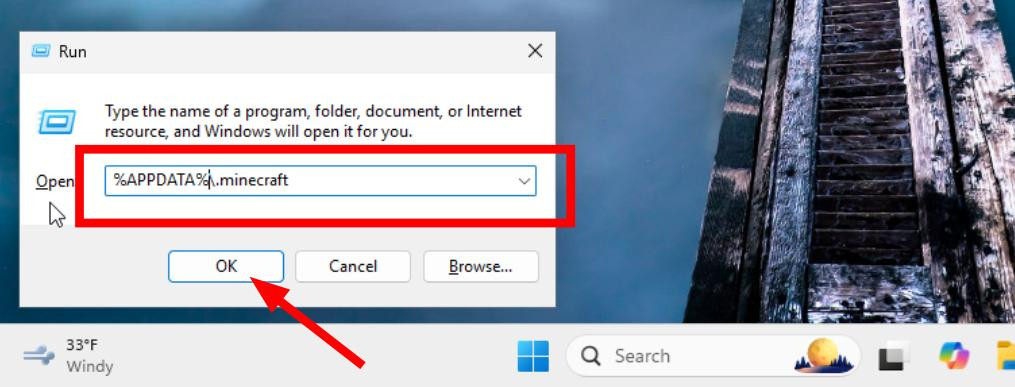
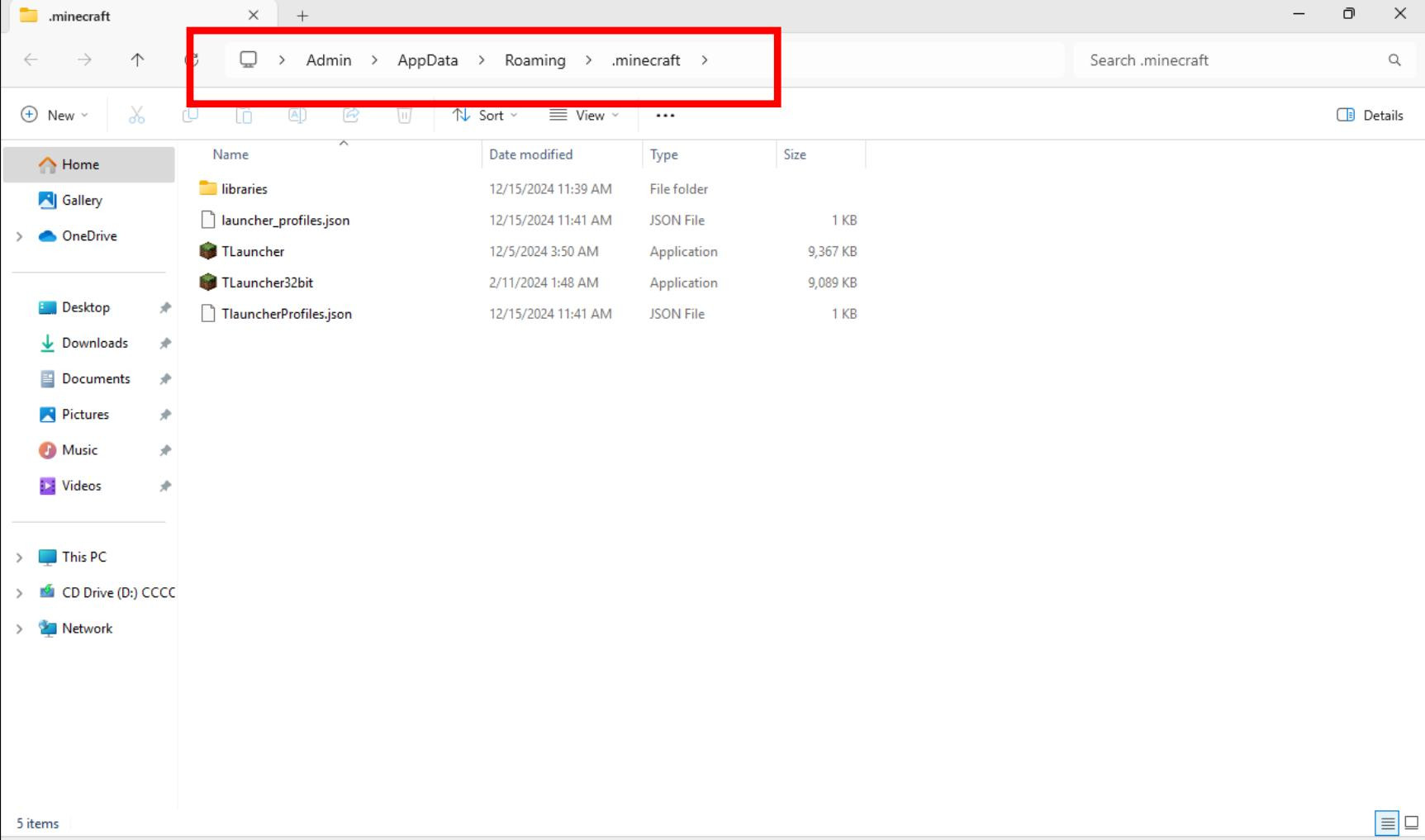
The most convenient way is to use the Win + R keyboard shortcut, then type %APPDATA%\.minecraft and press Enter. Explorer will automatically open the folder with the game.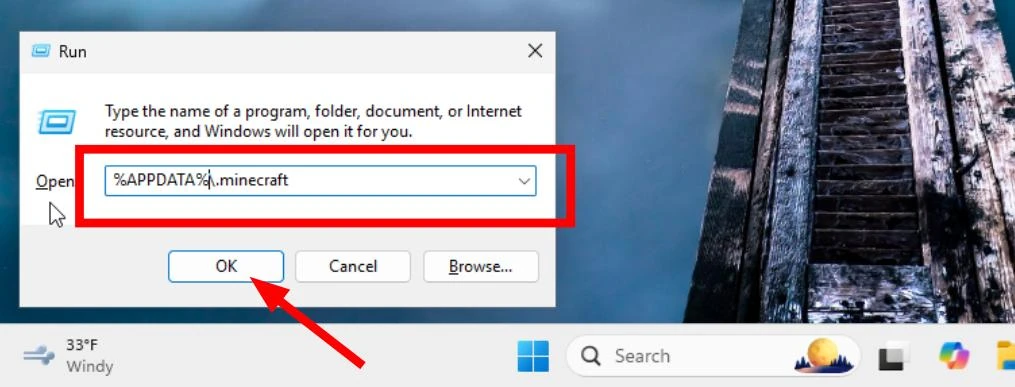
You can also go to the C:\Users/Your username/AppData/Roaming\.minecraft folder.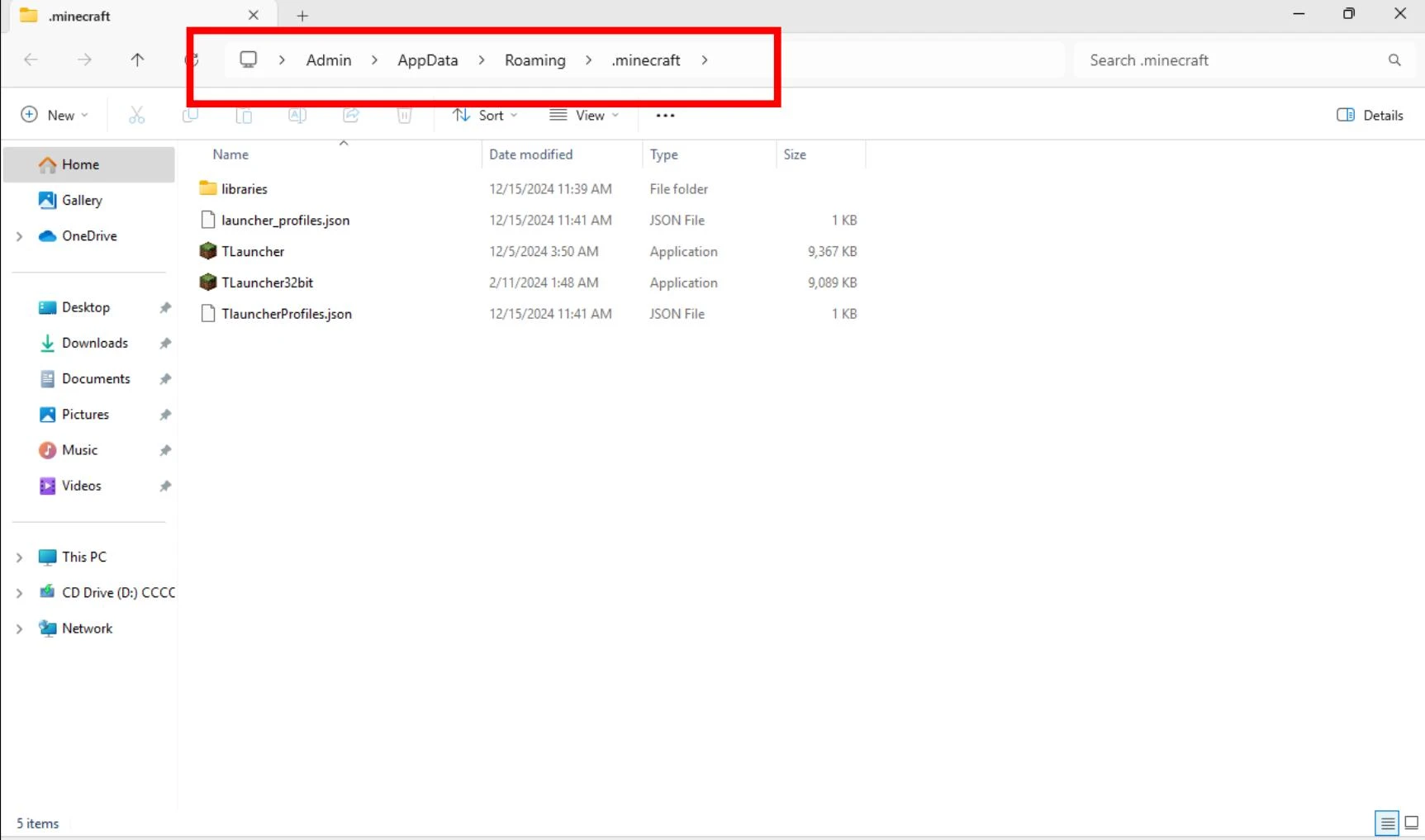
The AppData folder is hidden by default. To see it, click on the hidden files option in the Folder Options which is available in the explorer menu.
For Linux
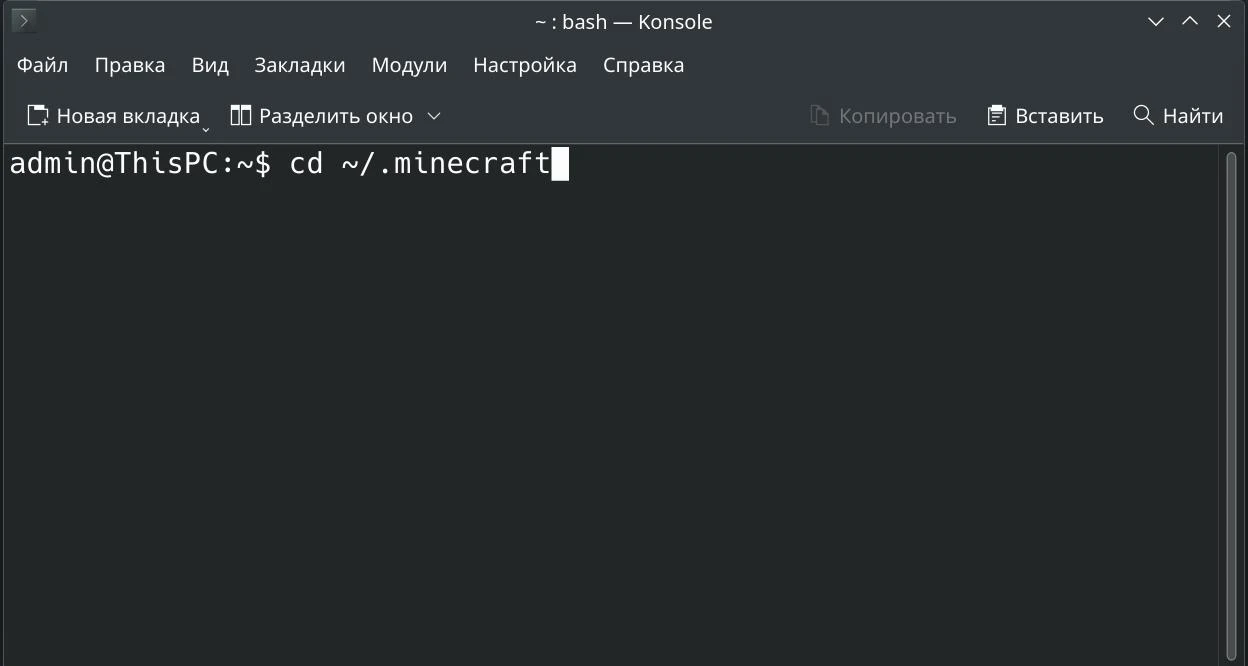
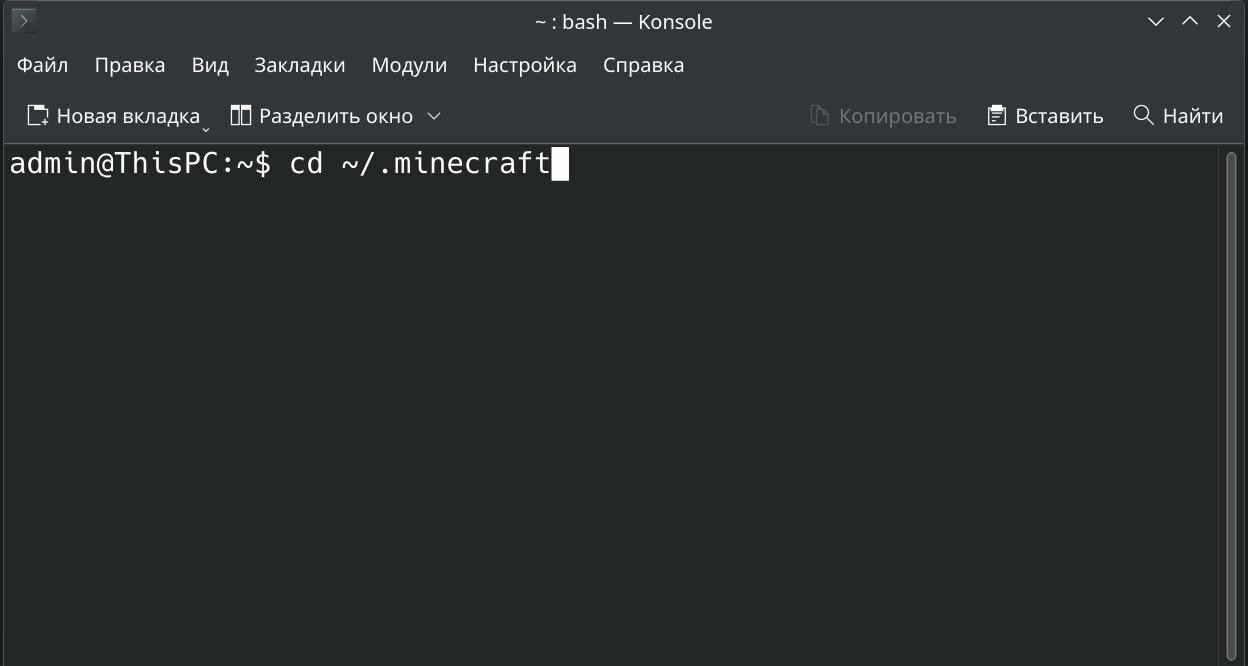
On Linux, the location of the folder is as follows: The folder is located at ~/home/Your_username/.minecraft. To get into it you can either use a file manager or type a command in the terminal:
cd ~/.minecraft
For macOS
To open the finder, go to the desktop and click on the finder icon or press Cmd + Shift + G and then type:
~/Library/Application Support/minecraft/.
Then press Enter, and the Finder will redirect you to the correct directory.
Universal method
If you don't want to search for the folder manually, start Minecraft and follow these steps:
-
Go to the Settings menu.
-
Click on Resource Packs....
Select Open resourcepacks folder. This will take you to the resourcepacks folder. Go up a level to get to .minecraft.
The full path of the Minecraft game
The game folder is always located in the system as follows:
-
Windows: C:\Users\Your username\AppData\Roaming\.minecraft
-
Linux: /home/your_username/.minecraft
-
macOS: /Users/Your_User_Name/Library/Application Support/minecraft
In third-party launchers for Minecraft, TLauncher and the like, the path may be different. Usually it is specified in the settings of the launcher itself.
How to find the mods folder for Minecraft
To install or uninstall mods, you will need the mods folder. It is located inside the .minecraft directory. If this folder does not exist, create it manually:
-
Navigate to the .minecraft folder as indicated above.
-
Check for the mods folder. If it is not there, create a new folder with that name.
-
Place there the mod files in .jar format.
Be sure to back up important data before making any changes to the files in this directory!
_modland.webp)
_modland.webp)
![Mod Menu [Minecraft 1.21.1 - 1.14]](https://i2.modland.net/i/670844d8dfaa0/220113162237010137 (1)_modland.webp)