How to Use the Just Enough Items (JEI) Mod for Minecraft?
![Timeless and Classics Zero (TaCZ) [Minecraft 1.20.1, 1.19.2, 1.18.2]](https://i2.modland.net/i/669683678b42d/description_0ac47139-8e79-4b76-8a0c-d79bcb9039df_modland.jpg)
Timeless and Classics Zero (TaCZ) [Minecraft 1.20.1, 1.19.2, 1.18.2]
![NeoForge Installer [Minecraft 1.21.1, 1.20.6 - 1.20.1]](https://i2.modland.net/i/66c5cbeb7e5ee/neoforge_modland.jpg)
![Armor Durability HUD [Minecraft 1.21.4, 1.21.3, 1.21.2, 1.21.1, 1.21]](https://i2.modland.net/i/674bc2c2c404b/190618141923060623_modland.jpg)
Armor Durability HUD [Minecraft 1.21.4, 1.21.3, 1.21.2, 1.21.1, 1.21]
![[1.5] THE DROPPER](https://li1.modland.net/minecraft/maps/thumbnail/th_ModLandNet_1.jpg)

 (1)-lg_modland.jpg)
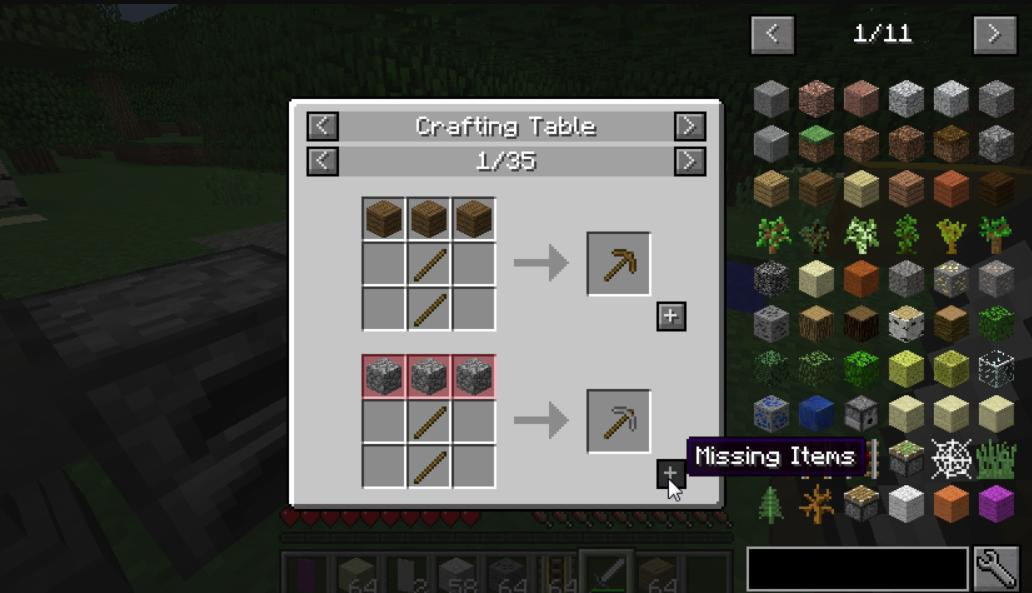
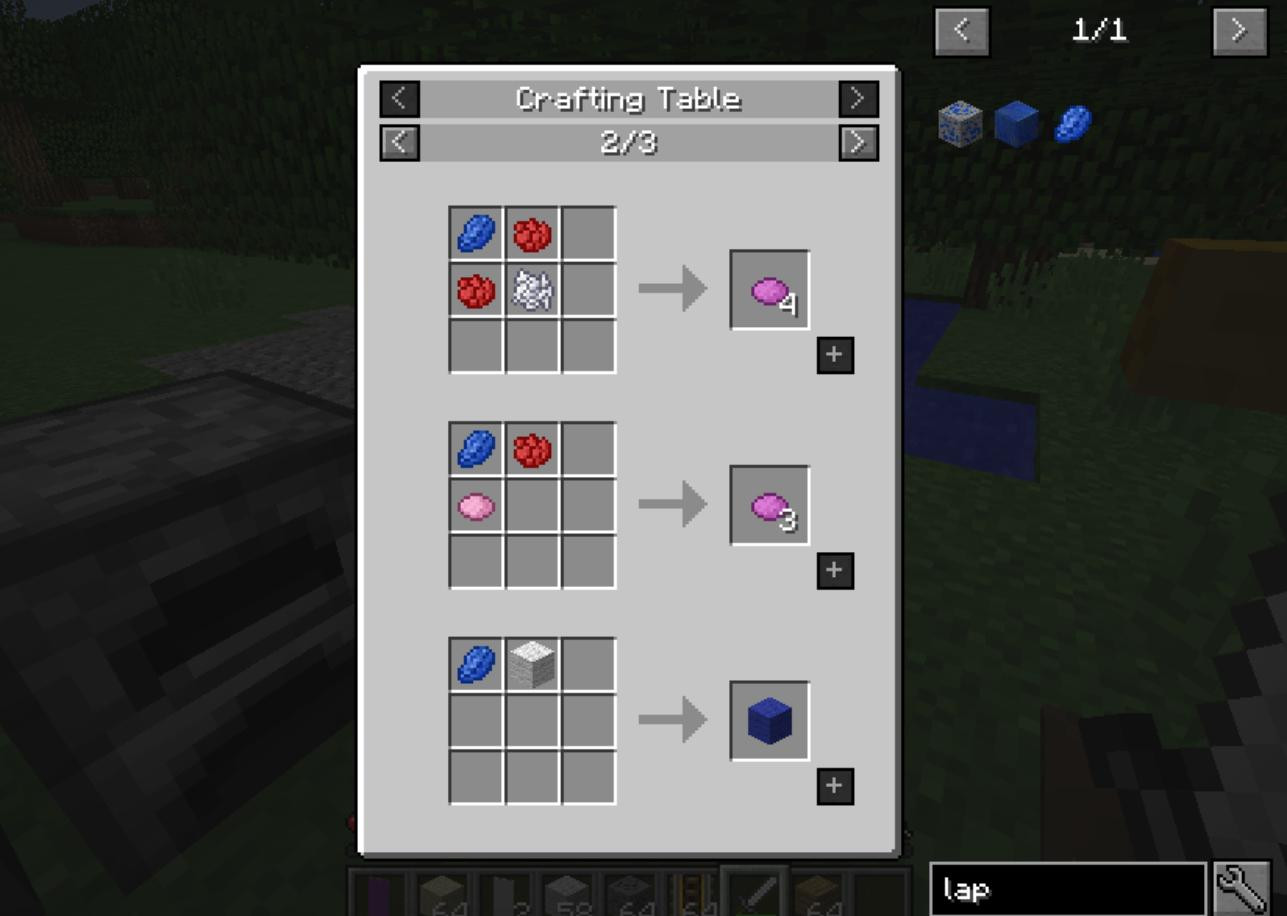
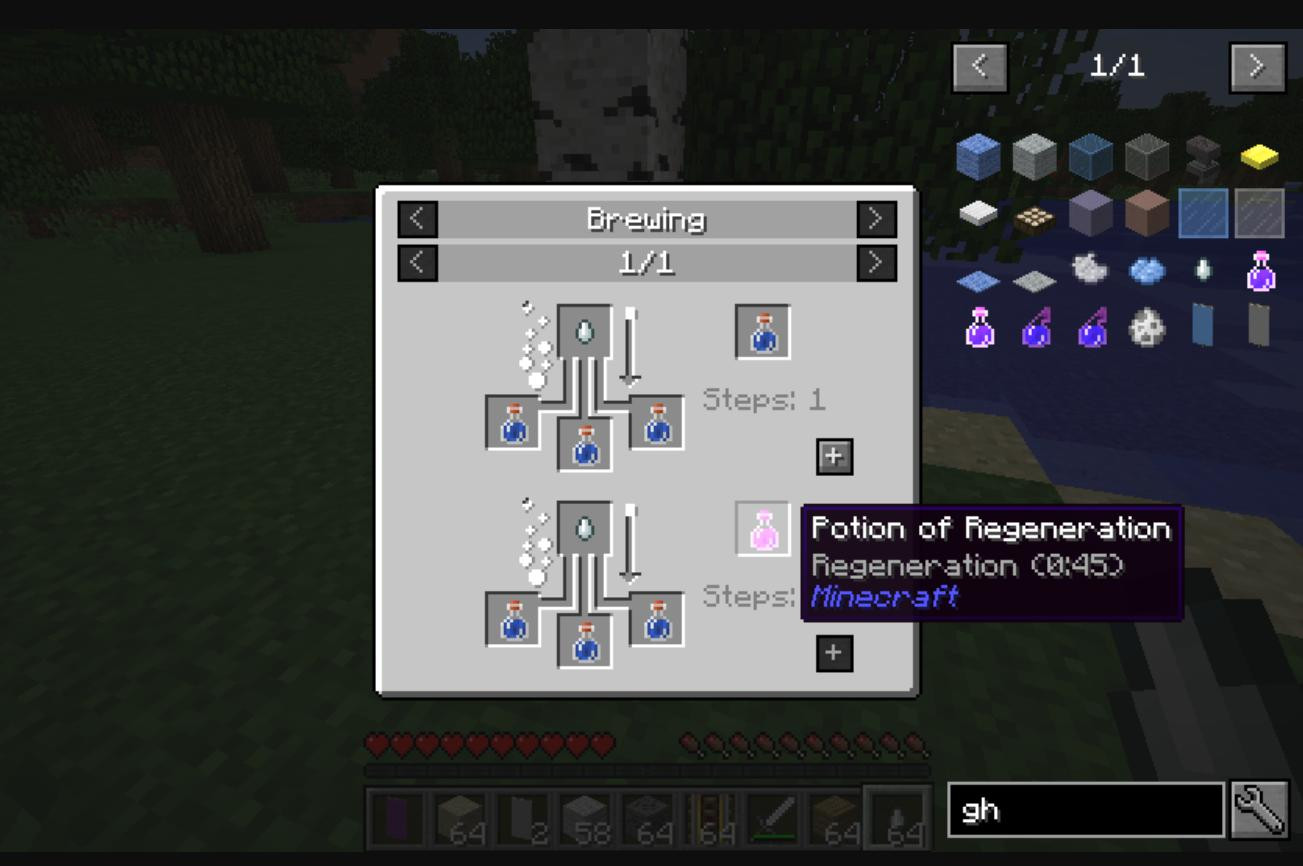
Just Enough Items (JEI) is a necessary mod for Minecraft that makes the process of understanding recipes for crafting and interacting with other mods much easier.
It is perfect for those who wish to get the information on how to make an item, how to use it and even how to use with it other together mods. In this guide, I will explain how to use JEI, detail its functions and explain hotkeys for effective interaction.
Main features of the mod
-
Detailed searchable list of all items in the game.
-
Showing recipes for crafting and using items.
-
Integration with other modifications, including complex mechanisms and machines.
-
Support for cheat mode to get items in creativity.
-
Ability to hide unwanted items from the list.
How to start using JEI
Before diving into the functionality of the mod, it needs to be properly installed. This will require Minecraft Forge, which provides support for modifications.
Having downloaded JEI from a reliable source, move the file with the extension `.jar` to the `mods` folder located in the root directory of the game. After that, launch Minecraft with the Forge profile and the mod will automatically activate.
When you enter the game, the JEI interface will appear on the right side of the screen - it is a list of all items available in your current Minecraft build. This is what we'll be working with.
Searching for items with JEI
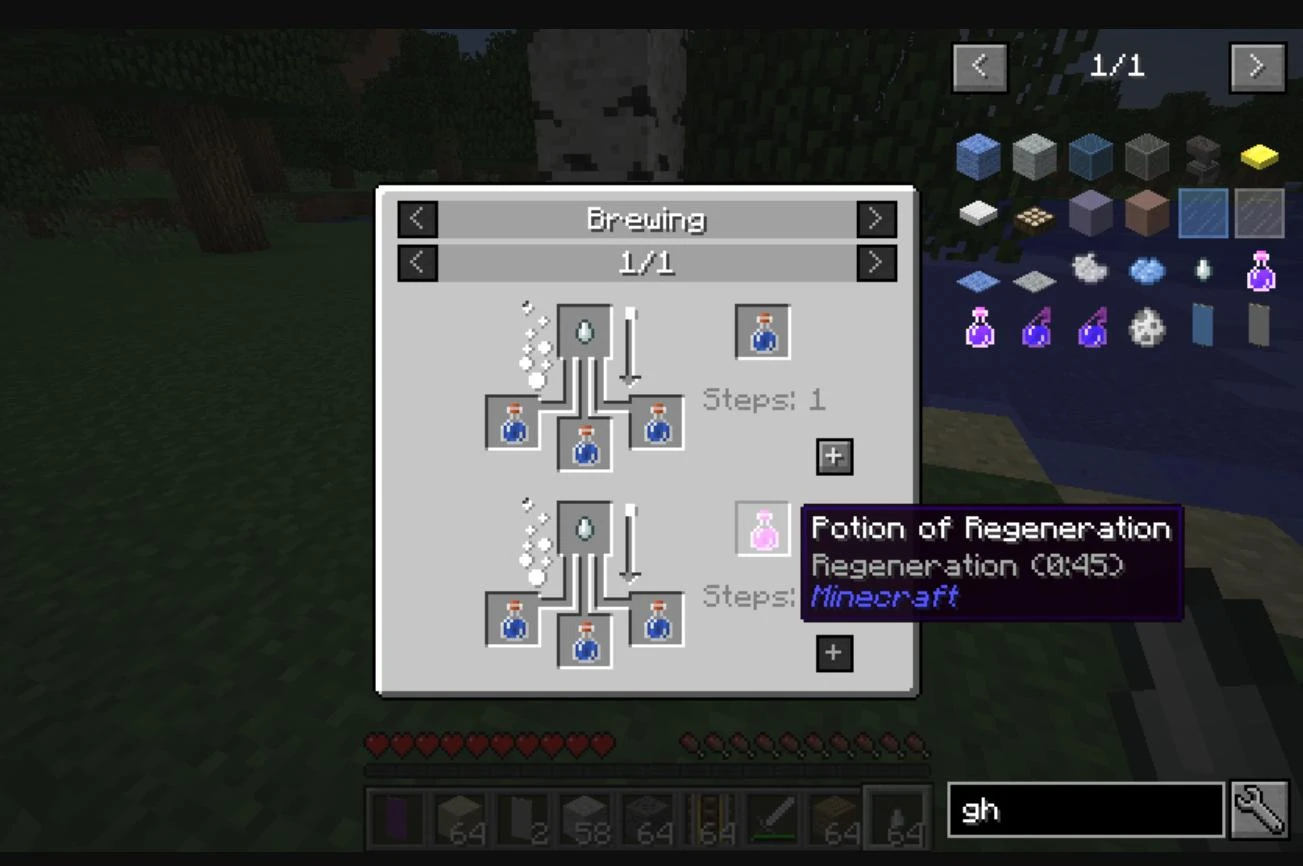
One of the main functions of JEI is convenient search. At the bottom of the list of items you will find a search bar. Just start typing the name of the item in the search and the system will immediately suggest the found options.
If your build contains a lot of mods, filtering by modifications will be extremely useful. To do this, type the “@” symbol before the mod name. For example, “@thaum” will show all items from the Thaumcraft mod. This greatly speeds up the process when you need to find specific items among the thousands available.
Another useful feature is the item hint search. If you want to find items with certain properties, add a “#” symbol in front of the keyword. For example, “#strength” will show all items that mention strength in their description.
Viewing Crafting Recipes in Just Enough Items
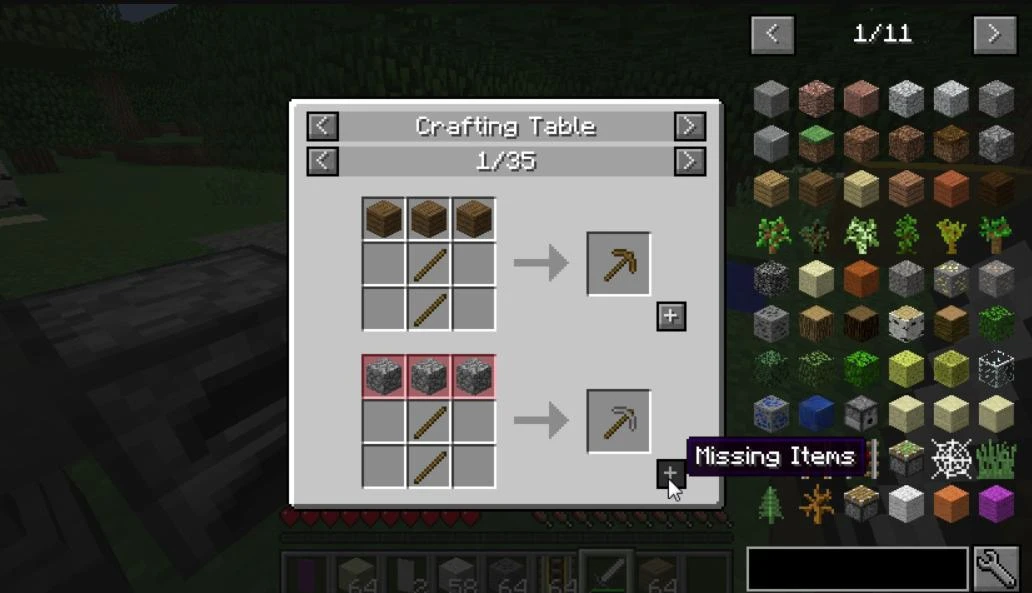
To find out how to create a particular item, simply hover your mouse over its icon in the items list and press **R**. A window will open, showing you the recipe: the necessary ingredients and their location in the workbench or other machine.
For example, if you want to know how to craft an oven, hover over its image and press **R**. You'll see a simple recipe of eight cobblestones laid out in a ring in the workbench window. JEI will also show you what other machines you can build the item in if your build includes additional mods.
If an item is not created in a standard workbench, but, say, in a crusher from IndustrialCraft 2, the mod will display it with integration in mind.
Recognizing the use of items
Sometimes the question arises: what to do with this item? To find out where it is used, hover over it and press the **U** key. This will open the item's usage menu.
For example, if you select an iron ingot and press **U**, JEI will show you that it can be used to create tools, armor, mechanisms, and many other things. You can see all the possible uses by switching between pages with the mouse wheel.
Working with Cheat Mode
Cheats is a feature that enables you to get any item straight from the list, which can be very helpful for creative mode or when trying out mods. In order to set this mode, go to the configuration menu which is located on the left bottom corner of the screen and check the box which says ‘Cheat Mode’.
Therefore, in order to acquire any item all one has to do is click on the icon of the item with the left mouse button and a whole stack of that item will be given to the player’s inventory. If you need just one item, right-click on it. To remove unwanted items, simply move them to the item list.
Customizing the list display
You can customize the JEI interface to suit your needs. For example, if the item list is obstructing your view, you can disable it by using the **Ctrl + O** shortcut. At any time you can turn it back on using the same shortcut. If you have collected too many items in your inventory and you do not want to see some of them, you can hide them.
To do this, enable the list edit mode in the configuration menu. Then, hold **Ctrl** and click on the unwanted item to hide it. To hide all items from a particular mod, use the combination **Ctrl + Shift** and click on any item from that mod.
Additional features
The Just Enough Items mod supports moving items to the crafting grid directly from the recipe. When you're looking at a recipe, click the **[+]** button to have all available ingredients automatically moved to your workbench or inventory. And if you need multiple sets of items at once, hold down **Shift** and press **[+]**.
Another useful feature is working with recipes by category. By clicking on a category name, such as “Smelting”, you will be able to see all recipes related to using the furnace. This is handy for quickly learning new recipes and features.
Just Enough Items is a versatile tool for Minecraft players that makes the process of playing the game more convenient and understandable. With an intuitive interface and a multitude of features such as searching, viewing recipes, using items and integration with other mods, JEI will become your indispensable assistant. Whether you are a beginner or an experienced modding master, this mod will open new horizons for you in exploring Minecraft.
_modland.jpg)
_modland.jpg)

![Mod Menu [Minecraft 1.21.1 - 1.14]](https://i2.modland.net/i/670844d8dfaa0/220113162237010137 (1)_modland.jpg)