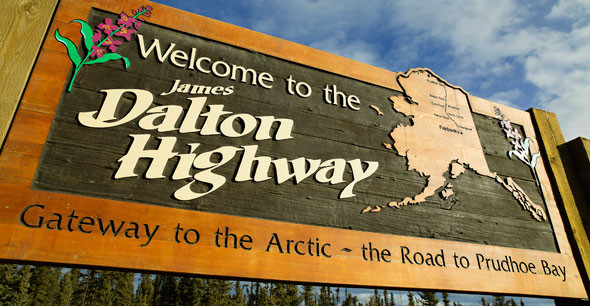
Dalton and Elliot Hwy Extreme 1:1 Scale Summer map ATS v1.59.2.0
Latest Update
latest
Version
v1.59.2.0
· ATS
1.59.x
4 months ago
Changelog v1.59.2.0
Fixed a crash to desktop caused by a bad typo in the dalton_models.sii file at Hilltop and Prudhoe Bay Hotel.
Fixed a problem with an invisible bump in the road going north from Farmers Loop towards Fox.
Fixed a nearby terrain glitch
Brought upto date with game version 1.59.2.0.s
Fixed a crash to desktop caused by a bad typo in the dalton_models.sii file at Hilltop and Prudhoe Bay Hotel.
Fixed a problem with an invisible bump in the road going north from Farmers Loop towards Fox.
Fixed a nearby terrain glitch
Brought upto date with game version 1.59.2.0.s
Map has been updated to current game version with alot of changes.
Vegetation error issues have been fixed.
Fixed issue with Push Trucks causing a freeze and CTD, they are working again.
Fixed issues with parked vehicles causing error messages.
Any other errors I spotted in the gamelog.txt were also fixed as well as reported issues.
Increased Experience a litte
Increased Driver Pay to be more upto date as I hadnt changed it since release.
Updated Currencies to latest FOREX Rates
Major changes to Fairbanks.
Fairbanks has been upgraded to use current game assets.
Some buildings were replaced.
Roads and prefabs were replaced.
Moved company icons at Lowes and Walmart Prefabs as they were just in ridiculous locations.
Fixed some trees that had their branches coming into the road near Carlile.
Signs added from Fairbanks going towards Fox, using google streetview for reference.
Some roads were completely redone to more closely resemble real life.
This is an ongoing process. College Rd area will be upgraded more in the future.
Added some people.
The rest area going towards Fox by Farmers Daughters area has been redone to more closely match real life.
Fox Weighstation updated. You can also now rest there.
Rest area just past weigh station on left going north replaced.
Train Tracks replaced. AI train will now spawn and run along the tracks.
New Vehicles.
Alaska DOT have new vehicles both on the road and parked at Fox Weigh Station.
Alaska State Park Rangers vehicle added. Be warned they have like their real life counterparts
the ability to issue speeding fines.
Four new Police Dodge Chargers added. Three to Fairbanks, units 27, 119 and 176 and one to Alaska State Troopers using one of the new liveries they have.
I have disabled the Fire Engine in Fairbanks as I still need to fix the paint job on it as well as adjust its spawn rate.
Traffic Spawns in Fairbanks improved.
Credits
Hawkbs
Vegetation error issues have been fixed.
Fixed issue with Push Trucks causing a freeze and CTD, they are working again.
Fixed issues with parked vehicles causing error messages.
Any other errors I spotted in the gamelog.txt were also fixed as well as reported issues.
Increased Experience a litte
Increased Driver Pay to be more upto date as I hadnt changed it since release.
Updated Currencies to latest FOREX Rates
Major changes to Fairbanks.
Fairbanks has been upgraded to use current game assets.
Some buildings were replaced.
Roads and prefabs were replaced.
Moved company icons at Lowes and Walmart Prefabs as they were just in ridiculous locations.
Fixed some trees that had their branches coming into the road near Carlile.
Signs added from Fairbanks going towards Fox, using google streetview for reference.
Some roads were completely redone to more closely resemble real life.
This is an ongoing process. College Rd area will be upgraded more in the future.
Added some people.
The rest area going towards Fox by Farmers Daughters area has been redone to more closely match real life.
Fox Weighstation updated. You can also now rest there.
Rest area just past weigh station on left going north replaced.
Train Tracks replaced. AI train will now spawn and run along the tracks.
New Vehicles.
Alaska DOT have new vehicles both on the road and parked at Fox Weigh Station.
Alaska State Park Rangers vehicle added. Be warned they have like their real life counterparts
the ability to issue speeding fines.
Four new Police Dodge Chargers added. Three to Fairbanks, units 27, 119 and 176 and one to Alaska State Troopers using one of the new liveries they have.
I have disabled the Fire Engine in Fairbanks as I still need to fix the paint job on it as well as adjust its spawn rate.
Traffic Spawns in Fairbanks improved.
Credits
Hawkbs
@mods82 I´m no able to pick a city to start. What I do?
A ver...
came as rar changed to scs still wont recognize
still wondering what order they go in i copied the order they are in when you extract the file but every time i try to load in it crashes i changed the uset r b uffer page size to 25 in textedit
the map loads properly, but i can`t pick a city to start
@Bavarian Duke estoy igual
I have all the maps in order, am I missing another mod?
Is this an add on to the vanilla map?
What dlcs do I need?
@Piper At the top you can read which dlc you need 🙂 W900 tuning pack dlc.
@Piper This is standalone map
map mod is in order but the game crashes during the loading prosses before i am able to pick a city to 1st start driving :(
This did not help i extract on winrar...
@Licky so when you extract the file there should be a picture that shows the exact order, make sure to screenshot it and put it in that order. I have an expanded map mod and it shows everything from Alaska to Iceland. Hope this helps.
@Hellhound what order are they meant to be in?