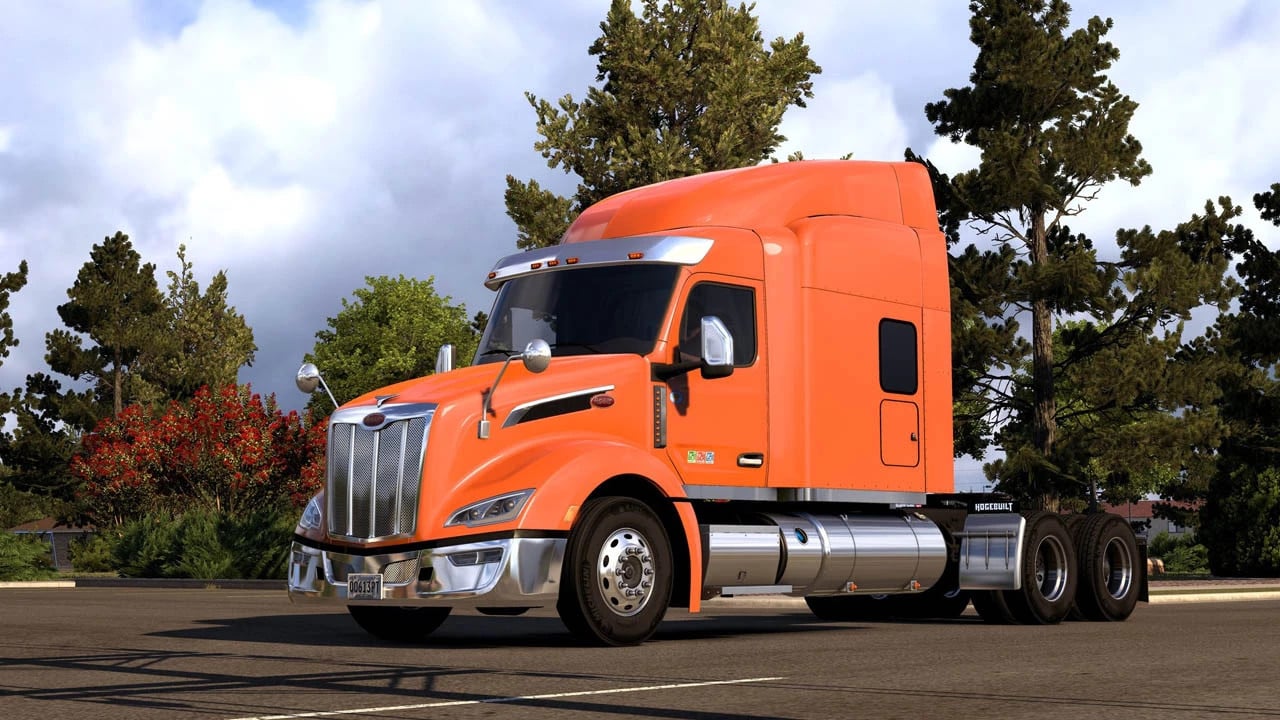
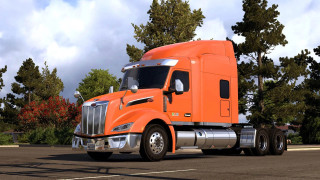
Peterbilt 579 2023 NG v2.9
Latest Update
latest
Version
v2.9
· ATS
1.61.x
1 week ago
Changelog v2.9
Updates for 1.61
Changelog v2.6.1
Updates for 1.60
Changelog v2.5
Updates for 1.58
Changelog v2.2
1. Added DayCab
2. Added 8x4 and 8x6 chassis for all cabs, 4x2 for DayCab
3. Added spoiler for DayCab
4. Added new visors
5. Added roof lights for DayCab
6. Added 2 rear wall options for DayCab (1 window, 3 windows)
7. Added illuminated lamplines
8. Added new rear bumpers
9. Added new hood mirrors
10. Added suspension cover for the cab
11. Added custom connectors
12. Added plastic fenders
13. Added various side wall options for the HiRise cab:
Left side options: Window, door with window, and door with hatch
Right side options: Solid wall and window
14. Added different fuel tanks: 190 and 245 Gallons
15. Added steps to the DayCab fuel tanks
16. Added lights under the fuel tanks
17. Added filler panels between the fuel tanks
18. Added front bumper guards
19. Added new hood grilles
20. Added a bulbar in various versions
21. Added side lights (breather/5, 7, and 9 bulbs/chrome, paint)
22. Added toolboxes between the fuel tanks and fenders
23. Added new air horns
24. Added side handles to the DayCab
25. Added a stock muffler
26. Added IFTA and Clean Idle decals
27. Added ventialtion cap on the rear wall
28. Added roof spoiler for HighRoof cabin
29. Updated beacons
30. The TV can now be removed
31. Other changes and fixes
Updates for 1.61
Changelog v2.6.1
Updates for 1.60
Changelog v2.5
Updates for 1.58
Changelog v2.2
1. Added DayCab
2. Added 8x4 and 8x6 chassis for all cabs, 4x2 for DayCab
3. Added spoiler for DayCab
4. Added new visors
5. Added roof lights for DayCab
6. Added 2 rear wall options for DayCab (1 window, 3 windows)
7. Added illuminated lamplines
8. Added new rear bumpers
9. Added new hood mirrors
10. Added suspension cover for the cab
11. Added custom connectors
12. Added plastic fenders
13. Added various side wall options for the HiRise cab:
Left side options: Window, door with window, and door with hatch
Right side options: Solid wall and window
14. Added different fuel tanks: 190 and 245 Gallons
15. Added steps to the DayCab fuel tanks
16. Added lights under the fuel tanks
17. Added filler panels between the fuel tanks
18. Added front bumper guards
19. Added new hood grilles
20. Added a bulbar in various versions
21. Added side lights (breather/5, 7, and 9 bulbs/chrome, paint)
22. Added toolboxes between the fuel tanks and fenders
23. Added new air horns
24. Added side handles to the DayCab
25. Added a stock muffler
26. Added IFTA and Clean Idle decals
27. Added ventialtion cap on the rear wall
28. Added roof spoiler for HighRoof cabin
29. Updated beacons
30. The TV can now be removed
31. Other changes and fixes
– Standalone;
– Sold by a mod dealer;
– 2 cabins;
– 2 chassis;
– High quality external model;
– High-quality interior model;
– Compatible with SISL's Mega Pack and DLC Cabin Accessories;
– Template for own skins;
– Lots of accessories;
– Original engines and gearboxes.
Credits
Rudakov
– Sold by a mod dealer;
– 2 cabins;
– 2 chassis;
– High quality external model;
– High-quality interior model;
– Compatible with SISL's Mega Pack and DLC Cabin Accessories;
– Template for own skins;
– Lots of accessories;
– Original engines and gearboxes.
Credits
Rudakov
Please upload the cascadia by ruda last update!
Anyone please help me. This files didn't show in my game. My current version is also updated . Still truck didn't show in my Library.
@Marcos5230764 Unzip the archive, extract from the archive
The dashboard malfunctions
Falla el tablero
@Alberth Works fine for me
This is a fantastic mod, but the internal digital mirror isn't displaying correctly; it shows up as a pattern of pink and gray pixels. Is there a way to fix this?
The lights are red at night???
Do you have to download all 3 to make the mod work?
@Gav No, two files are required, and the third one is the real logos. The files are signed so that it is clear which file provides what.
I'm looking forward to version 9.1 of the USA Trailer Pack.
Good afternoon. I downloaded this Peterbilt mod and created a custom skin for the day cab, but it won't load in the game. Does anyone know what might be causing this?
@emiliotrucker35 Probably other mods interfering
is anyone elses dash not working on the day cab? @mods82
I loved the 362 so much I bought it legitimately. But still support mods 82 and download his version also.
@mods82 it has to be the file i've done everything you told me and the file keeps on going with the same thing either in wrong format or damaged idk what to tell you, take a look at the file and see if it really is, because i downloaded a car mod and everything went fine im going to try another one of your truck mods and see if it works, please take some time and take a look at the mods details
@techoflash7643 Awesome! I'm glad to hear you got it up and running! If you enjoy that mod truck you should search this site for the Freightliner Coronado, Freightliner Classic XL, Peterbilt 389 Glider, Kenworth W900 Highway Killer and Peterbilt 362. All of those trucks are made by the same guy who made that Peterbilt 579 except they have way more customization options than the 579 does. If you see multiple versions of any of those mods always grab the ones uploaded by Mods82. His mods are always the most current ones available.
@Truth Be Told OMG YOU ARE A TRUE LIFE SAVER THANK YOU SO MUCH THIS HELPED SO MUCH OMGG
@techoflash7643 Here's the deal- This version of the mod is missing 2 files that it needs in order to work properly. Those files are "Engine Sounds.scs" and "Pete 579 Personal KEY.scs". You can get those by looking near the top of this page and clicking on the tab that says "Files". This will show you a history of the previous versions of this mod that he has uploaded here. Download any of those older versions, open the file and take out ONLY the Engine Sounds.scs and Pete 579 Personal KEY.scs files and drop them in your games Mod folder along with the contents from this most current version of the mod that you have already placed there. This should give you all of the files from the most recent version of this mod PLUS the two missing ones that you grabbed from an older version. Now run the game and go to the mods menu. From here you will need to activate all of the different parts of the mod in the correct order. Here is a list of all the mods parts as they should be arranged in the games mod screen, starting from the top and moving downward. TOP---- Engine Sounds, Pete 579 NG DLC Accessories Compatibility, Pete 579 NG SISL Pack Compatibility, SiSL's Mega Pack, Pete 579 NG DLC Steering Wheels Compatibility, Pete 579 NG, Pete 579 NG Personal Key, Trucks & Trailers Flarepack, Trucks & Trailers Wheels.----BOTTOMThe file names that I've written in BOLD letters are MANDATORY in order for this mod to run. The other files are optional as they simply enable the truck to use extra content like the DLC steering wheels and interior accessories if you have purchased them or the various decorative items from SiSL's Mega Pack if you have downloaded it. Hope this helps. I'll check in a bit later and see how things are coming along for you. Good Luck!
@mods82 hey, i tried what you said and nothing, i dont know why this is happening i downloaded a car mod and it worked just fine, but with this mod it wont work i think because its a rar file, maybe could you try updating it to a scs file or better yet a zip file, also i've tried playing with it, when i activate it, and play game, it goes to almost the end of the loading bar then the game stops and crashes, i love this mod and dont want to be able to not use it, also i've tried repairing it with winrar and nothing, get back to me when you can
@mods82 I believe he's having an issue because this most recent version of the mod you uploaded did not include the engine sounds file or the personal key. It didn't have the real logos file either (Not that it matters). With the exception of those three files everything else was included and works just fine when used with a key from one of your previous versions of the mod.
@techoflash7643 Inside the rar file are scs files, you need to unzip the rar file, it is an archive, for this you need the program Winrar or 7zip, the latter is free.
@mods82 for some reason when i download the mod with winrar it says the truck file and the personal key file is in wrong format or damaged, i've tried repairing it and nothing anything u can tell me??
@Arturo Find the cause of the conflict, disable other tuning mods or trucks one by one.
@mods82 hello im doing the same thing my game closes what should i do.
@techoflash7643 Download the archive Peterbilt_579_Nextgen_ATS_1.55.rar extract the files from it and connect them as shown in the screenshot inside the archive.
@mods82 I tried what you told me but it doesn't show up in the mod selector, i've tried deleting it off my computer and re-downloading and nothing, please make this work i love this build and really want it to work, also the other mods work its just the personal key and truck file that say wrong format or damaged, get back to me when u can
@techoflash7643 No need to unpack the scs files of the truck and key, move them to the mod folder and connect.
The headlights don't work at night. How do i make them work? the actual headlights do turn on but they don't illuminate anything. @mods82
@EverShadow Are you certain you actually turned the headlights on? If you hit the headlight button once it turns on the lights on the dashboard but that's it. You need to hit the button a second time to turn the low beams on. If you are already doing that correctly and still not getting results then you need to take a look at the load order of your mods. Do not activate the Open Def mod unless you made some sort of change that requires it to be active. Here's a list to show you the proper order to have your mods stacked going from top to bottom. (Mods marked with * are mandatory)-----TOP-----Real Logos*Engine Sounds*DLC AccessoriesSISL CompatibilitySISL Mega PackDLC Steering Wheel Compatibility*Peterbilt 579 truck mod**Peterbilt 579 Personal Key**Trucks and Trailers Flarepack**Trucks and Trailer Wheels*-----Bottom-----Hope this helps. Best of luck to you.
Where is Renenate to add his goodies.
@DUDE He been busy man , real busy......