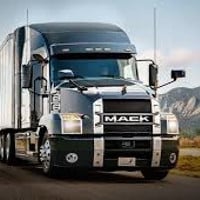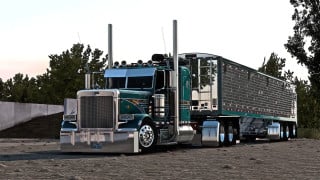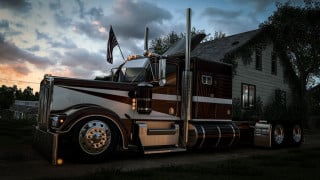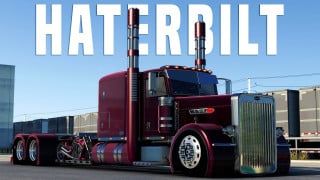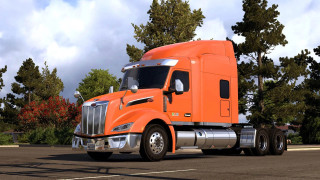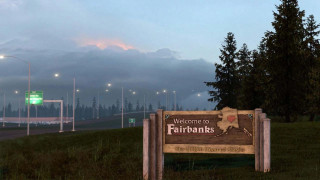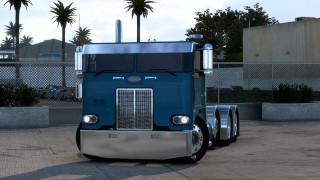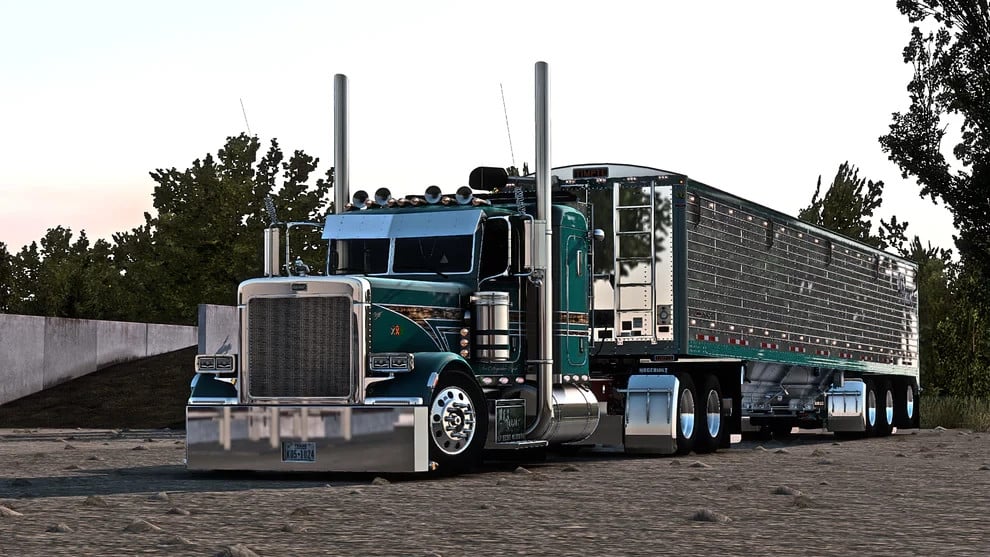
Pizz 389 Peterbilt Megapack v4.7.1
Latest Update
latest
Version
v4.7.1
· ATS
1.60.x
3 weeks ago
Changelog
- Updated for 1.59
- Updated for 1.59
There are plenty of options to keep you occupied and much more to come. Some of the features are:
-Daycab, 36/48/63" flattop sleepers, 48/63" standup sleepers, a custom chopped 72" sleeper. Some of the sleepers have diamond windows in the rear.
-For chassis right now there is 220, 250, 305" and a 305" with pusher axle.
-Plenty of front/rear bumpers, headlights, mirrors, exhaust, airlines for you to explore.
-Intensive customisation options for accessories and parts
-Templates
C redits
Eric Pizzolo,, Damo, D3D
External Download Links:
- Modsfire.com - Pizzster_Modding_389_V4.7.rar [Base] [1.51 GB]
- Modsfire.com - Pizzster_Modding_389_KEY_and_Addons_V4.7.rar [Key & Addons] [73.4 MB]
- Sharemods.com - Pizzster_Modding_389_V4.7.rar [Base (Mirror link)] [1.5 GB]
- Sharemods.com - Pizzster_Modding_389_KEY_and_Addons_V4.7.rar [Key & Addons (Mirror link)] [73.4 MB]
Is this updated to 1.58?
Love this mod and miss it. Could you update it for me please?
Pls update to 1.59
Tysm for updating this legend
when is it going to be updated? new update is out I believe
Just curious if anyone else had it crash your game like it did for me when im just swiping through peterbilt mod dealer?
@sypicalgamer me to
this isnt the latest version of this mod, it has alot more sleepers and axle configurations
No light nodes, cant customize anything light related. Incomplete mod.
@mods82 It wouldn't work that way for me, so I had to place them in the same folder and use Winwar to extract the first file then 7 Zip for the second. I know it's weird, but it worked for me.
@import__cam Use either Winrar or 7z for both parts. I don't know how you read it, but that's not what I wrote! Read carefully!
@mods82 So what I relazied is for part 2 it is 7z and part 1 is winrar it's weird i know but it works
@import__cam You need to download both parts, place them in the same folder, then right-click on the first file "part1" in Winrar or 7z and click extract. Standard unpackers with OS are not suitable for unpacking multi-volume archives
@mods82 .part1 for both mod and sharemods won't extract it says Extract ArchiveThe Extraction Operation was not CompletedAn unexpected error is preventing the archive from being extracted.Error 0x8096002A: No error description available.!To close this wizard, click Finish.
@mods82 have you got the updated version of pizzsters 389, this one is missing the new sleepers and axle configs
@Truth Be Told thought id chime in here... I think Ruda's has lights on the visor, but no biggie. I see what OP is talking about, though. I see you can put lights on fuel tank straps, t bar, customize the sideskirts, etc., according to pizzster website pictures. I just got this mod from here and can confirm that I cant see any light nodes on those specific places. fresh test profile too. I'm not going to complain about it though. I am grateful to have the mod :)
@BigIron If you look on the official webpage for the 389 mega pack it shows a total of 51 images where you can clearly see the truck and its visor. Not a single one of them has even one light on the visor. Do you know which 389 DOES let you put lights on the visor? It starts with a P and ends with inga. P I N G A 389 lets you put lights on the visor.
@BigIron It's been a good while since I saw a grown man whining and throwing a hissy fit about something, let alone something so trivial. You're literally crying because there wasn't enough free stuff to go with the already free stuff that someone went out of their way to take the time and share with you.
@mods82 Don't call this mod the megapack when it is incomplete. You still don't have a complete mod uploaded... this is what's in the MEGAPACK:Custom Peterbilt 389 truck with extensive customization optionsManac Logging Trailer for ATS
Timpte Super Hopper trailer mod
Wilson Commander trailer
Jasper Single Rim and Tire options
MattVT Custom Private 389 Owners Yard
Recon Lobster Customer Private yard (all dlc's are required)
Kriechbaum 389 interior sounds for realistic audio
Pizzster Modding lightpack with multiple color options
@BigIron No one will create two versions of a truck! It's a huge amount of work and takes a ton of time to create! There's only one paid version, no free one.
@mods82 I always try the mod on a fresh profile with zero other mods. Can you confirm you can select lights for the filler panel, rear bumpers, sun visors, side of cab, etc? For example, I can change the sun visor to any of the options but nowhere can I add lights to the visor no matter which I choose.
The mod is working perfectly fine, but I think there are some missing parts for example in chassis, there is no 305 inch 8x4 Pusher Double wheel configuration
I extracted it and put it on test profile with no other mods and it doesn't working. I can see the truck at the dealership but when I try to customize it, the game crashes.
@Kr4keN Ok I forgot to change buffer page size from 10 to 30 in config file. Now it's working.
I can't even open the first file or extract it
@Nah Yes, and here GeForce, it has nothing to do with mod.
@mods82 I mean Iam on GeForce but idk I’ll try your suggestions
@nah Clean profile I mean in which not one mod is connected, and not when it is created, I can create an account today, throw two hundred mods and it will no longer be clean, to check the mods, I downloaded a ready-made profile from another version of the game that was created without mods but with money and the necessary level, and on I'm testing mods on it.If you can't download the second part, download it from the mirror link, I provided mirrors if it does not download or the download speed is low for the main ones
..I downloaded a ready-made profile created without mods, with money and level, from an older version of the game, and it works and I use it as a test, check the mods in it
@mods82 i mean this acc is new i made it like 5 days ago cause my other acc was glitchy and stuff but i dont think its that cause i download ruda mods from here and that worked well i use the same extractors i used in that comment and it even runs smoothly when playing but ill try but in every extrator it always says error failed to load like for part 1 it works fine and even pops up in mods in game but when i try to download part 2 it stops loading at 512mb but the normal size is 1.3gb
@Nah like I don’t know why I did everything normal and it will just kick me out when I go to mods in game and the software I use to extract all my mods is ezyzip or archive extractor
@Nah Conflict with other mods, in this case, first try installing on a clean test profile
@mods82 every time I download and extract them then I got to mods in ats it kicks me out of the game
@CI Try running it on a clean test profile first, as there may be a conflict with other mods.
@mods82 I Have all scs files with the key in my mod folder truck is not showing up in the mod store. I can activate as a mod but nothing shows up when i load into the game, any thing you cna help with
@mods82 I figured it out thanks
@Michael What's not working? I unpacked it myself before uploading it, and everything unpacked perfectly. Look at the person who wrote the comment below, everything was unpacked, and only you are not unpacking
..
If you do not understand that both files should be downloaded, this means that you should download Part 1 and Part 2 and these files should be in the same folder, and then Right Mouse Button on the part 1 file and click extract in Winrar or 7zip the program built into windows is not suitable for this! And it never came up, this is a very simplified utility.
@mods82 That does not work
@Michael To unzip the first file, you need to download both. This is a multi-volume archive, and it only unzips when all parts are available. Download both parts to the same folder, then click the first file to extract.
from the load order picture it is missing the improved and interior sounds the peterbilt 389 pizzster and improved sounds
@👑MOK~T GAMING👑 Because the sounds don't affect anything, if they are autonomous, it doesn't matter how you set them, higher or lower, if they replace the standard sounds, then you can only set them higher.
UPDATE
Bro update this
update ??