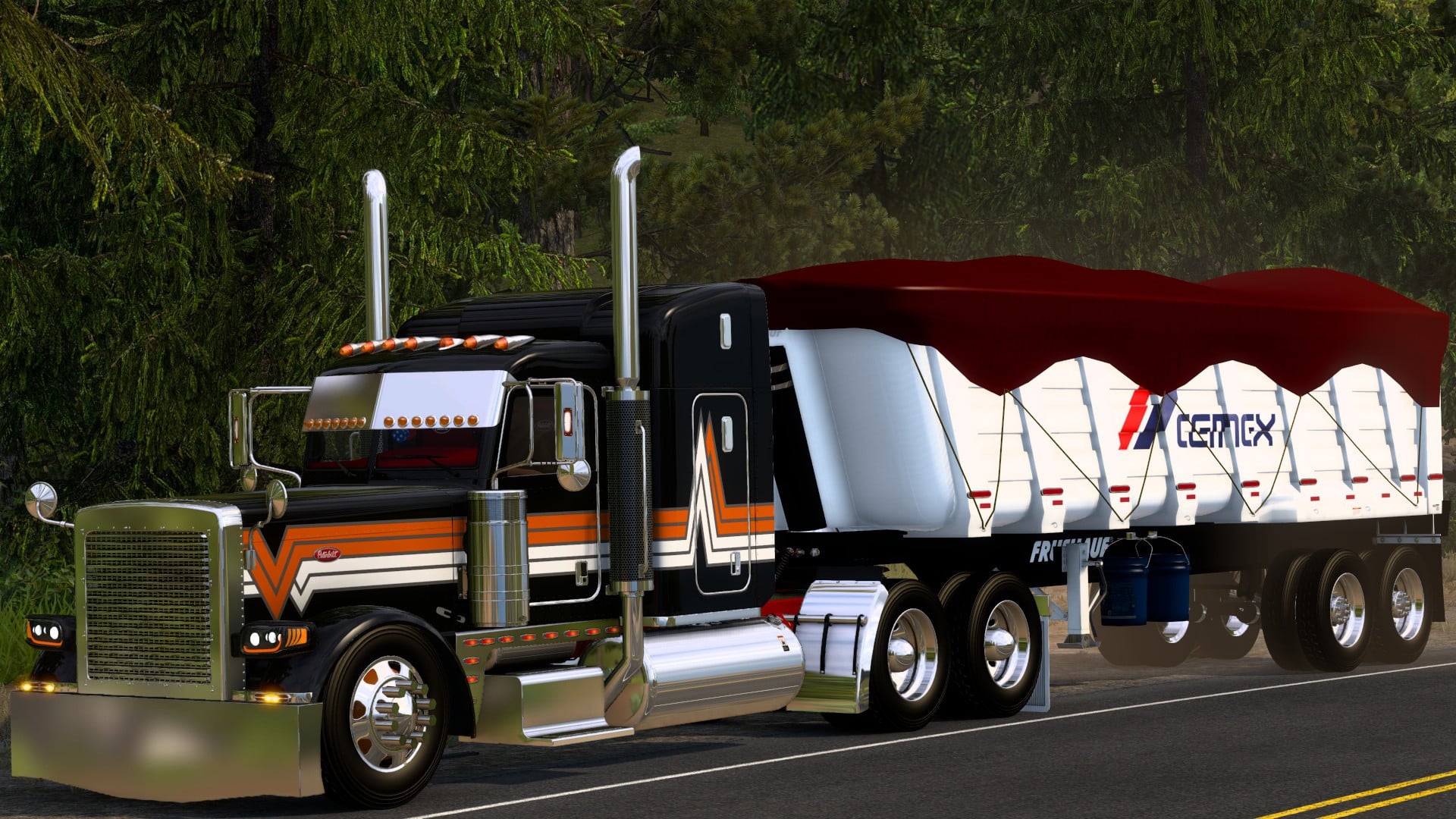
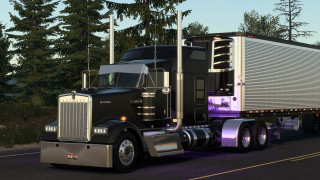
Pinga Peterbilt 389 v2.1

Latest Update
latest
Version
v2.1
· ATS
1.60.x
1 month ago
Changelog v2.1
Adapted and updated for 1.60.x
Adapted and updated for 1.60.x
Changelog v1.5
-Compatibility for 1.54
-Updated interior animations
-Updated models and materials
-Bugs fixes
Description:
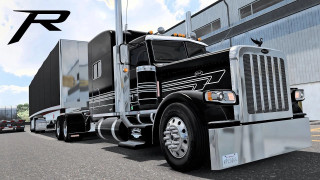
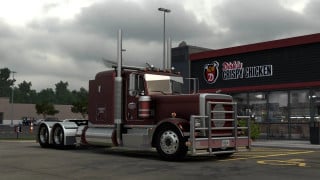
Based on the Peterbilt brand, model 389 with several cabin models available for you to choose which model you like and with various chassis available for all types of service god from the lightest such as the 4X2 to the heavier with the 8X4, they also have several options for you recreate your truck or one you like, making your game more fun to be played
Includes:
-37 Cabins
-23 Chassis
-Engines: Paccar MX-13, CAT 3406A/C15, Cummins M11/NTC/N14 and more..
-7,13,10,18 speed transmissions
-3 Interiors with Nexgen Digital Dashboard
-Over 300+ Tuning Options for Interior and Exterior
and many more..
Credits
Pinga
External Download Links:
- Modsfire.com - Pinga_389_v2.1.scs [1.34 GB]
- Sharemods.com - Pinga_389_v2.1.scs [1.3 GB]


noticed the mod does not have the gear shifter just the chrome stick
goat god good
can we get update @mods82
Please update the transmissions need more variety preferably Eaton fuller and not the ultra shift that’s the only thing that kills this mod other wise it’s great
Hi everyone!!! I'm having a problem with this mod. I'll start by saying that I play in PCVR, and when I turn my head, the camera jerks up and down. It's incredibly annoying, and it's a shame because the mod is very well made. Has anyone encountered this? Is there a solution?
@Barbanera You know, it just dawned on me that there is a part of the pinga mod called "camera fix" that needs to be enabled above the mod itself in the load order. Make sure you have that installed as well.
@Barbanera Going to need more information from you. You say your head jerks up and down. Do you mean looks up and looks down or the position of your head is going higher and lower? Is it happening at the same spot in your range of motion every time or is it totally inconsistent? Is there a transition when the camera "jerks" or is it an instant leap from one frame to the next? Does it happen only when looking one direction or in both directions? Does it happen even if you reposition the location of your head using the games camera adjustment settings? Do you currently have your head positioned at a place in the cab where it is colliding with an object such as the headrest of the seat to your rear? Does it only happen with this truck? Have you tried disabling any VR related mods that you use for other trucks? Have you tried going into windows mixed reality settings and clearing environment data to make sure your headset doesnt think its running into something in the physical world that in actuality isnt there? I've never used VR but these are all very relevant questions that you should be seeking answers to if you want to determine what the issue is. I'll check back frequently to see if you've replied. With a little luck this will be an easy fix.
@Barbanera Sorry, I don't have VR so when I updated it there was no way to check
why isnt the mod showing up in my mod manger
@jakeo I updated it and checked it before uploading, updated it at the user's request and it works the same way
@mods82 i did its not working
@jake Did you remember to extract it from the archive? The rar file is an archive, and inside is the mod itself
CAN YOU PLEASE UPDATE THIS MOD
@COONTUNES Updated
ive had the same problem with this truck as i did the kw w900 highway killer. everytime i go to purchase the truck from the mod dealer or just the peterbuilt dealer in general my whole game crashes and i dont know how to fix the issues if someone could help me that would be amazing
@kaleb you need to edit the config.cfg file in your ats folder. Find the line
uset r_buffer_page_size "10"
And change it to
uset r_buffer_page_size "30”