Doctrine Wrist Sheath v1.0

0/5,
0
votes
Description
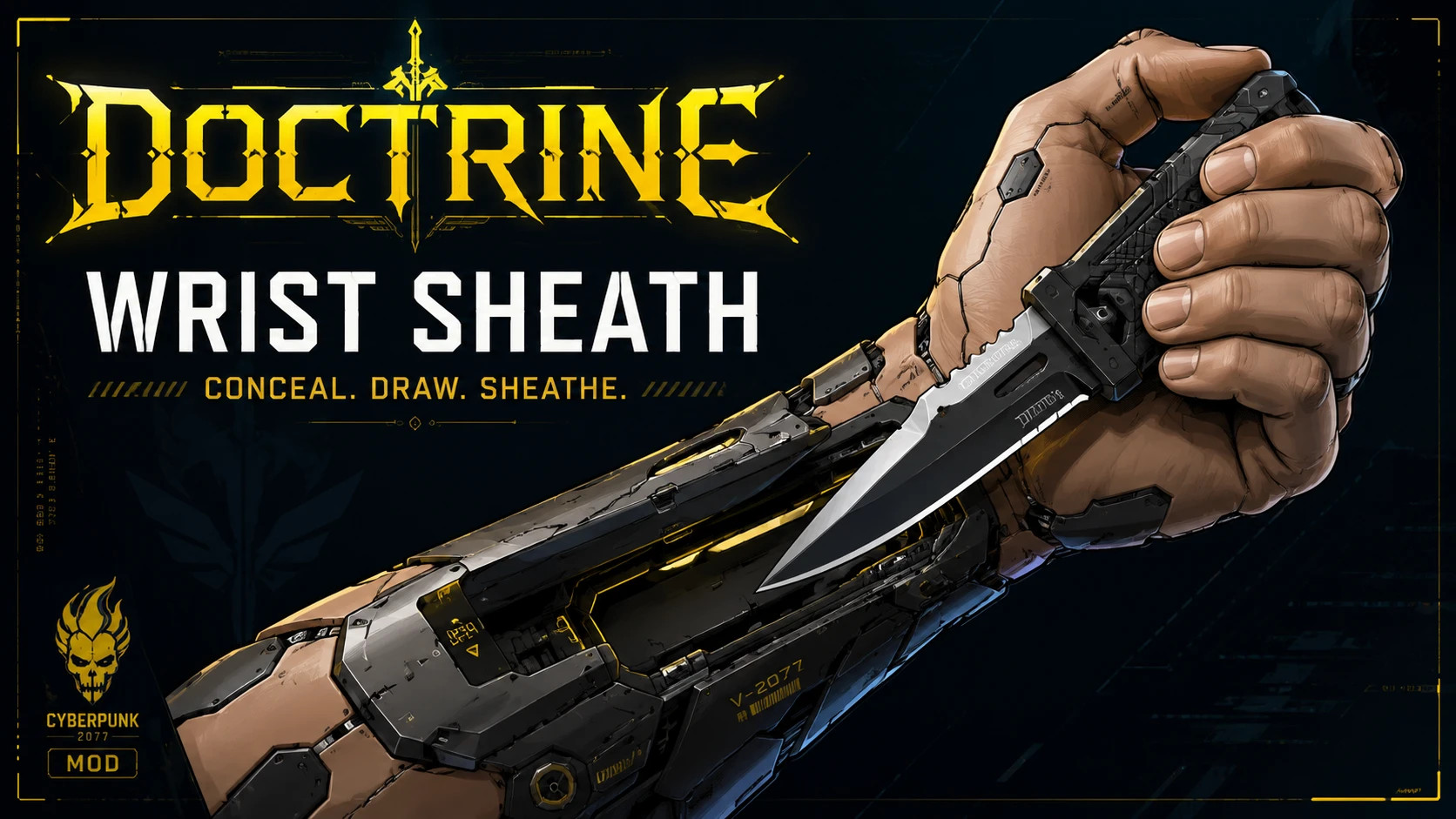
Doctrine Wrist Sheath adds the Concealed Magnetic Sheath, a new standalone cyberware installed in the Hands slot. This allows you to link a real knife to the implant and draw it directly from V's cyberarms without permanently occupying a standard weapon slot.
Features
- Adds a new standalone cyberware for the Hands slot
- Links one specific real knife instance from the player's inventory
- Preserves the linked knife's quality, statistics, and installed modifications
- Draws the knife directly while Fists, Gorilla Arms, Mantis Blades, or Monowire are active
- Uses the standard Reload input instead of adding a new keybind
- Does not permanently occupy one of the three standard weapon slots
- Automatically conceals the knife again after switching to another weapon
- Hides the linked knife from normal inventory, equipment, and vendor interfaces while concealed
- Prevents the concealed knife from being accidentally sold or dismantled through normal interfaces
- Filters compatible knives according to the quality of the installed sheath
- Supports every normal cyberware quality and upgrade level
- Available from all ripperdocs
- Common quality is available from the beginning of the game
- Higher major qualities follow the normal vanilla cyberware availability curve
- Plus and Plus Plus qualities are obtained through normal cyberware upgrades
- Uses vanilla visual resources and requires no custom archive
- Fully localized in English and French
How to Use
- Purchase and install the Concealed Magnetic Sheath at any ripperdoc.
- Open the Cyberware menu.
- Select the Concealed Magnetic Sheath and open its Knife Integration panel.
- Select a compatible knife from V's inventory to link it to the sheath.
- Equip Fists, Gorilla Arms, Mantis Blades, or Monowire.
- Press the Reload input (R by default on keyboard) to draw the linked knife.
The Knife Integration panel can be accessed from the Cyberware menu at any time. The sheath only accepts knives whose quality is equal to or lower than the quality of the installed cyberware.
Draw Speed by Quality
- Tier 1 and Tier 1+: Normal linked-knife draw speed.
- Tier 2 and Tier 2+: +5% linked-knife draw speed.
- Tier 3 and Tier 3+: +10% linked-knife draw speed.
- Tier 4 and Tier 4+: +15% linked-knife draw speed.
- Tier 5, Tier 5+, and Tier 5++: +20% linked-knife draw speed.
First Launch and Ripperdoc Stocks
After installing and loading your save, wait approximately 24 in-game hours for ripperdoc inventories to refresh. The Concealed Magnetic Sheath may not appear immediately until this refresh has occurred.
Installation Instructions
Requirements
Required framework mods:
- RED4ext
- redscript
- TweakXL
- Codeware
Mod Manager
- Install the archive using a compatible Cyberpunk 2077 mod manager
- Make sure the mod is enabled
- Verify that the r6 folder is deployed directly inside the main Cyberpunk 2077 installation directory
Manual Installation
- Extract the contents of the archive into the main Cyberpunk 2077 installation directory
- Merge the included r6 folder with the existing r6 folder
The final paths should include:
Cyberpunk 2077\r6\scripts\DoctrineWristSheath
Cyberpunk 2077\r6\tweaks\DoctrineWristSheath
Updating
Allow the new files to overwrite the previous Doctrine Wrist Sheath files. Do not delete or alter the linked knife before a normal update.
Uninstallation
Do not uninstall the mod while a knife is still linked to the sheath. Before uninstalling:
- Open the Cyberware menu and select the Concealed Magnetic Sheath.
- Unlink the concealed knife via the Knife Integration panel.
- Visit a ripperdoc and unequip the Concealed Magnetic Sheath.
- Create a new manual save.
- Remove the DoctrineWristSheath folders from \r6\scripts\ and \r6\tweaks\
Credits
Special thanks to Seijax (creator of Extra Hands) and Phoenicia (creator of Neuralware – Chipware Expansion).
Doctrine Wrist Sheath adds the Concealed Magnetic Sheath, a new standalone cyberware installed in the Hands slot. This allows you to link a real knife to the implant and draw it directly from V's cyberarms without permanently occupying a standard weapon slot.
Features
- Adds a new standalone cyberware for the Hands slot
- Links one specific real knife instance from the player's inventory
- Preserves the linked knife's quality, statistics, and installed modifications
- Draws the knife directly while Fists, Gorilla Arms, Mantis Blades, or Monowire are active
- Uses the standard Reload input instead of adding a new keybind
- Does not permanently occupy one of the three standard weapon slots
- Automatically conceals the knife again after switching to another weapon
- Hides the linked knife from normal inventory, equipment, and vendor interfaces while concealed
- Prevents the concealed knife from being accidentally sold or dismantled through normal interfaces
- Filters compatible knives according to the quality of the installed sheath
- Supports every normal cyberware quality and upgrade level
- Available from all ripperdocs
- Common quality is available from the beginning of the game
- Higher major qualities follow the normal vanilla cyberware availability curve
- Plus and Plus Plus qualities are obtained through normal cyberware upgrades
- Uses vanilla visual resources and requires no custom archive
- Fully localized in English and French
How to Use
- Purchase and install the Concealed Magnetic Sheath at any ripperdoc.
- Open the Cyberware menu.
- Select the Concealed Magnetic Sheath and open its Knife Integration panel.
- Select a compatible knife from V's inventory to link it to the sheath.
- Equip Fists, Gorilla Arms, Mantis Blades, or Monowire.
- Press the Reload input (R by default on keyboard) to draw the linked knife.
The Knife Integration panel can be accessed from the Cyberware menu at any time. The sheath only accepts knives whose quality is equal to or lower than the quality of the installed cyberware.
Draw Speed by Quality
- Tier 1 and Tier 1+: Normal linked-knife draw speed.
- Tier 2 and Tier 2+: +5% linked-knife draw speed.
- Tier 3 and Tier 3+: +10% linked-knife draw speed.
- Tier 4 and Tier 4+: +15% linked-knife draw speed.
- Tier 5, Tier 5+, and Tier 5++: +20% linked-knife draw speed.
First Launch and Ripperdoc Stocks
After installing and loading your save, wait approximately 24 in-game hours for ripperdoc inventories to refresh. The Concealed Magnetic Sheath may not appear immediately until this refresh has occurred.
Installation Instructions
Requirements
Required framework mods:
- RED4ext
- redscript
- TweakXL
- Codeware
Mod Manager
- Install the archive using a compatible Cyberpunk 2077 mod manager
- Make sure the mod is enabled
- Verify that the r6 folder is deployed directly inside the main Cyberpunk 2077 installation directory
Manual Installation
- Extract the contents of the archive into the main Cyberpunk 2077 installation directory
- Merge the included r6 folder with the existing r6 folder
The final paths should include:
Cyberpunk 2077\r6\scripts\DoctrineWristSheath
Cyberpunk 2077\r6\tweaks\DoctrineWristSheath
Updating
Allow the new files to overwrite the previous Doctrine Wrist Sheath files. Do not delete or alter the linked knife before a normal update.
Uninstallation
Do not uninstall the mod while a knife is still linked to the sheath. Before uninstalling:
- Open the Cyberware menu and select the Concealed Magnetic Sheath.
- Unlink the concealed knife via the Knife Integration panel.
- Visit a ripperdoc and unequip the Concealed Magnetic Sheath.
- Create a new manual save.
- Remove the DoctrineWristSheath folders from \r6\scripts\ and \r6\tweaks\
Credits
Special thanks to Seijax (creator of Extra Hands) and Phoenicia (creator of Neuralware – Chipware Expansion).
External Download Links:
About Mod
| Latest Version | v1.0 |
| Game | Cyberpunk 2077 |
| Category | Characters |
| Game Version | 1.11 |
| Downloads | 2 |
| Created | 1 month ago |
You Might Also Like »


0 Comments
There are no comments. Be first to comment!