


0/5,
0
votes
Description
RealTime matches Night City's clock with the local time on your PC. If it's morning, evening, or late at night for you, the game will follow the same time.
Features
- Takes the current time directly from your PC and regularly updates the game's TimeSystem.
- While RealTime is active, the normal Skip Time button is hidden. Turn the sync off and the button comes back.
- When a quest changes the time, such as after using a "sit and wait" option, the mod temporarily stops syncing. By default, syncing resumes after 5 minutes, but this can be changed.
Known Limitation
Quest time skips are detected by checking how big the change in time is. A large enough jump is treated as a quest-related skip rather than normal time passing. The mod isn't connected to specific quests, so a small time skip could go unnoticed and get replaced by the PC time.
Requirements
- Cyber Engine Tweaks
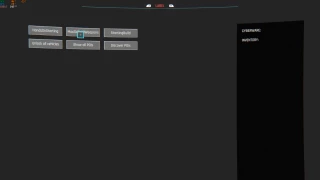
- Native Settings UI (optional). With it installed, RealTime gets a settings page under Options > Mods. Without it, settings are available through a small window in the CET overlay.
Compatibility
RealTime uses CET's scripting API to work with the game clock. The mod changes the clock only. Weather, clouds, sunlight, and other environmental systems are left untouched.
If another installed mod also writes directly to TimeSystem, the two can interfere with each other. In that case, whichever mod updates the clock last will usually take priority.
Data Sources
- Uses only the local system clock on your PC.
- No location data is requested.
- No internet connection is used.
- No external services are contacted.
Installation Instructions
- Extract the mod into the main game directory.
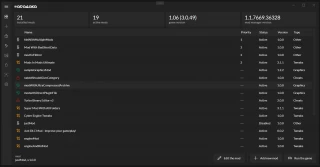
- Vortex is recommended.
- MO2 also works with the mod.
RealTime matches Night City's clock with the local time on your PC. If it's morning, evening, or late at night for you, the game will follow the same time.
Features
- Takes the current time directly from your PC and regularly updates the game's TimeSystem.
- While RealTime is active, the normal Skip Time button is hidden. Turn the sync off and the button comes back.
- When a quest changes the time, such as after using a "sit and wait" option, the mod temporarily stops syncing. By default, syncing resumes after 5 minutes, but this can be changed.
Known Limitation
Quest time skips are detected by checking how big the change in time is. A large enough jump is treated as a quest-related skip rather than normal time passing. The mod isn't connected to specific quests, so a small time skip could go unnoticed and get replaced by the PC time.
Requirements
- Cyber Engine Tweaks
- Native Settings UI (optional). With it installed, RealTime gets a settings page under Options > Mods. Without it, settings are available through a small window in the CET overlay.
Compatibility
RealTime uses CET's scripting API to work with the game clock. The mod changes the clock only. Weather, clouds, sunlight, and other environmental systems are left untouched.
If another installed mod also writes directly to TimeSystem, the two can interfere with each other. In that case, whichever mod updates the clock last will usually take priority.
Data Sources
- Uses only the local system clock on your PC.
- No location data is requested.
- No internet connection is used.
- No external services are contacted.
Installation Instructions
- Extract the mod into the main game directory.
- Vortex is recommended.
- MO2 also works with the mod.
External Download Links:
Direct Download Links
About Mod
| Latest Version | v1.0 |
| Game | Cyberpunk 2077 |
| Category | Graphics |
| Game Version | 1.11 |
| Downloads | 21 |
| Created | 2 weeks ago |
You Might Also Like »


0 Comments
There are no comments. Be first to comment!