Torrent (Lightning with Physically Accurate Rain) v1.0




0/5,
0
votes
Description
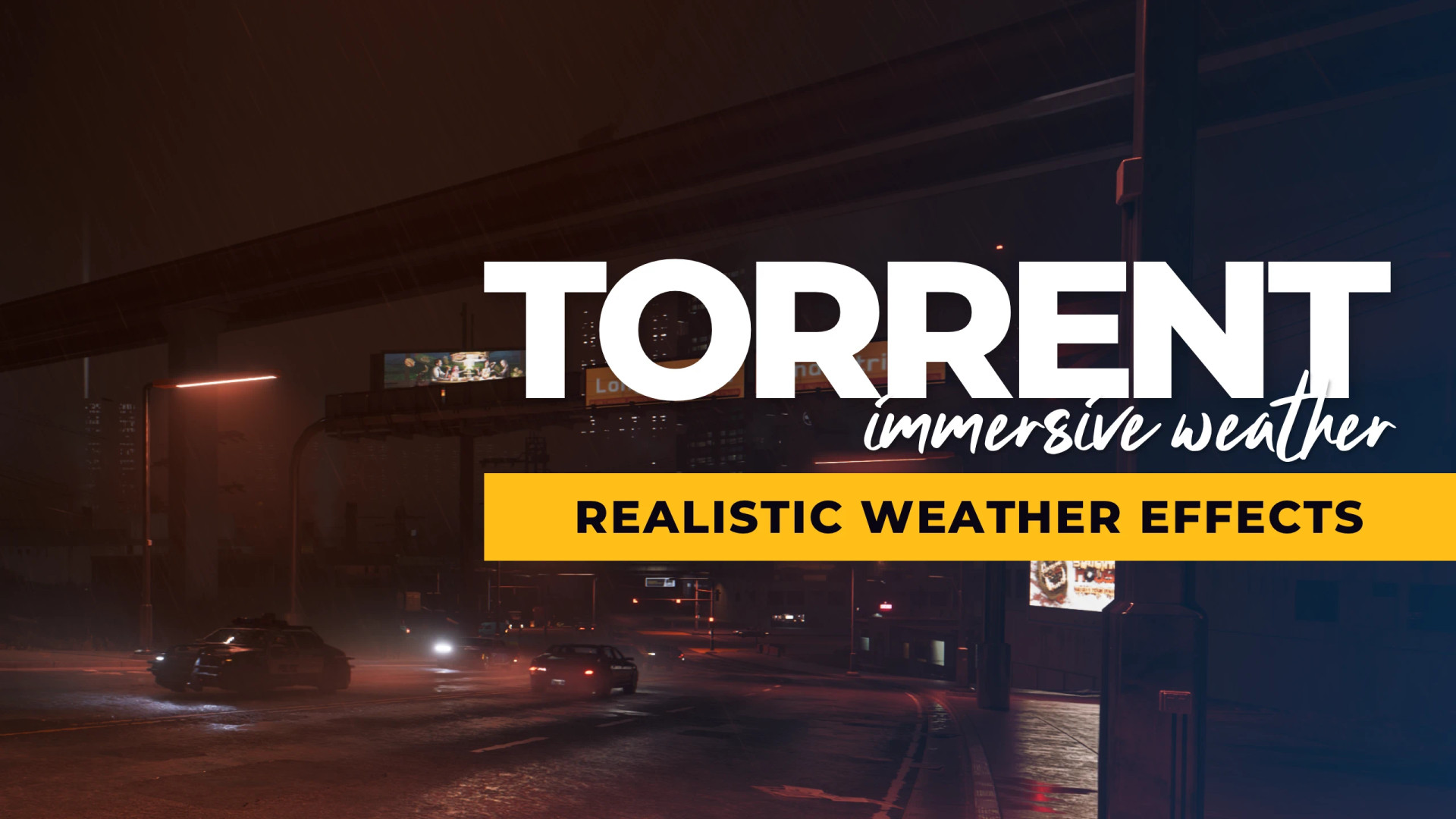
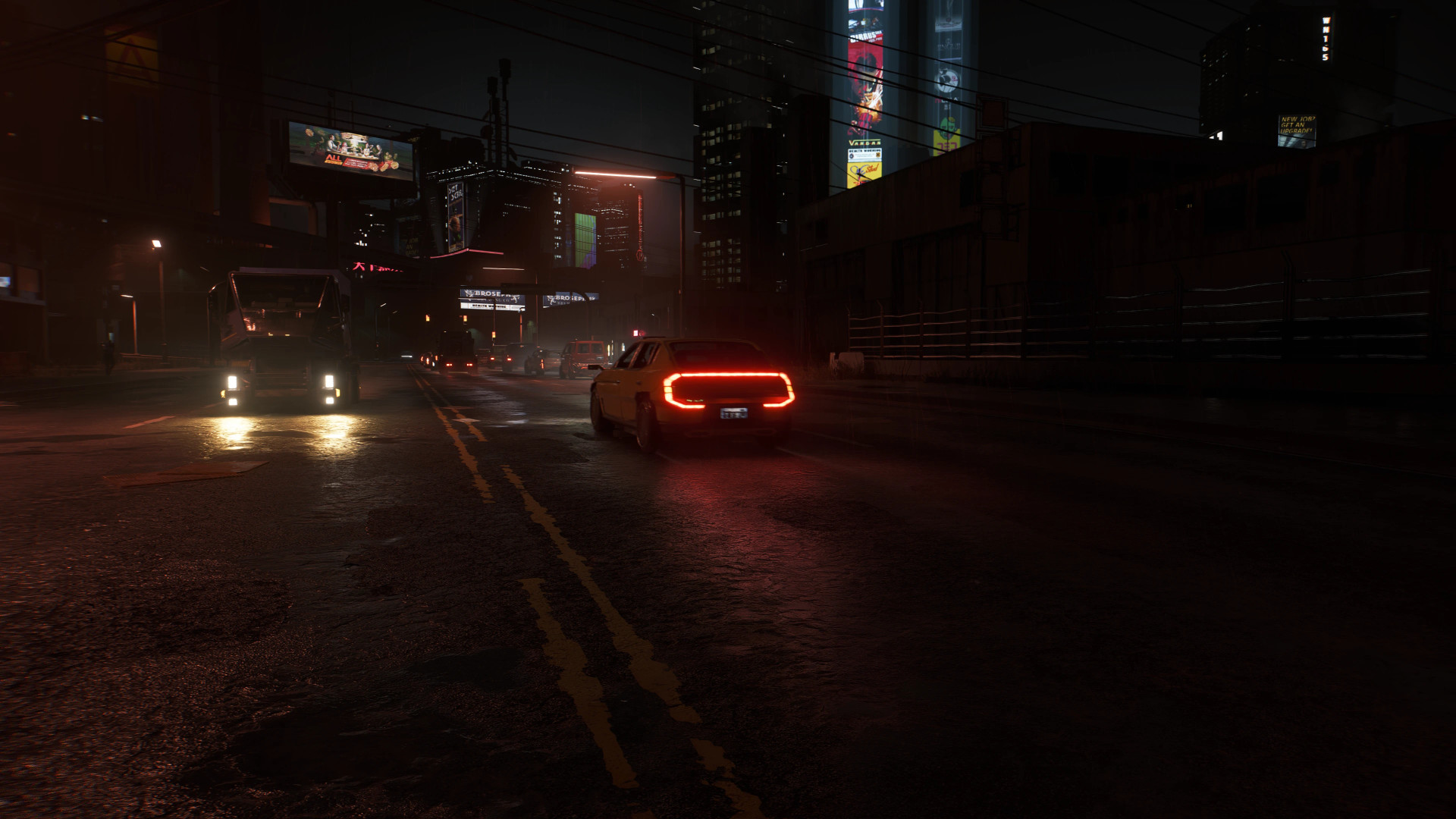
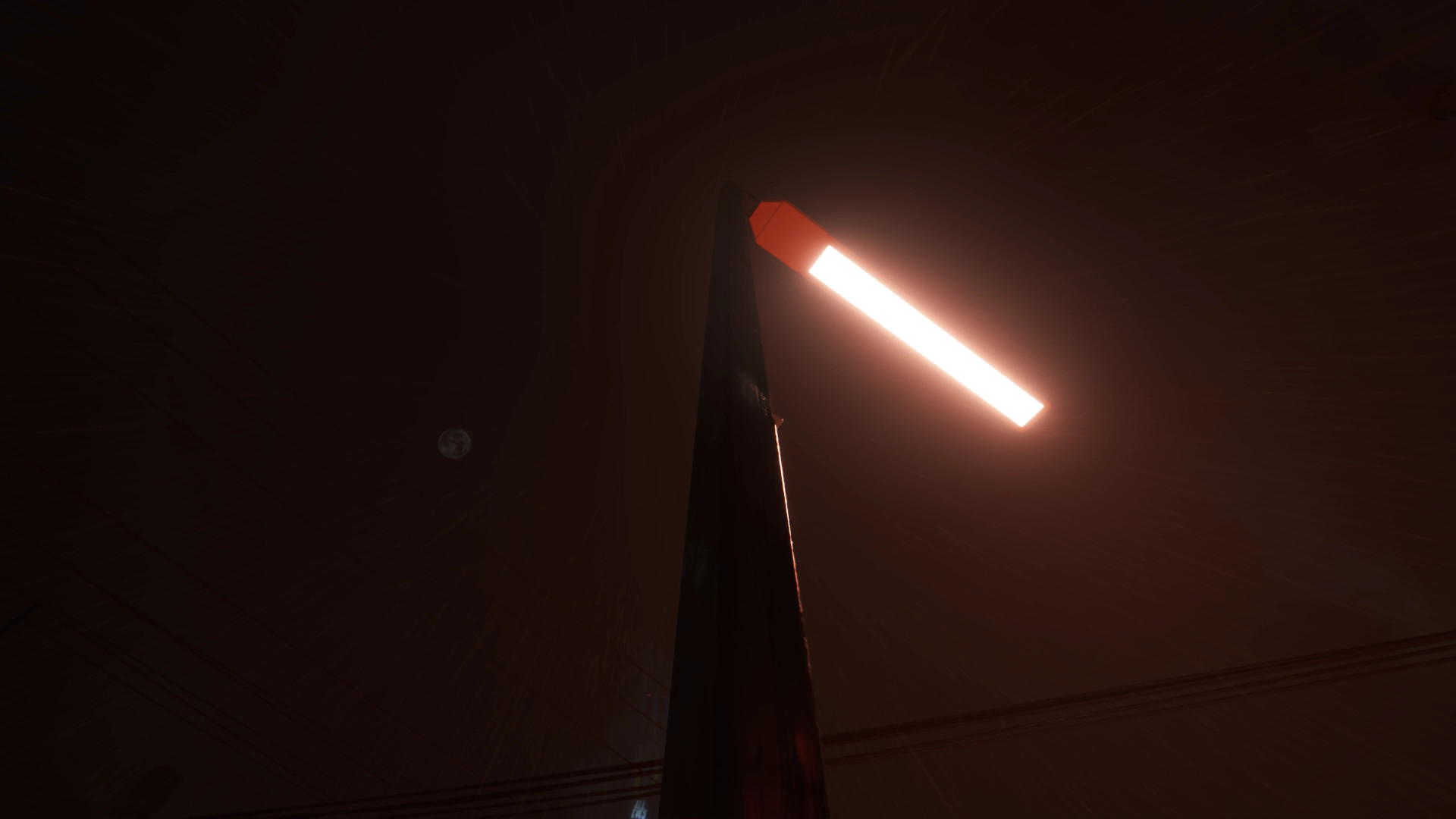
Torrent is a weather enhancement mod for Cyberpunk 2077 that replaces the game's flat rain effects with individual raindrops rendered in three-dimensional space. Rain interacts visually with lighting, buildings, vehicles and changing weather conditions, creating a more natural atmosphere throughout Night City.
Features
- Physically simulated-looking rainfall with individual drops instead of flat rain textures
- Raindrops rendered at different distances, extending beyond 100 meters
- Variable drop sizes and falling speeds
- Rain illuminated by streetlights, neon signs and vehicle headlights
- Rain occlusion beneath roofs, bridges and inside vehicles
- Ground splashes, surface ripples and fine water spray
- Dynamic rain mist during heavy rainfall
- Weather-specific rainfall intensity and appearance
- Wind-driven rain with natural gusts and drifting patterns
- Vehicle wheel spray and lingering road mist
- Optional lightning and thunder effects
- Support for Nova City 2 weather conditions
- Adjustable graphics quality and visual effects
Realistic Rain System
Torrent replaces the standard rain cards with individually rendered drops that remain positioned in the game world as the camera moves. Larger drops fall faster than smaller ones, while different layers create a sense of depth. Rain responds to environmental lighting, appearing brighter near illuminated streets and darker in poorly lit areas. Vehicle headlights create visible beams through heavy rainfall, while taillights produce a subtle red glow. Drops also generate splashes and ripple effects when hitting roads, rooftops and other surfaces.
Dynamic Weather
Different weather conditions receive their own rainfall appearance. Supported conditions include:
- Rain
- Light Rain
- Toxic Rain
- Rainy Night
- Rainy weather from Nova City 2
- Rain introduced by other weather mods
Light drizzle produces scattered fine droplets, while stronger showers create denser rainfall and distant haze. Rain transitions smoothly when weather changes. Wind affects the direction of falling drops, with gusts moving naturally through the environment. Rain and splash effects also follow game time, slowing during slow-motion sequences and freezing when paused.
Storm Effects
When Nova City 2 is installed, Torrent adds additional effects to its Storm weather:
- Wind-driven mist moving along streets
- Dense patches of fog that gradually appear and disappear
- Low-flying spray carried by strong gusts
- Dynamic changes in mist density based on wind conditions
Storm Mist can be disabled independently through Mod Settings.
Lightning and Thunder
Torrent introduces optional lightning storms when used with Nova City 2. Each lightning strike generates a unique branching bolt, beginning with a faint descending leader before producing a bright main flash. Lightning illuminates nearby clouds, atmospheric haze and falling rain. Closer strikes appear brighter and more blue-white, while distant lightning looks dimmer and slightly pink.
During storms, lightning occurs approximately every 20 in-game minutes between 9 PM and 2 AM. Daytime strikes are less frequent. Heavy rain and downpours can occasionally produce distant lightning. With AudioXL installed, thunder follows each strike after a distance-based delay:
- Nearby lightning produces sharp thunder cracks
- Distant strikes generate quieter, deeper rumbles
- Thunder direction matches the strike's position
- Vehicle interiors muffle thunder sounds
A configurable Lightning Strike Key allows players to trigger lightning manually while it is raining.
Flash Reduction
Warning: Lightning effects contain flashing lights that may affect photosensitive players. Torrent includes a Reduce Flashes option that:
- Reduces lightning and sky brightness
- Replaces rapid flickering with a slower glow
- Decreases lightning frequency by 50%
Lightning can also be disabled completely.
Vehicle Wheel Spray
Driving on wet roads produces water spray from vehicle tyres. The effect includes droplets, fine spray and mist that trails behind the vehicle. Spray intensity increases with driving speed and responds to wind direction. The six nearest moving traffic vehicles can also generate spray from their rear wheels.
Settings
With Mod Settings installed, players can configure:
- Enable or disable Torrent
- Quality: Low, Medium, High or Ultra
- Rain Intensity
- Storm Mist
- Lightning
- Reduce Flashes
- Thunder Volume
- Lightning Strike Key
Without Mod Settings, Torrent operates using its default configuration.
Performance
Torrent renders its effects through Cyberpunk 2077's existing rain rendering pass, minimizing additional CPU workload. Reported performance measurements:
- Heavy rain on Ultra: approximately 0.15–0.5 ms per frame
- Vehicle wheel spray: up to approximately 0.4 ms
- Storm Mist on Ultra: approximately 0.15 ms
- Lightning: additional rendering cost only during visible strikes
When rain is inactive, the mod has minimal performance impact. For better performance, select High or Medium quality or disable Storm Mist. Shaders are included in the plugin, so no additional shader loading is required.
Requirements
- RED4ext
- redscript
- Codeware
Optional Dependencies
- Mod Settings – Access to configuration options
- Nova City 2 – Additional rainy weather, storm mist and lightning
- AudioXL – Thunder sound effects
Compatibility
- Nova City 2 – Supports its rainy weather types, storm mist and lightning
- Other weather mods – Uses Torrent's alternative rainfall appearance for their rainy conditions
- Game updates – Automatically falls back to vanilla rain if changes to the game's rendering system prevent Torrent from functioning
Installation Instructions
Vortex / Mod Organizer 2
Install the downloaded archive through your preferred mod manager.
Manual Installation
- Download the mod archive.
- Open your Cyberpunk 2077 installation directory.
- Extract the archive into the main game folder.
- Allow the included folders to merge.
- Launch the game.
Configuration options are available under: Mod Settings > Torrent
Uninstallation
Remove the following folders from your Cyberpunk 2077 installation:
red4ext\plugins\Torrent
red4ext\plugins\AudioXL\sounds\Torrent
Torrent does not store additional data in save files, allowing it to be installed or removed without modifying existing saves.
Torrent is a weather enhancement mod for Cyberpunk 2077 that replaces the game's flat rain effects with individual raindrops rendered in three-dimensional space. Rain interacts visually with lighting, buildings, vehicles and changing weather conditions, creating a more natural atmosphere throughout Night City.
Features
- Physically simulated-looking rainfall with individual drops instead of flat rain textures
- Raindrops rendered at different distances, extending beyond 100 meters
- Variable drop sizes and falling speeds
- Rain illuminated by streetlights, neon signs and vehicle headlights
- Rain occlusion beneath roofs, bridges and inside vehicles
- Ground splashes, surface ripples and fine water spray
- Dynamic rain mist during heavy rainfall
- Weather-specific rainfall intensity and appearance
- Wind-driven rain with natural gusts and drifting patterns
- Vehicle wheel spray and lingering road mist
- Optional lightning and thunder effects
- Support for Nova City 2 weather conditions
- Adjustable graphics quality and visual effects
Realistic Rain System
Torrent replaces the standard rain cards with individually rendered drops that remain positioned in the game world as the camera moves. Larger drops fall faster than smaller ones, while different layers create a sense of depth. Rain responds to environmental lighting, appearing brighter near illuminated streets and darker in poorly lit areas. Vehicle headlights create visible beams through heavy rainfall, while taillights produce a subtle red glow. Drops also generate splashes and ripple effects when hitting roads, rooftops and other surfaces.
Dynamic Weather
Different weather conditions receive their own rainfall appearance. Supported conditions include:
- Rain
- Light Rain
- Toxic Rain
- Rainy Night
- Rainy weather from Nova City 2
- Rain introduced by other weather mods
Light drizzle produces scattered fine droplets, while stronger showers create denser rainfall and distant haze. Rain transitions smoothly when weather changes. Wind affects the direction of falling drops, with gusts moving naturally through the environment. Rain and splash effects also follow game time, slowing during slow-motion sequences and freezing when paused.
Storm Effects
When Nova City 2 is installed, Torrent adds additional effects to its Storm weather:
- Wind-driven mist moving along streets
- Dense patches of fog that gradually appear and disappear
- Low-flying spray carried by strong gusts
- Dynamic changes in mist density based on wind conditions
Storm Mist can be disabled independently through Mod Settings.
Lightning and Thunder
Torrent introduces optional lightning storms when used with Nova City 2. Each lightning strike generates a unique branching bolt, beginning with a faint descending leader before producing a bright main flash. Lightning illuminates nearby clouds, atmospheric haze and falling rain. Closer strikes appear brighter and more blue-white, while distant lightning looks dimmer and slightly pink.
During storms, lightning occurs approximately every 20 in-game minutes between 9 PM and 2 AM. Daytime strikes are less frequent. Heavy rain and downpours can occasionally produce distant lightning. With AudioXL installed, thunder follows each strike after a distance-based delay:
- Nearby lightning produces sharp thunder cracks
- Distant strikes generate quieter, deeper rumbles
- Thunder direction matches the strike's position
- Vehicle interiors muffle thunder sounds
A configurable Lightning Strike Key allows players to trigger lightning manually while it is raining.
Flash Reduction
Warning: Lightning effects contain flashing lights that may affect photosensitive players. Torrent includes a Reduce Flashes option that:
- Reduces lightning and sky brightness
- Replaces rapid flickering with a slower glow
- Decreases lightning frequency by 50%
Lightning can also be disabled completely.
Vehicle Wheel Spray
Driving on wet roads produces water spray from vehicle tyres. The effect includes droplets, fine spray and mist that trails behind the vehicle. Spray intensity increases with driving speed and responds to wind direction. The six nearest moving traffic vehicles can also generate spray from their rear wheels.
Settings
With Mod Settings installed, players can configure:
- Enable or disable Torrent
- Quality: Low, Medium, High or Ultra
- Rain Intensity
- Storm Mist
- Lightning
- Reduce Flashes
- Thunder Volume
- Lightning Strike Key
Without Mod Settings, Torrent operates using its default configuration.
Performance
Torrent renders its effects through Cyberpunk 2077's existing rain rendering pass, minimizing additional CPU workload. Reported performance measurements:
- Heavy rain on Ultra: approximately 0.15–0.5 ms per frame
- Vehicle wheel spray: up to approximately 0.4 ms
- Storm Mist on Ultra: approximately 0.15 ms
- Lightning: additional rendering cost only during visible strikes
When rain is inactive, the mod has minimal performance impact. For better performance, select High or Medium quality or disable Storm Mist. Shaders are included in the plugin, so no additional shader loading is required.
Requirements
- RED4ext
- redscript
- Codeware
Optional Dependencies
- Mod Settings – Access to configuration options
- Nova City 2 – Additional rainy weather, storm mist and lightning
- AudioXL – Thunder sound effects
Compatibility
- Nova City 2 – Supports its rainy weather types, storm mist and lightning
- Other weather mods – Uses Torrent's alternative rainfall appearance for their rainy conditions
- Game updates – Automatically falls back to vanilla rain if changes to the game's rendering system prevent Torrent from functioning
Installation Instructions
Vortex / Mod Organizer 2
Install the downloaded archive through your preferred mod manager.
Manual Installation
- Download the mod archive.
- Open your Cyberpunk 2077 installation directory.
- Extract the archive into the main game folder.
- Allow the included folders to merge.
- Launch the game.
Configuration options are available under: Mod Settings > Torrent
Uninstallation
Remove the following folders from your Cyberpunk 2077 installation:
red4ext\plugins\Torrent
red4ext\plugins\AudioXL\sounds\Torrent
Torrent does not store additional data in save files, allowing it to be installed or removed without modifying existing saves.
External Download Links:
Direct Download Links
About Mod
| Latest Version | v1.0 |
| Game | Cyberpunk 2077 |
| Category | Graphics |
| Game Version | 1.11 |
| Downloads | 3 |
| Created | 3 hours ago |
You Might Also Like »


0 Comments
There are no comments. Be first to comment!