


0/5,
0
votes
This mod requires Cyberpunk Engine Tweaks 1.9.6 or higher in order to work!
What it does:
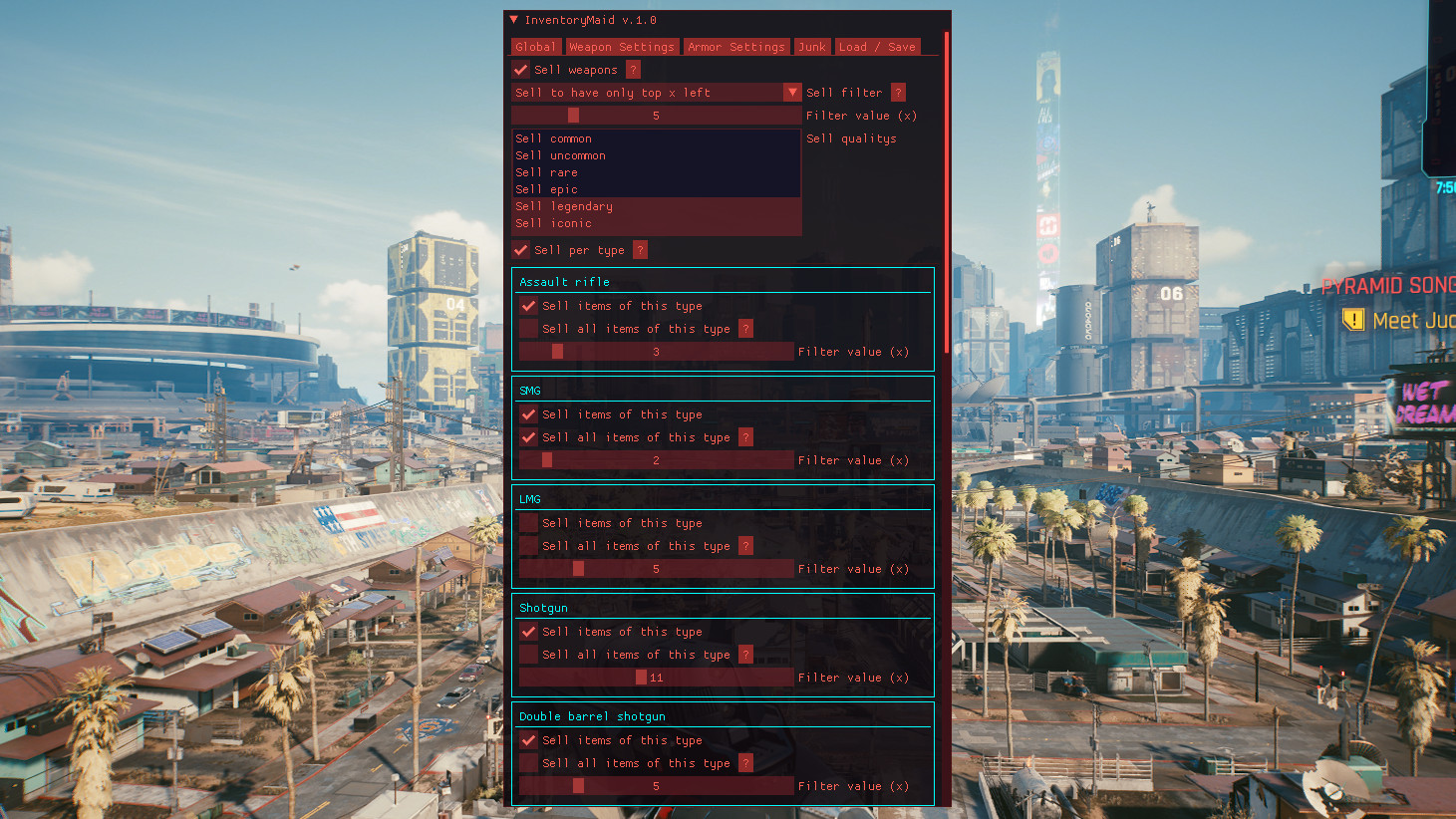
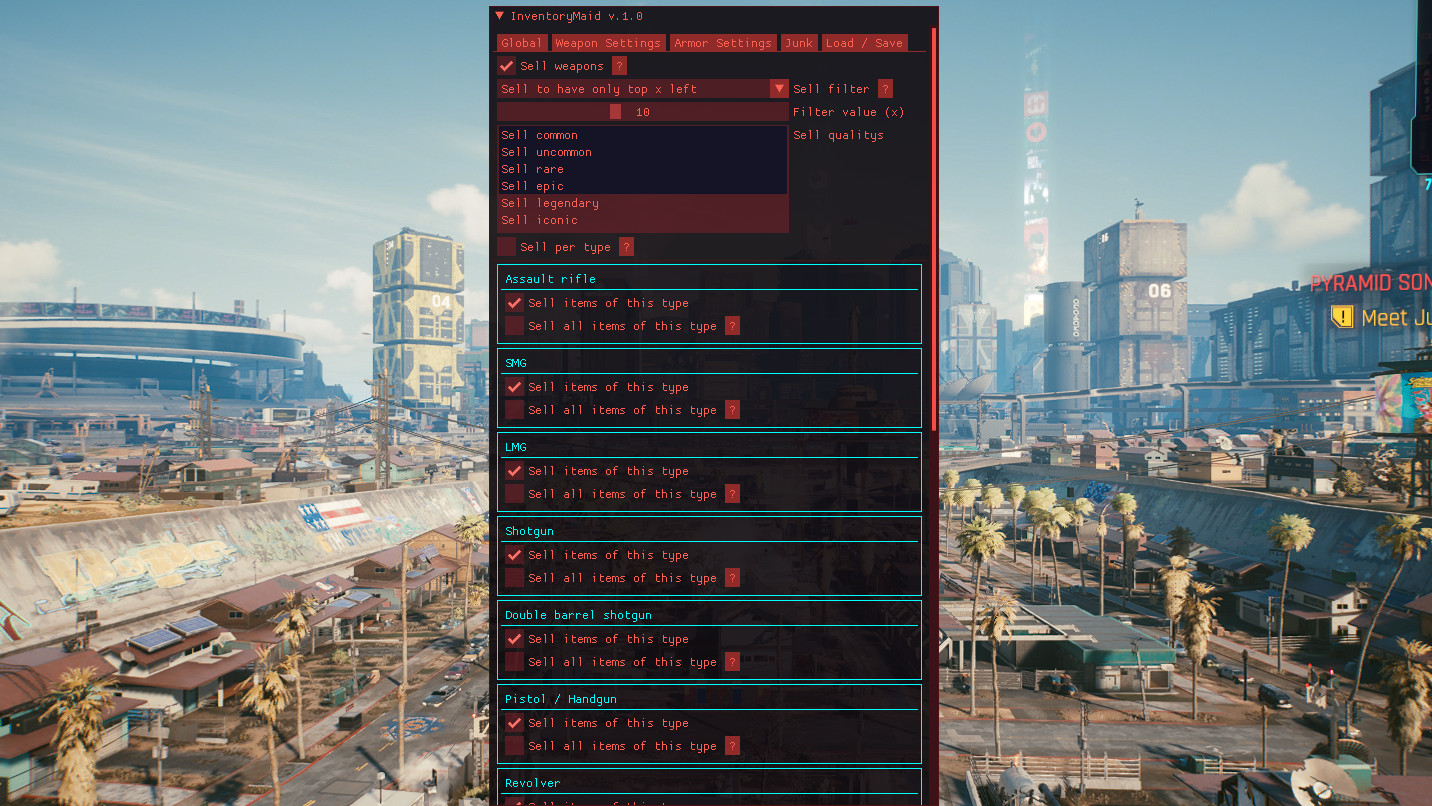
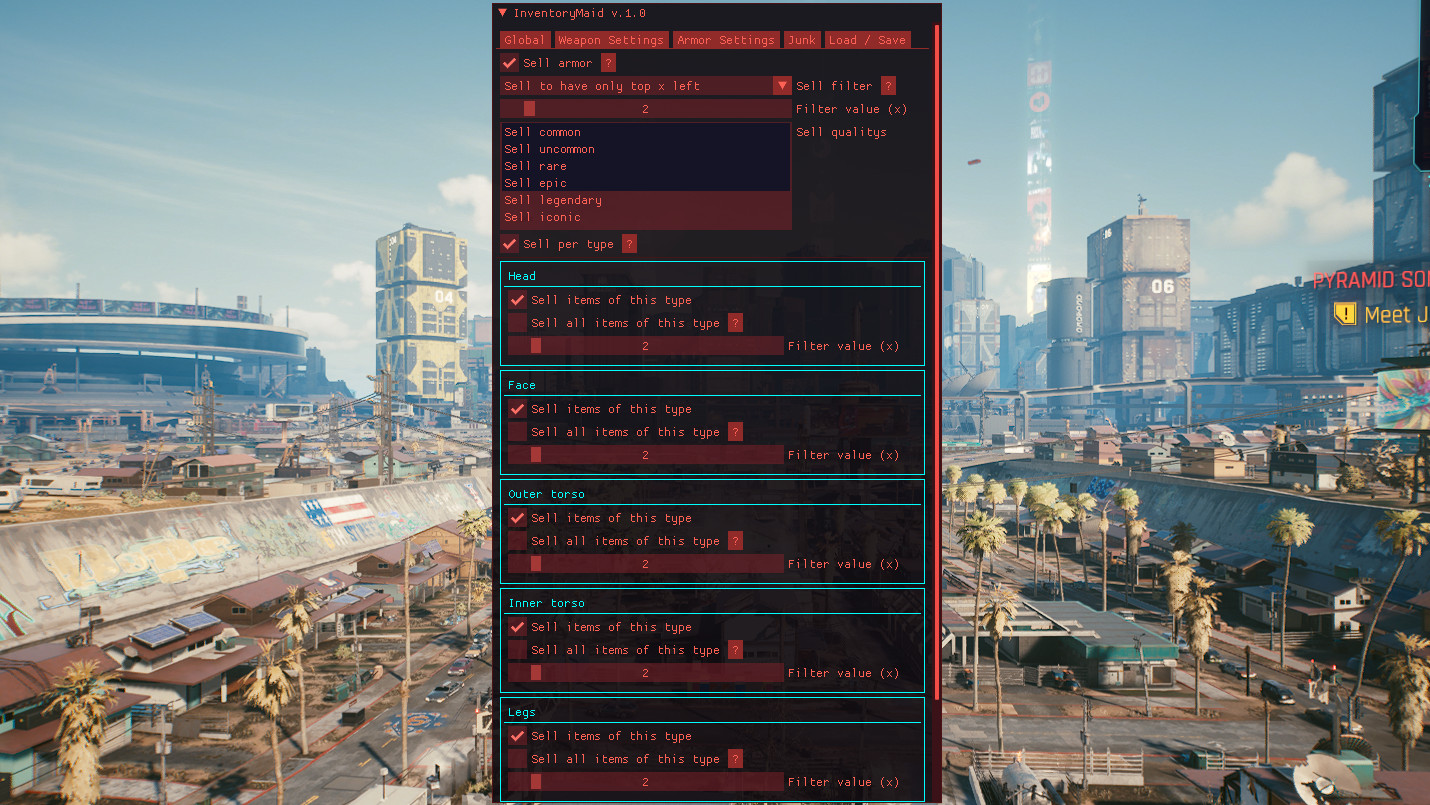
- Allows you to sell/dismantle the Weapons, Armor and Junk filters!
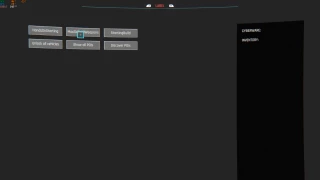
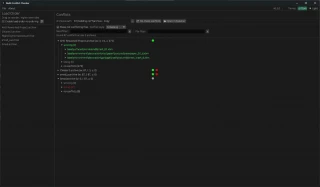
- You can check the images or read the different tab´s description below to see which filters you can set.
- Allows you to easily reuse your filter settings.
How to use:
- Open the CET console, the InventoryMaid window will also open.
- If you dont know what an option does, hover over the ? box next to it to learn more about it
Global Tab:
- If you change the settings here, you will overwrite the ones in the Weapon/Armor tabs.
- Specifically use the Weapon/Armor tabs to configure filters for Weapon/Armor.
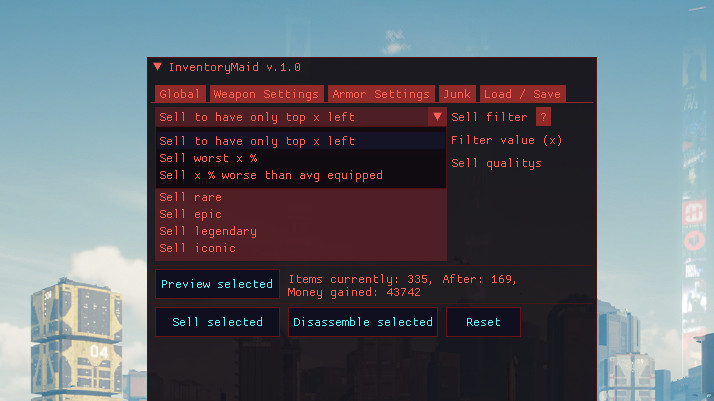
- Sell Filter: Select how to filter your items. For more information use the ? next to it
- Filter value: Set the value (x items / x%) to be used by your selected selling filter.
- Selling quality: choose the quality of the item you want to sell.
- Selected preview: Provide a preview of what your current settings are going to sell (actual items, items after selling, money earned).
- Sell selected: all items matching the filter are sold (Junk also sells selected).
- Selected disassembly: Disassembles all filter items (Sells also selected junk).
- Reset: Resets all default settings.
Weapon Settings Tab:
- Sell weapons: all "Sell items of this type" boxes are toggling.
- Filter selling, filter value, selling quality: Works the same as those of the global tab, only applies to weapons.
- Selling by type: selling filters by type of item (Katan, Revolver, LMG....). For more information use the ? next to it
- Options by type: Allow you to change settings for each type of weapon.
- Sell this type of product: Enables the sale of the type of product.
- Sell all items of this type: Does the above need to be checked, sells all items of this type.
Armor Settings Tab:
- Works like the Weapon Settings Tab but is for armor.
Armor Tab:
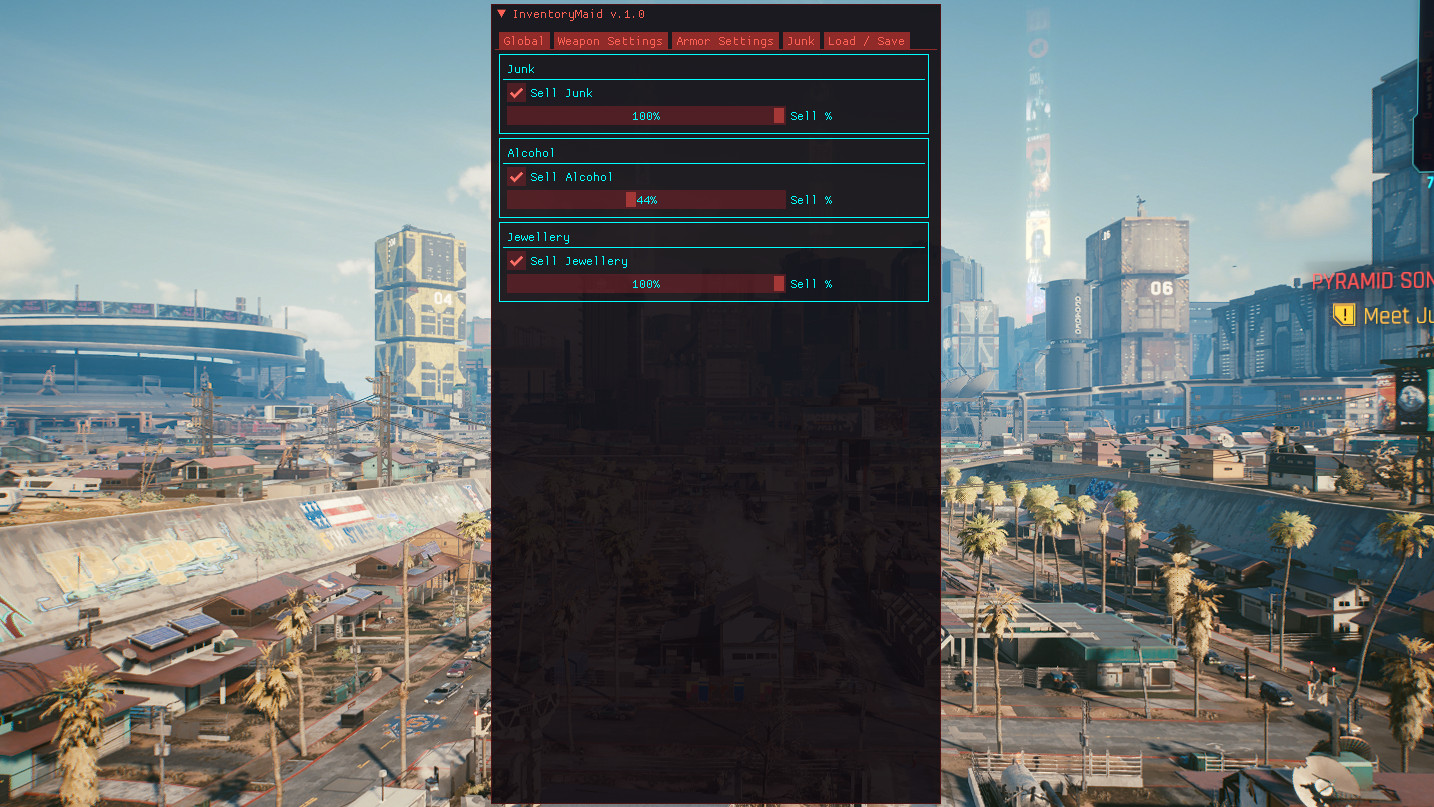
- Sell junk: let you specify if a type of junk (junk, alcohol, jewellery) you want to sell.
- Sell%: select how much% of the type of junk you want to sell.
Load / Save:
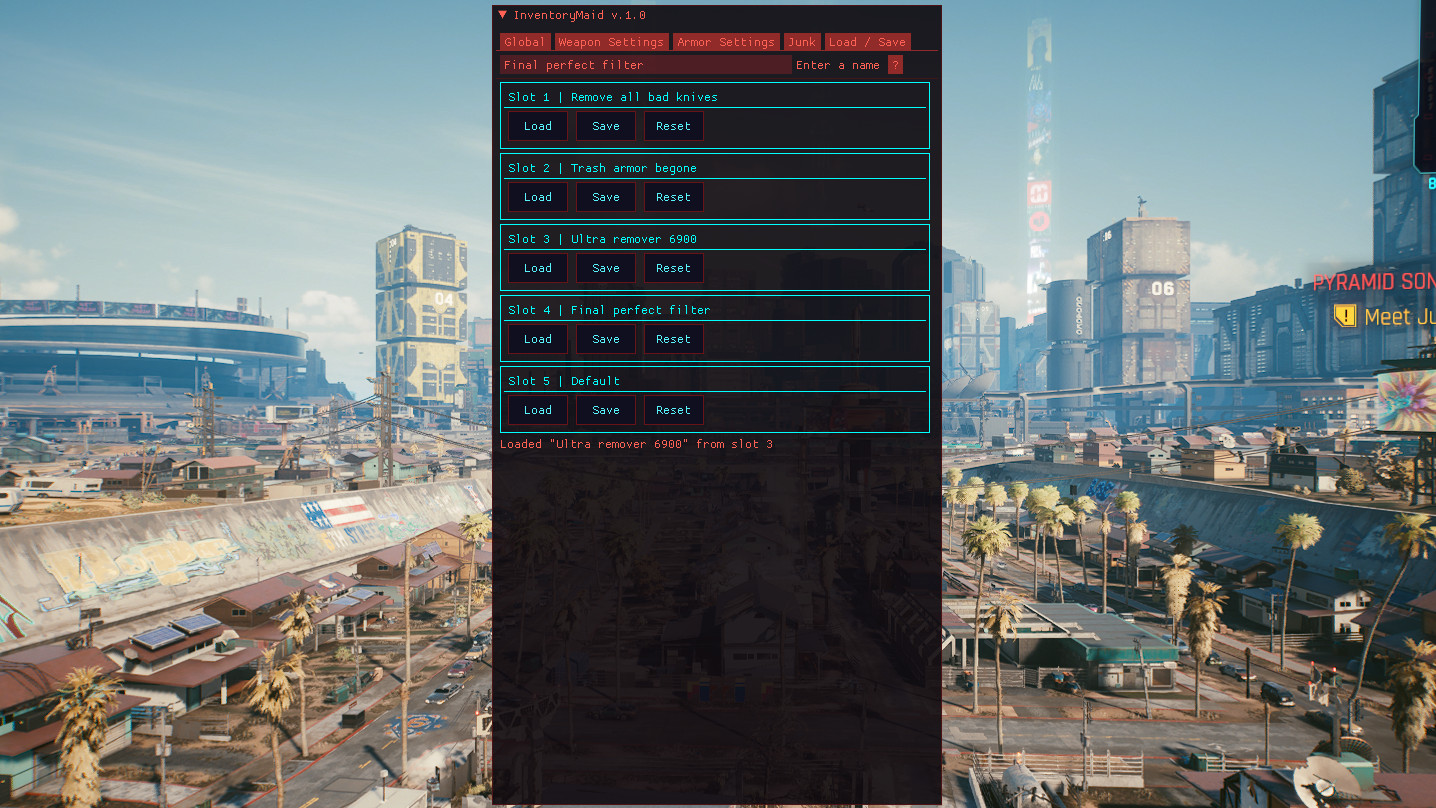
- Enter a name: Write a name to use when saving a configuration into one of the slots.
- Load / Save / Reset: (Per slot): Allows you to load a slot / Save your current settings to the slot / Reset it.
- Start loading: select a slot to load when the game starts/your mods are reloaded.
How to install:
Step 1: Make sure you have Cyberpunk Engine Tweaks 1.9.6 or higher installed
Step 2: Download the mod content
Step 3: Extract the content in "PATH TO CYBERPUNK\Cyberpunk 2077\bin\x64\plugins\cyber_engine_tweaks\mods\" so that you have the following structure: "PATH TO CYBERPUNK\Cyberpunk 2077\bin\x64\plugins\cyber_engine_tweaks\mods\InventoryMaid\init.lua"
Step 4: Start the game
- Or download it with vortex mod manager
Credits:
NexusGuy999
What it does:
- Allows you to sell/dismantle the Weapons, Armor and Junk filters!
- You can check the images or read the different tab´s description below to see which filters you can set.
- Allows you to easily reuse your filter settings.
How to use:
- Open the CET console, the InventoryMaid window will also open.
- If you dont know what an option does, hover over the ? box next to it to learn more about it
Global Tab:
- If you change the settings here, you will overwrite the ones in the Weapon/Armor tabs.
- Specifically use the Weapon/Armor tabs to configure filters for Weapon/Armor.
- Sell Filter: Select how to filter your items. For more information use the ? next to it
- Filter value: Set the value (x items / x%) to be used by your selected selling filter.
- Selling quality: choose the quality of the item you want to sell.
- Selected preview: Provide a preview of what your current settings are going to sell (actual items, items after selling, money earned).
- Sell selected: all items matching the filter are sold (Junk also sells selected).
- Selected disassembly: Disassembles all filter items (Sells also selected junk).
- Reset: Resets all default settings.
Weapon Settings Tab:
- Sell weapons: all "Sell items of this type" boxes are toggling.
- Filter selling, filter value, selling quality: Works the same as those of the global tab, only applies to weapons.
- Selling by type: selling filters by type of item (Katan, Revolver, LMG....). For more information use the ? next to it
- Options by type: Allow you to change settings for each type of weapon.
- Sell this type of product: Enables the sale of the type of product.
- Sell all items of this type: Does the above need to be checked, sells all items of this type.
Armor Settings Tab:
- Works like the Weapon Settings Tab but is for armor.
Armor Tab:
- Sell junk: let you specify if a type of junk (junk, alcohol, jewellery) you want to sell.
- Sell%: select how much% of the type of junk you want to sell.
Load / Save:
- Enter a name: Write a name to use when saving a configuration into one of the slots.
- Load / Save / Reset: (Per slot): Allows you to load a slot / Save your current settings to the slot / Reset it.
- Start loading: select a slot to load when the game starts/your mods are reloaded.
How to install:
Step 1: Make sure you have Cyberpunk Engine Tweaks 1.9.6 or higher installed
Step 2: Download the mod content
Step 3: Extract the content in "PATH TO CYBERPUNK\Cyberpunk 2077\bin\x64\plugins\cyber_engine_tweaks\mods\" so that you have the following structure: "PATH TO CYBERPUNK\Cyberpunk 2077\bin\x64\plugins\cyber_engine_tweaks\mods\InventoryMaid\init.lua"
Step 4: Start the game
- Or download it with vortex mod manager
Credits:
NexusGuy999
Direct Download Links
About Mod
| Latest Version | 1.1 |
| Game | Cyberpunk 2077 |
| Category | Tools |
| Game Version | 1.11 |
| Downloads | 461 |
| Created | 5 years ago |
You Might Also Like »


0 Comments
There are no comments. Be first to comment!