Material and Texture Override 1.1






0/5,
0
votes
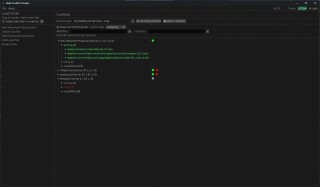
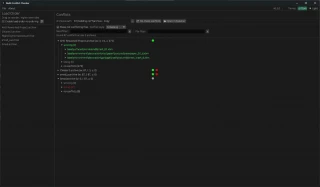
This add-on allows you to load new materials and textures into CyberPunk 2077.
Often, many mods for CyberPunk require this library to function properly.
In the new version of Material and Texture Override, compatibility with REDmod has been added!
Step 2. Then copy all the contents of the archive to the /CyberPunk 2077/mods folder.
Step 3. Now you should have the following files at this location:
Cyberpunk 2077\mods\Material and Texture Override\archives###_nim_material_override.archive
Cyberpunk 2077\mods\Material and Texture Override\info.json
Important! If you already had "Material and Texture Override" installed, be sure to delete all files associated with it. It is especially important to delete the old file 00_nim_material_override.archive in "Cyberpunk 2077\mods\Material and Texture Override\archives".
Depending on the version of the add-on, the file name may vary slightly.
Step 4. The last thing you need to do is deploy the new version of this mod using REDmod.
The archive with this mod also has a more detailed description and installation instructions!!!
Credits: Nim
Often, many mods for CyberPunk require this library to function properly.
In the new version of Material and Texture Override, compatibility with REDmod has been added!
Installation:
Step 1. Download the archive with this utility from the link below.Step 2. Then copy all the contents of the archive to the /CyberPunk 2077/mods folder.
Step 3. Now you should have the following files at this location:
Cyberpunk 2077\mods\Material and Texture Override\archives###_nim_material_override.archive
Cyberpunk 2077\mods\Material and Texture Override\info.json
Important! If you already had "Material and Texture Override" installed, be sure to delete all files associated with it. It is especially important to delete the old file 00_nim_material_override.archive in "Cyberpunk 2077\mods\Material and Texture Override\archives".
Depending on the version of the add-on, the file name may vary slightly.
Step 4. The last thing you need to do is deploy the new version of this mod using REDmod.
The archive with this mod also has a more detailed description and installation instructions!!!
Credits: Nim
External Download Links:
You Might Also Like »




0 Comments
There are no comments. Be first to comment!