E3X - HUD Overhaul and Optimization v1.0




0/5,
0
votes
Description
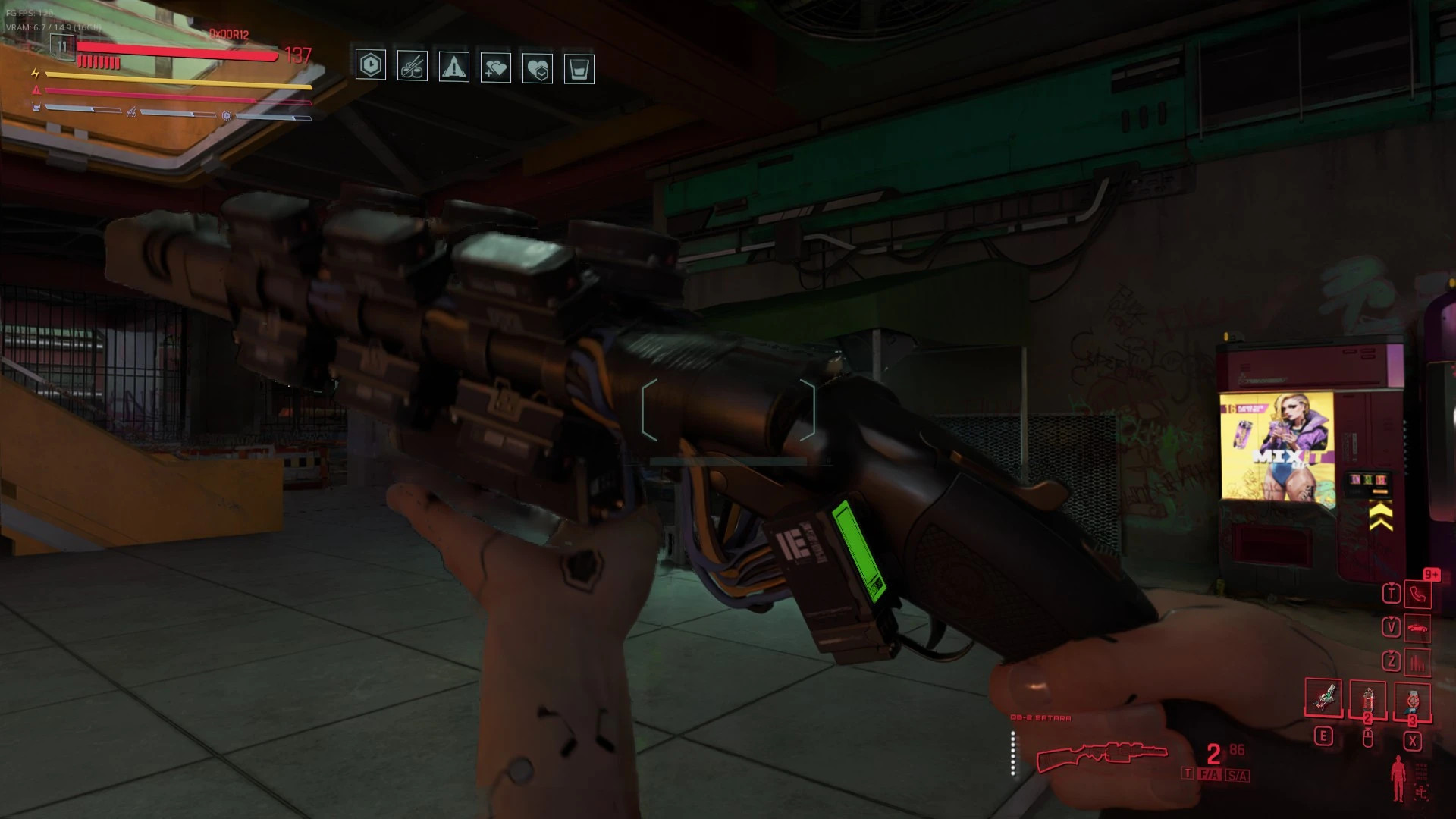
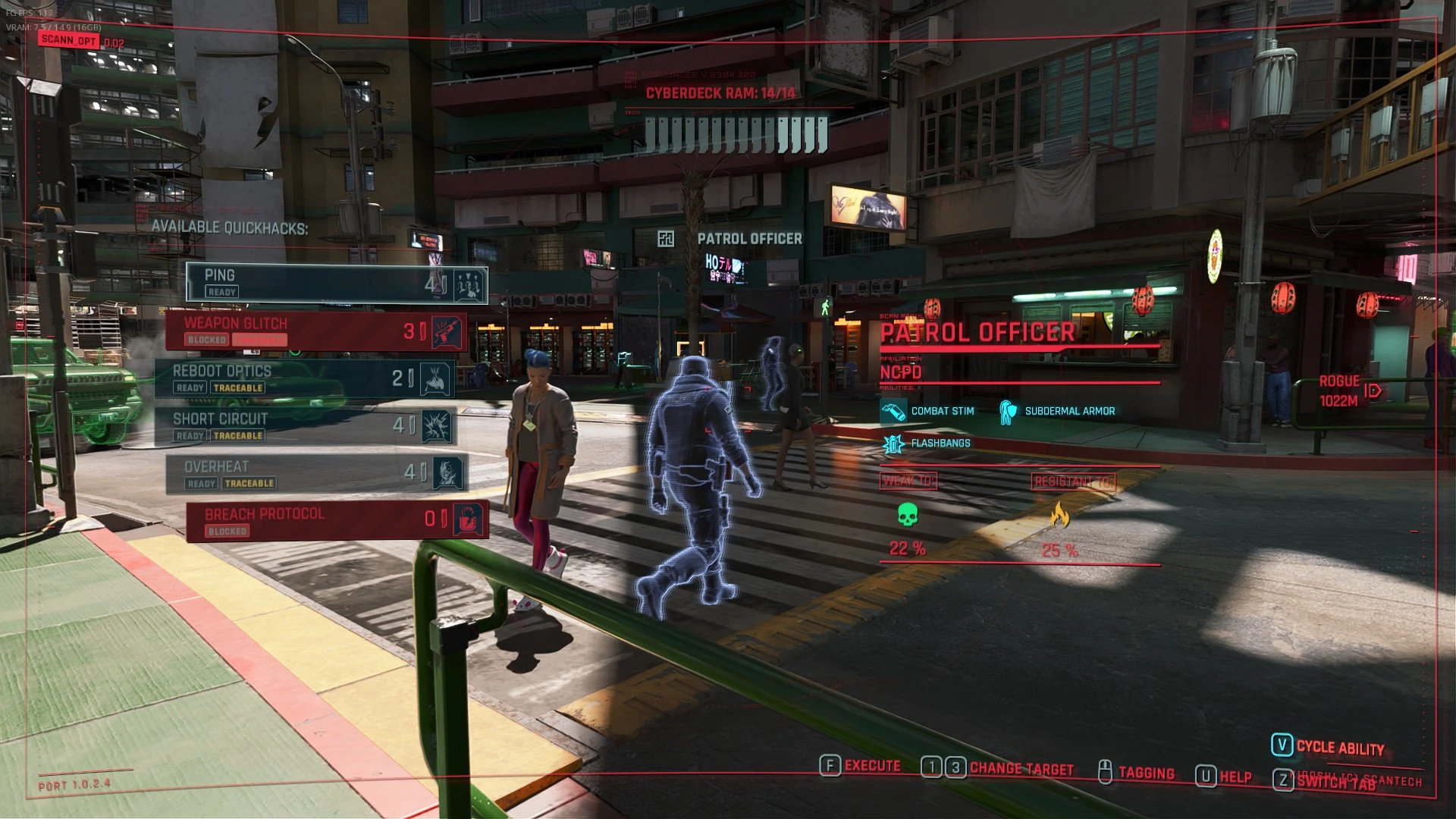
E3X is a compatibility-focused HUD overhaul based on Project E3 - HUD and Project E3 - HUD Tweaks. It is designed primarily for heavily modded Cyberpunk 2077 setups, especially modlists where multiple mods interact with HUD controllers, nameplates, dialogue UI, notifications, compass elements, stamina, phone widgets, subtitles and other interface systems.
The goal is to preserve the E3-inspired visual style while improving HUD compatibility, restoring selected vanilla behavior and reducing unnecessary script overhead. E3X does not completely redesign Project E3 - HUD; instead, it provides a cleaner and more modlist-friendly version focused on compatibility and performance.
Features
- General E3-style presentation, animations and HUD layout remain intact.
- Vanilla NPC and Enemy Nameplates: Removes E3-specific overrides to allow the base game to handle visibility, preventing persistent nameplates and conflicts with Limited HUD-style mods.
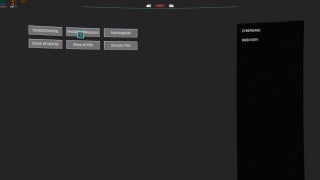
- Cleaner HUD Positioning: Preserves and cleans up the Project E3 HUD Tweaks positioning system, allowing adjustments via the CET interface.
- Reduced Runtime Config Writes: Removes unnecessary file I/O by saving settings only when required.
- Reduced Redundant Widget Updates: Checks current positions before applying updates to reduce translation calls and layout calculations.
- Quest Mapping Optimization: Reuses existing animation definitions instead of repeatedly creating new animation objects.
- Compass Optimization: Caches settings objects during updates and uses squared-distance comparisons for faster duplicate marker checks.
- Enhanced Compatibility: Specifically designed to work with systems such as NPC nameplates, health bars, dialogue UI, notifications, compass elements, stamina, subtitles, phone widgets, and activity logs.
- Issue Resolution: Fixes incorrect dialogue attribute icons, incorrect Lifepath icons, and reduces script overhead.
Requirements
E3X requires:
- Cyber Engine Tweaks
- 0-Engine
- RED4ext
- redscript
- TweakXL
Installation Instructions
- Install all required dependencies.
- Remove or disable separate installations of Project E3 HUD, Project E3 HUD Tweaks and other patches that directly overwrite the same Project E3 HUD scripts.
- Install E3X using Vortex or extract it manually into your Cyberpunk 2077 installation folder.
- Deploy your mods.
- Start the game.
- Open the Cyber Engine Tweaks overlay and use the E3X window to configure supported HUD elements.
The configuration file is located at:
Cyberpunk 2077\bin\x64\plugins\cyber_engine_tweaks\mods\ProjectE3-HUD-Tweaks\projectE3HUDtweaks.json
Credits
Huge credit goes to the creators of Project E3 HUD and Project E3 HUD Tweaks. E3X is built on their work and would not exist without it.
Thanks to the Cyberpunk 2077 modding community for the tools, resources and continued support.
E3X is a compatibility-focused HUD overhaul based on Project E3 - HUD and Project E3 - HUD Tweaks. It is designed primarily for heavily modded Cyberpunk 2077 setups, especially modlists where multiple mods interact with HUD controllers, nameplates, dialogue UI, notifications, compass elements, stamina, phone widgets, subtitles and other interface systems.
The goal is to preserve the E3-inspired visual style while improving HUD compatibility, restoring selected vanilla behavior and reducing unnecessary script overhead. E3X does not completely redesign Project E3 - HUD; instead, it provides a cleaner and more modlist-friendly version focused on compatibility and performance.
Features
- General E3-style presentation, animations and HUD layout remain intact.
- Vanilla NPC and Enemy Nameplates: Removes E3-specific overrides to allow the base game to handle visibility, preventing persistent nameplates and conflicts with Limited HUD-style mods.
- Cleaner HUD Positioning: Preserves and cleans up the Project E3 HUD Tweaks positioning system, allowing adjustments via the CET interface.
- Reduced Runtime Config Writes: Removes unnecessary file I/O by saving settings only when required.
- Reduced Redundant Widget Updates: Checks current positions before applying updates to reduce translation calls and layout calculations.
- Quest Mapping Optimization: Reuses existing animation definitions instead of repeatedly creating new animation objects.
- Compass Optimization: Caches settings objects during updates and uses squared-distance comparisons for faster duplicate marker checks.
- Enhanced Compatibility: Specifically designed to work with systems such as NPC nameplates, health bars, dialogue UI, notifications, compass elements, stamina, subtitles, phone widgets, and activity logs.
- Issue Resolution: Fixes incorrect dialogue attribute icons, incorrect Lifepath icons, and reduces script overhead.
Requirements
E3X requires:
- Cyber Engine Tweaks
- 0-Engine
- RED4ext
- redscript
- TweakXL
Installation Instructions
- Install all required dependencies.
- Remove or disable separate installations of Project E3 HUD, Project E3 HUD Tweaks and other patches that directly overwrite the same Project E3 HUD scripts.
- Install E3X using Vortex or extract it manually into your Cyberpunk 2077 installation folder.
- Deploy your mods.
- Start the game.
- Open the Cyber Engine Tweaks overlay and use the E3X window to configure supported HUD elements.
The configuration file is located at:
Cyberpunk 2077\bin\x64\plugins\cyber_engine_tweaks\mods\ProjectE3-HUD-Tweaks\projectE3HUDtweaks.json
Credits
Huge credit goes to the creators of Project E3 HUD and Project E3 HUD Tweaks. E3X is built on their work and would not exist without it.
Thanks to the Cyberpunk 2077 modding community for the tools, resources and continued support.
External Download Links:
Direct Download Links
About Mod
| Latest Version | v1.0 |
| Game | Cyberpunk 2077 |
| Category | User Interface |
| Game Version | 1.11 |
| Downloads | 29 |
| Created | 1 month ago |
You Might Also Like »


0 Comments
There are no comments. Be first to comment!