


0/5,
0
votes
Description
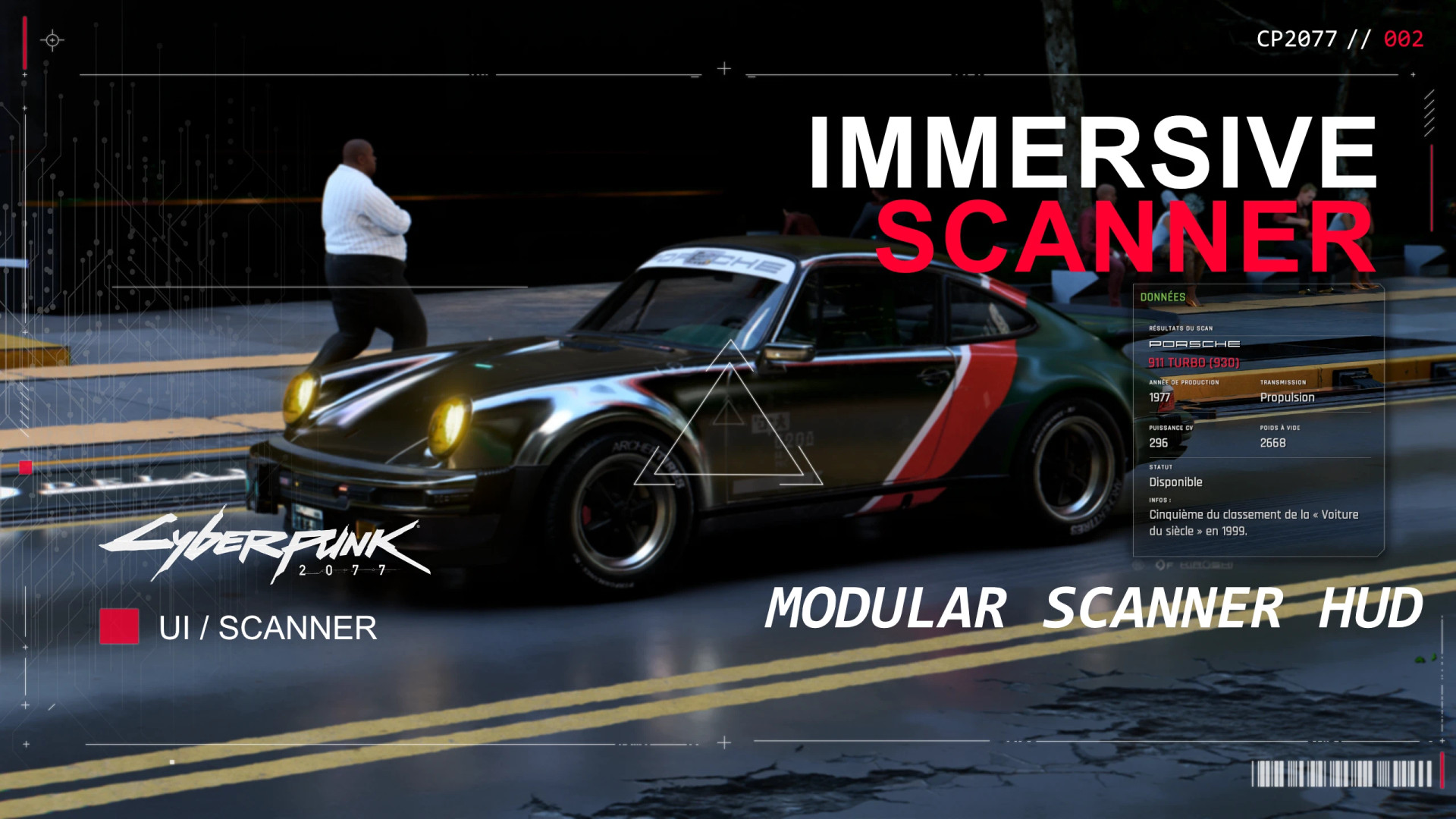
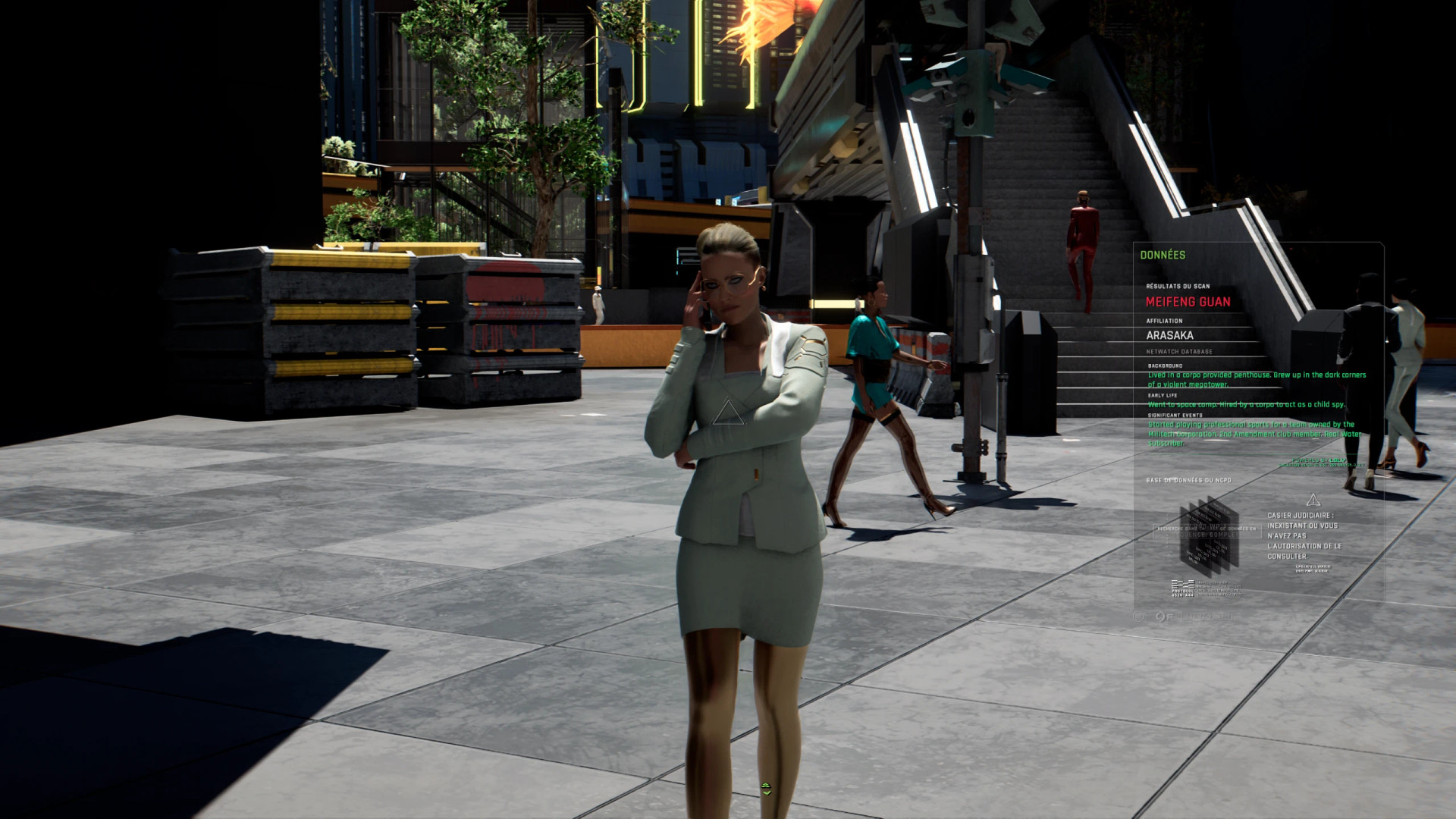
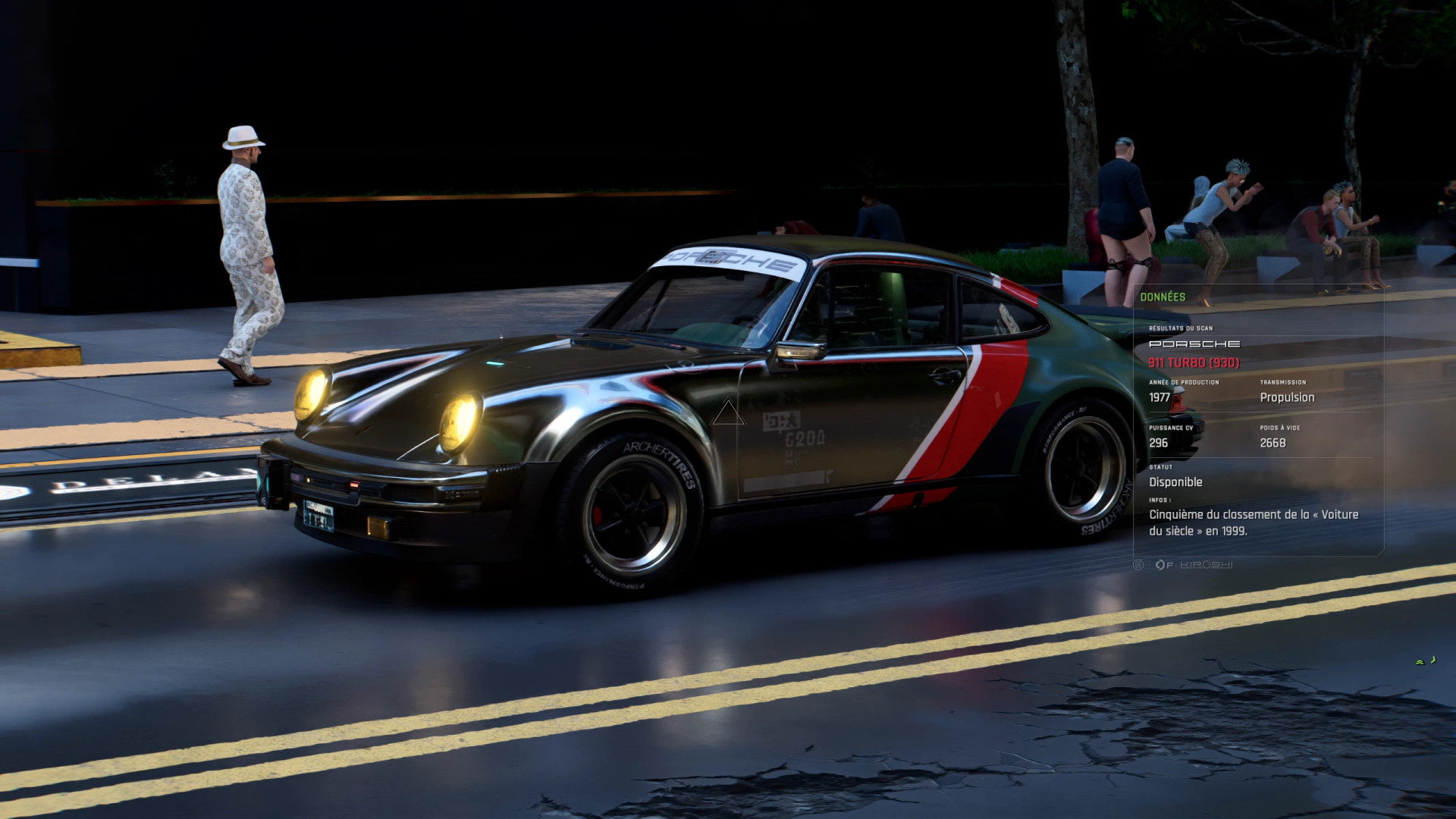
Immersive Scanner is a customizable HUD mod that cleans up Cyberpunk 2077's scanner and quickhack interface. Instead of replacing the entire HUD with one fixed design, it lets you choose exactly which elements you want to hide, resize, soften or reposition. Every option can be adjusted separately through Mod Settings.
Features
- Reticle and Scanner Look: Removes green scanner tint and glitch effect, and replaces the standard reticle with a redesigned triangular version.
- Target Information: Option to hide NPC name in the DATA panel, Faction, Bounty stars and reward, and Target description.
- Info Panel: Adjustable background opacity, panel size, horizontal position, and option to hide DATA and QUICKHACK tab labels.
- Devices: Ability to hide network status, authorization information, and skill requirements for interacting with devices.
- Combat Information: Hide vulnerabilities, abilities, and resistances.
- Quickhack List: Customize the menu by hiding the Available Quickhacks panel, its title, icons, or tags (READY, TRACEABLE, cooldown). Change row backgrounds between Normal, Semi-transparent, and Invisible. Adjust the list size and horizontal position.
- Quickhack Details: Hide memory cost messages, vulnerability conditions, and breach badges.
- Cyberdeck Memory: Hide the cyberdeck memory title and memory bars.
- Button Hints: Remove bottom scanner controls for Execute, Change Target, Mark, Help and Change Tab.
- Scan Reticle: Hide target name and icon, target distance, zoom indicator, arrows, and the SCANNING progress box.
- Reticle Cosmetics: Remove decorative numbers and dot markers; keep, hide, or remove the large cosmetic scanner circle.
Important: Changes take effect after reloading your save. If you previously used Immersive Scanner – Minimal Transparency Overhaul, uninstall it before installing Immersive Scanner.
Languages: English, French, German, Spanish, Italian, Brazilian Portuguese, Polish, Russian, Japanese, Korean, Chinese.
Compatibility: Mods that edit the same scanner or quickhack HUD files and scripts may conflict with Immersive Scanner.
Installation Instructions
Install the mod with Vortex or place the included files directly into your Cyberpunk 2077 game folder.
Immersive Scanner is a customizable HUD mod that cleans up Cyberpunk 2077's scanner and quickhack interface. Instead of replacing the entire HUD with one fixed design, it lets you choose exactly which elements you want to hide, resize, soften or reposition. Every option can be adjusted separately through Mod Settings.
Features
- Reticle and Scanner Look: Removes green scanner tint and glitch effect, and replaces the standard reticle with a redesigned triangular version.
- Target Information: Option to hide NPC name in the DATA panel, Faction, Bounty stars and reward, and Target description.
- Info Panel: Adjustable background opacity, panel size, horizontal position, and option to hide DATA and QUICKHACK tab labels.
- Devices: Ability to hide network status, authorization information, and skill requirements for interacting with devices.
- Combat Information: Hide vulnerabilities, abilities, and resistances.
- Quickhack List: Customize the menu by hiding the Available Quickhacks panel, its title, icons, or tags (READY, TRACEABLE, cooldown). Change row backgrounds between Normal, Semi-transparent, and Invisible. Adjust the list size and horizontal position.
- Quickhack Details: Hide memory cost messages, vulnerability conditions, and breach badges.
- Cyberdeck Memory: Hide the cyberdeck memory title and memory bars.
- Button Hints: Remove bottom scanner controls for Execute, Change Target, Mark, Help and Change Tab.
- Scan Reticle: Hide target name and icon, target distance, zoom indicator, arrows, and the SCANNING progress box.
- Reticle Cosmetics: Remove decorative numbers and dot markers; keep, hide, or remove the large cosmetic scanner circle.
Important: Changes take effect after reloading your save. If you previously used Immersive Scanner – Minimal Transparency Overhaul, uninstall it before installing Immersive Scanner.
Languages: English, French, German, Spanish, Italian, Brazilian Portuguese, Polish, Russian, Japanese, Korean, Chinese.
Compatibility: Mods that edit the same scanner or quickhack HUD files and scripts may conflict with Immersive Scanner.
Installation Instructions
Install the mod with Vortex or place the included files directly into your Cyberpunk 2077 game folder.
External Download Links:
Direct Download Links
About Mod
| Latest Version | v1.0 |
| Game | Cyberpunk 2077 |
| Category | User Interface |
| Game Version | 1.11 |
| Downloads | 17 |
| Created | 1 week ago |
You Might Also Like »




0 Comments
There are no comments. Be first to comment!