




0/5,
0
votes
Description
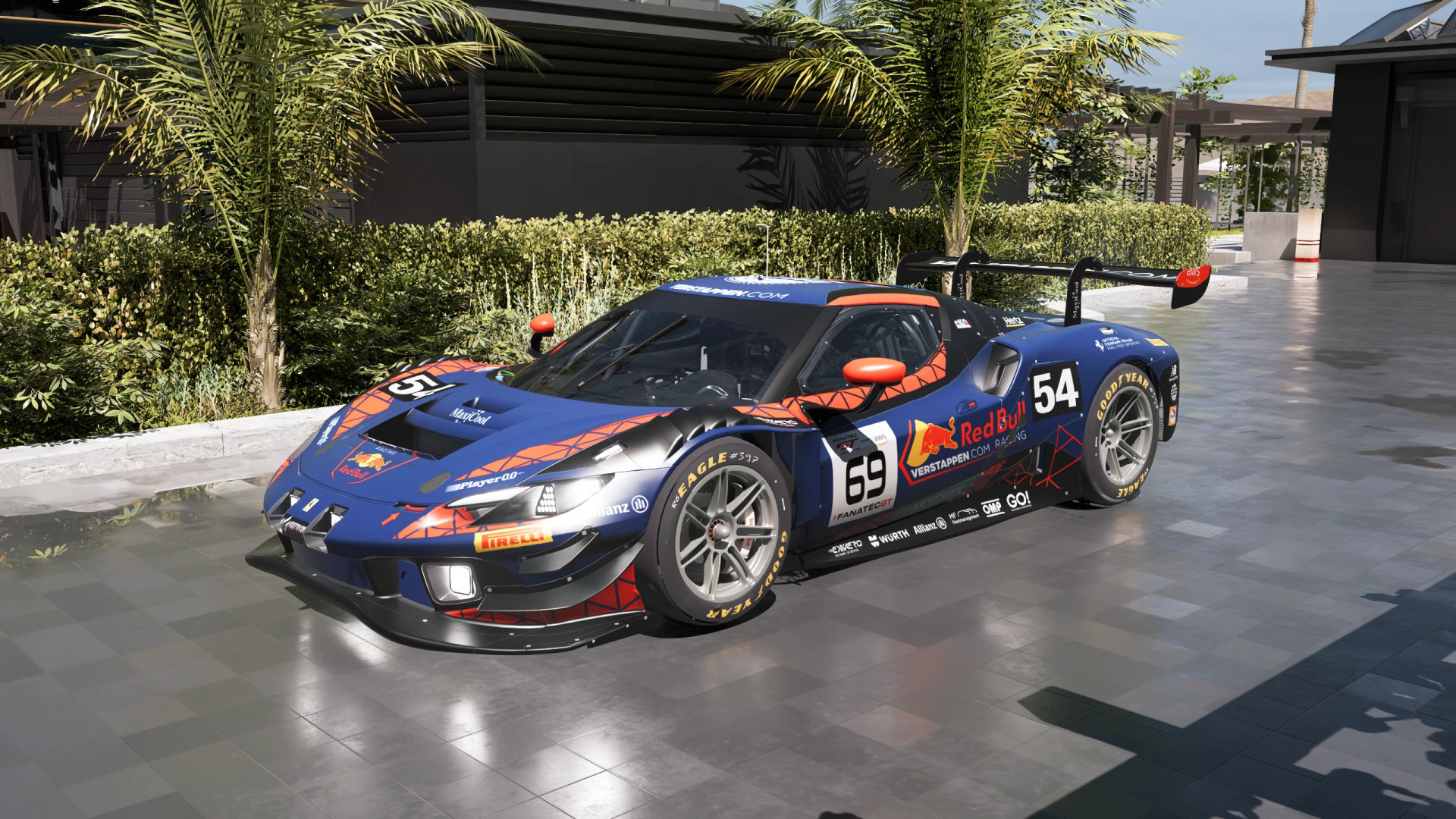
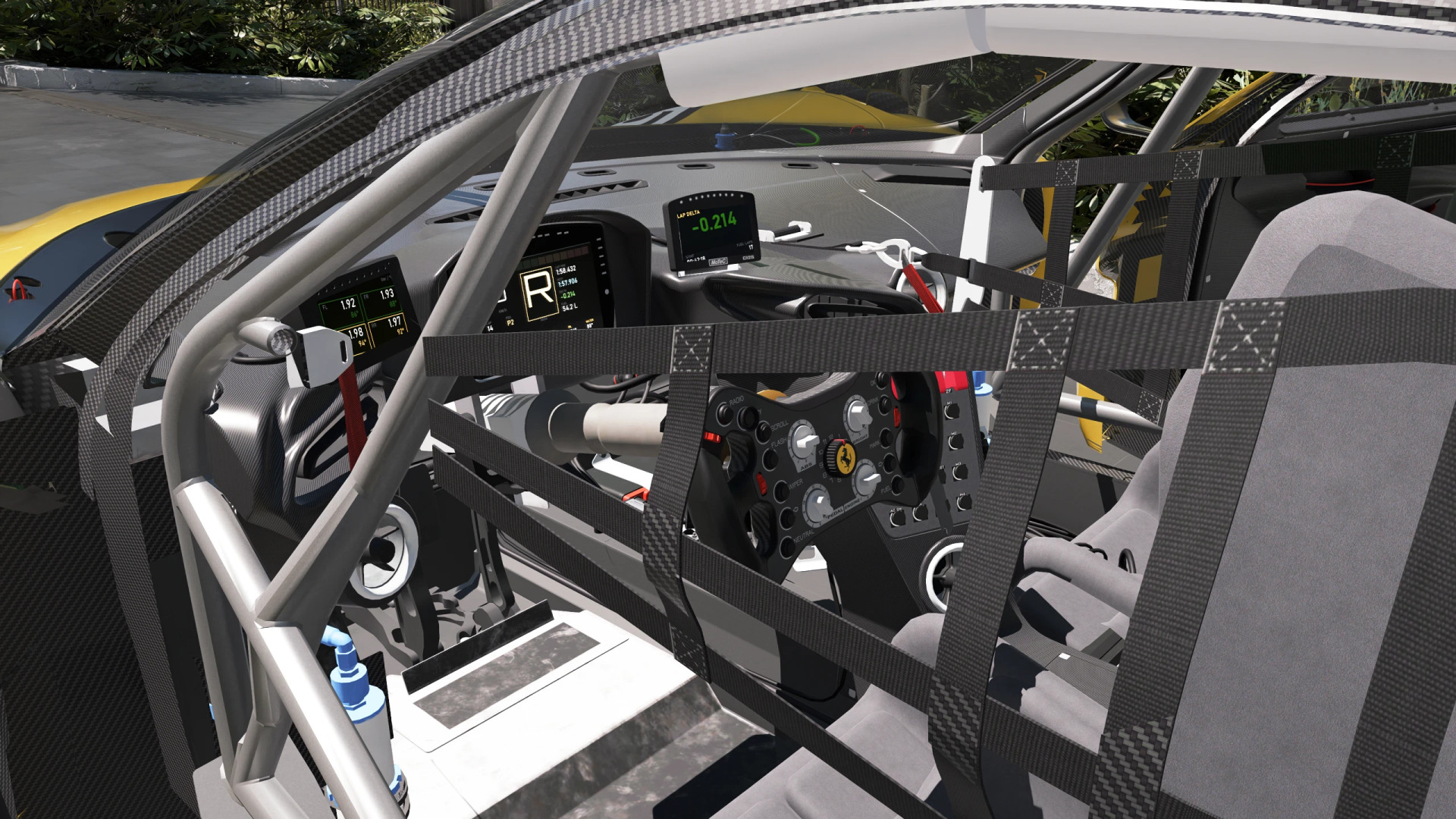
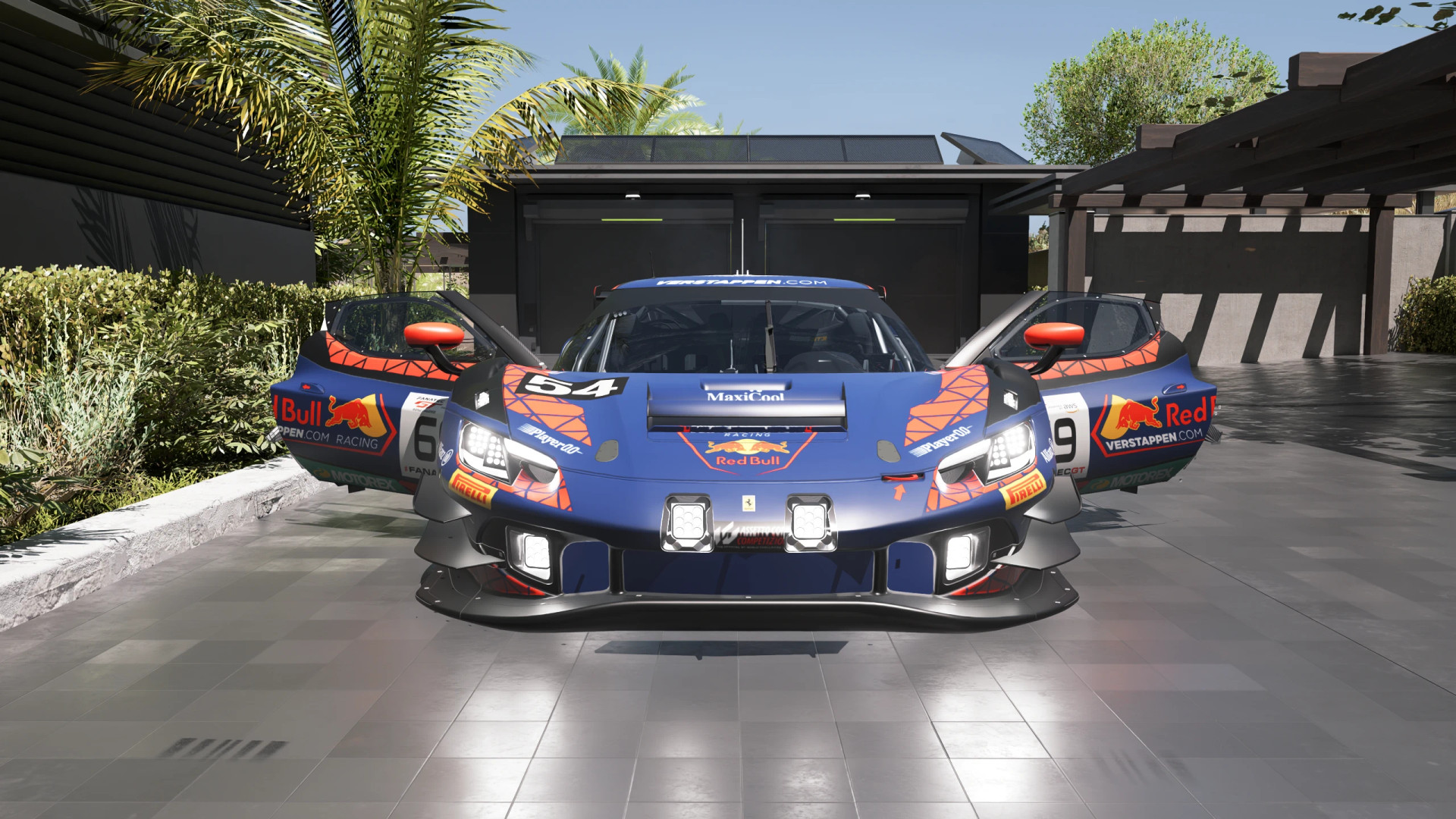
Adds the Perrari 296 GT3 to Cyberpunk 2077 as a standalone vehicle, featuring two racing liveries and a dedicated V6 engine sound. The car comes with its original GT3 racing appearance and supports additional paint and wheel color customization through Xaires's Car Manager.
Features
- Perrari 296 GT3 race car
- Two detailed racing liveries
- Custom V6 engine sound through AudioXL
- Vehicle Core integration to prevent the original template engine sound from playing
- Optional body and wheel color customization
- Available through Virtual Car Dealer or the Cyber Engine Tweaks console
Available Liveries
#54 Le Mans (Default): The AF Corse / Vista design features dark metallic silver bodywork, red accents, a yellow Ferrari roof band and the full sponsor graphics.
Verstappen.com #69: The Verstappen.com Racing design combines dark Red Bull navy with a distinctive red geometric pattern.
The vehicle initially spawns with the #54 livery. With Xaires's Car Manager installed, you can switch between the two liveries and access additional customization options:
- 70 basic paint colors
- 79 real manufacturer paint colors
- 23 rim colors
Requirements
- RED4ext
- redscript
- Cyber Engine Tweaks
- Codeware
- ArchiveXL
- TweakXL
- AudioXL 0.8.1 or newer – Required for the V6 engine sound
- Vehicle Core – Disables the template vehicle's original engine audio
Optional:
- Xaires's Car Manager – Livery switching, paint colors and rim customization
- Virtual Car Dealer – Allows the vehicle to be purchased in-game
Compatibility
- Tested with Cyberpunk 2077 version 2.5
- Xaires's Car Manager is required for switching liveries and changing paint or rim colors
- AudioXL and Vehicle Core are required for the intended V6 engine audio setup
Installation Instructions
Mod Manager
Download the mod through Vortex or another compatible mod manager and enable it.
Manual Installation
Extract the archive into your Cyberpunk 2077 main directory, where the archive, bin, r6 and red4ext folders are located.
How to Get the Vehicle
Virtual Car Dealer: Purchase the Ferrari 296 GT3 through the dealer website for 160,000 €$.
Cyber Engine Tweaks: Enter the following command in the CET console:
Game.GetVehicleSystem():EnablePlayerVehicle("Vehicle.xaires_ferrari_296_gt3", true, false)
The Ferrari will then become available in your vehicle selection menu.
Uninstallation
Remove or disable the mod through your mod manager. For manual removal, delete the following files and folders:
archive\pc\mod\ferrari_296_gt3.archive
archive\pc\mod\ferrari_296_gt3.archive.xl
r6\tweaks\xaires\ferrari_296_gt3.yaml
r6\scripts\xaires_ferrari_296_gt3\
red4ext\plugins\AudioXL\sounds\XairesF296\
Adds the Perrari 296 GT3 to Cyberpunk 2077 as a standalone vehicle, featuring two racing liveries and a dedicated V6 engine sound. The car comes with its original GT3 racing appearance and supports additional paint and wheel color customization through Xaires's Car Manager.
Features
- Perrari 296 GT3 race car
- Two detailed racing liveries
- Custom V6 engine sound through AudioXL
- Vehicle Core integration to prevent the original template engine sound from playing
- Optional body and wheel color customization
- Available through Virtual Car Dealer or the Cyber Engine Tweaks console
Available Liveries
#54 Le Mans (Default): The AF Corse / Vista design features dark metallic silver bodywork, red accents, a yellow Ferrari roof band and the full sponsor graphics.
Verstappen.com #69: The Verstappen.com Racing design combines dark Red Bull navy with a distinctive red geometric pattern.
The vehicle initially spawns with the #54 livery. With Xaires's Car Manager installed, you can switch between the two liveries and access additional customization options:
- 70 basic paint colors
- 79 real manufacturer paint colors
- 23 rim colors
Requirements
- RED4ext
- redscript
- Cyber Engine Tweaks
- Codeware
- ArchiveXL
- TweakXL
- AudioXL 0.8.1 or newer – Required for the V6 engine sound
- Vehicle Core – Disables the template vehicle's original engine audio
Optional:
- Xaires's Car Manager – Livery switching, paint colors and rim customization
- Virtual Car Dealer – Allows the vehicle to be purchased in-game
Compatibility
- Tested with Cyberpunk 2077 version 2.5
- Xaires's Car Manager is required for switching liveries and changing paint or rim colors
- AudioXL and Vehicle Core are required for the intended V6 engine audio setup
Installation Instructions
Mod Manager
Download the mod through Vortex or another compatible mod manager and enable it.
Manual Installation
Extract the archive into your Cyberpunk 2077 main directory, where the archive, bin, r6 and red4ext folders are located.
How to Get the Vehicle
Virtual Car Dealer: Purchase the Ferrari 296 GT3 through the dealer website for 160,000 €$.
Cyber Engine Tweaks: Enter the following command in the CET console:
Game.GetVehicleSystem():EnablePlayerVehicle("Vehicle.xaires_ferrari_296_gt3", true, false)
The Ferrari will then become available in your vehicle selection menu.
Uninstallation
Remove or disable the mod through your mod manager. For manual removal, delete the following files and folders:
archive\pc\mod\ferrari_296_gt3.archive
archive\pc\mod\ferrari_296_gt3.archive.xl
r6\tweaks\xaires\ferrari_296_gt3.yaml
r6\scripts\xaires_ferrari_296_gt3\
red4ext\plugins\AudioXL\sounds\XairesF296\
External Download Links:
Direct Download Links
About Mod
| Latest Version | v1.0 |
| Game | Cyberpunk 2077 |
| Category | Vehicles |
| Game Version | 1.11 |
| Downloads | 27 |
| Created | 1 week ago |
You Might Also Like »








0 Comments
There are no comments. Be first to comment!