Darth Vaders Lightsaber v1.0



0/5,
0
votes
Description
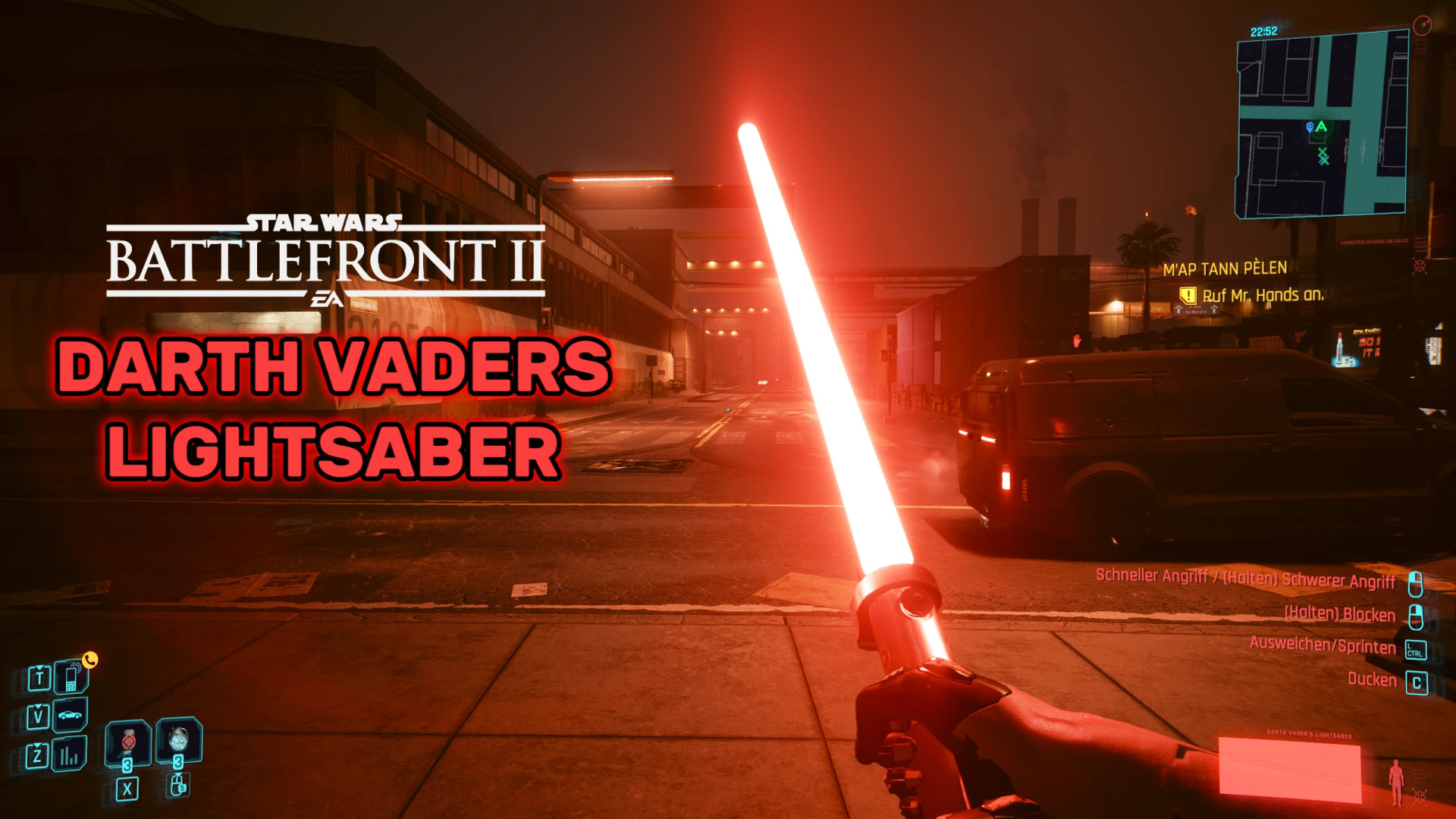
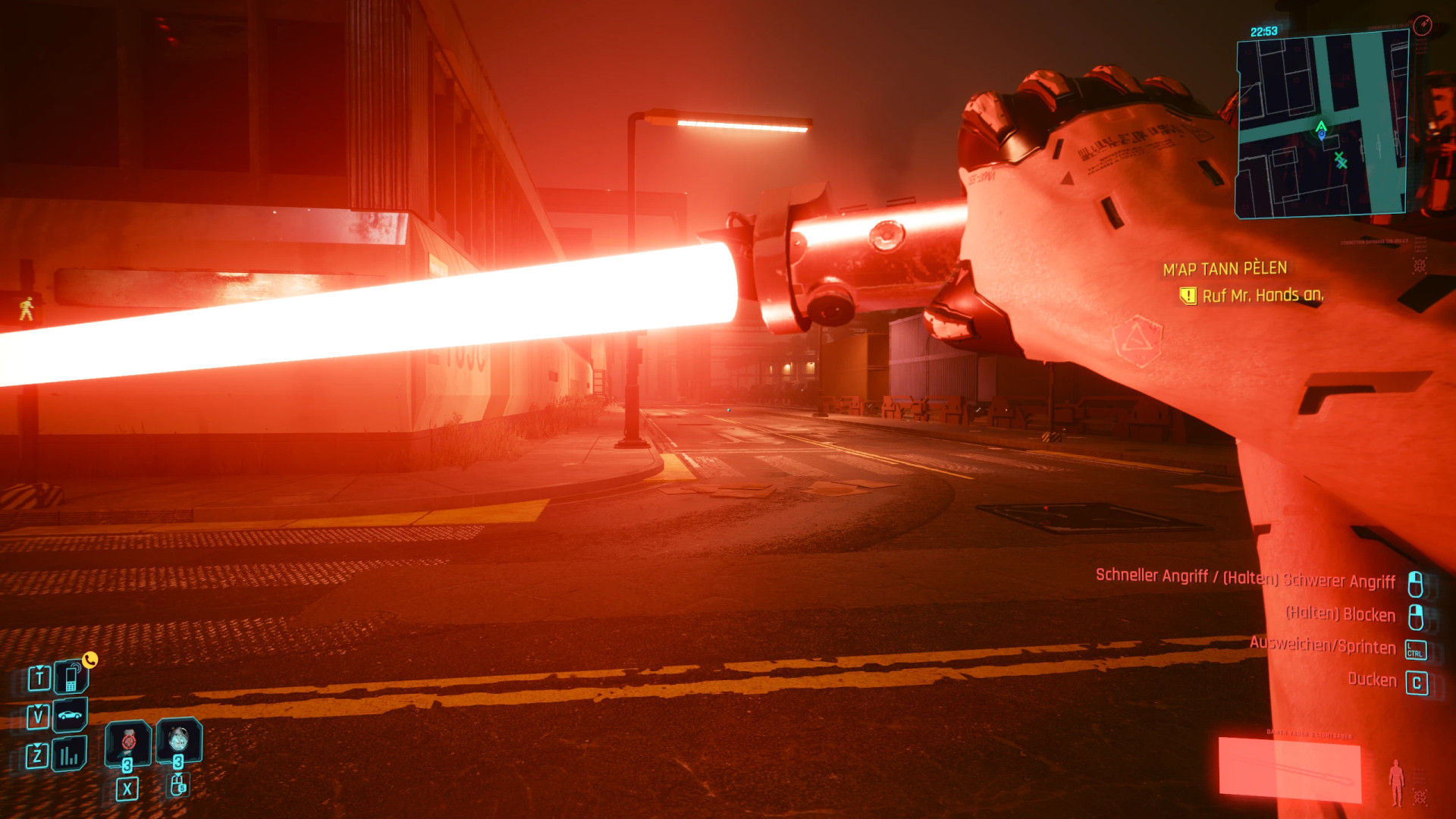
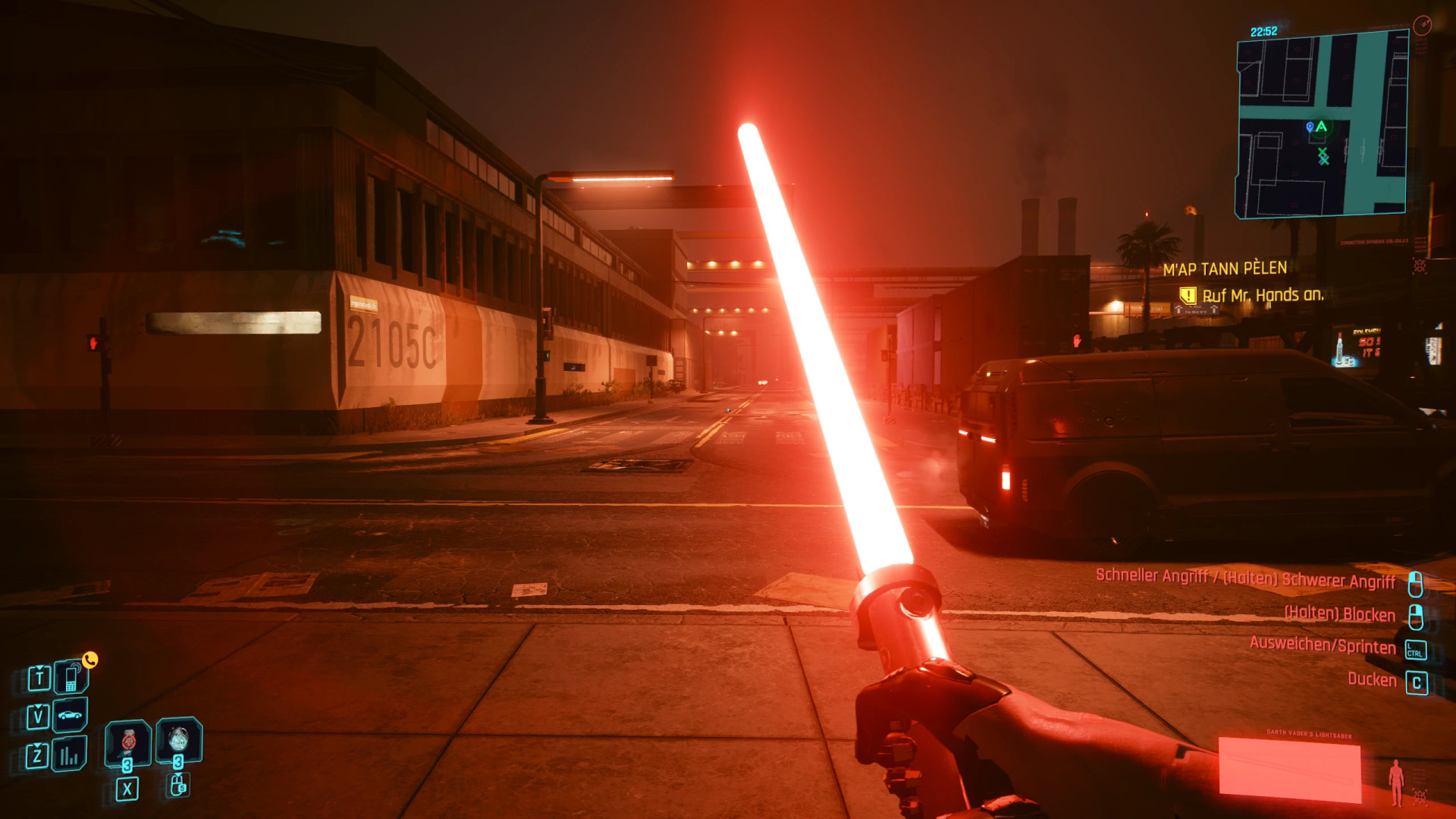
Adds Darth Vader's iconic red lightsaber to Cyberpunk 2077, using assets and sounds converted from Star Wars Battlefront II (2017). It is a standalone Tier 5 weapon based on the katana and does not replace any vanilla weapons.
Features
- Hilt model and textures from Star Wars Battlefront II
- Glowing red blade that illuminates nearby surroundings
- Blade automatically extends when the weapon is drawn
- Reload key toggles the blade on and off
- Battlefront ignition, idle hum, swing, hit, block and deflection sounds
- Can deflect bullets while blocking without requiring a perk
- Uses Cyberpunk 2077's katana animations
- Tier 5 weapon
Requirements
- Cyberpunk 2077 2.5
- RED4ext 1.31.0+
- redscript 0.5.32+
- TweakXL 1.12.0+
- ArchiveXL 1.28.0+
- Codeware 1.21.1+
- Audioware 1.10.1+
- Cyber Engine Tweaks – Optional, only required for spawning the weapon through the console
How to Get
The lightsaber can be purchased from the gun shop in Little China, Watson.
Alternatively, use the CET console:
Game.AddToInventory("Items.Saber_DarthVader", 1)
Item Code
Items.Saber_DarthVader
Controls
- Draw weapon – Extends the blade
- Reload (R) – Switches the blade off or on
- Attack – Swings the weapon and automatically ignites it if currently off
- Hold Block – Blocks melee attacks and deflects bullets
Bullet deflection is disabled while the blade is switched off.
Installation Instructions
Extract the archive directly into your Cyberpunk 2077 game folder, then launch the game.
Uninstallation
Delete:
archive\pc\mod\Saber_DarthVader.archive
Saber_DarthVader.archive.xl
Also remove the Saber_DarthVader folders from:
r6\tweaks
r6\scripts
r6\audioware
Credits
- Original assets – Electronic Arts / DICE / Lucasfilm Ltd.
Adds Darth Vader's iconic red lightsaber to Cyberpunk 2077, using assets and sounds converted from Star Wars Battlefront II (2017). It is a standalone Tier 5 weapon based on the katana and does not replace any vanilla weapons.
Features
- Hilt model and textures from Star Wars Battlefront II
- Glowing red blade that illuminates nearby surroundings
- Blade automatically extends when the weapon is drawn
- Reload key toggles the blade on and off
- Battlefront ignition, idle hum, swing, hit, block and deflection sounds
- Can deflect bullets while blocking without requiring a perk
- Uses Cyberpunk 2077's katana animations
- Tier 5 weapon
Requirements
- Cyberpunk 2077 2.5
- RED4ext 1.31.0+
- redscript 0.5.32+
- TweakXL 1.12.0+
- ArchiveXL 1.28.0+
- Codeware 1.21.1+
- Audioware 1.10.1+
- Cyber Engine Tweaks – Optional, only required for spawning the weapon through the console
How to Get
The lightsaber can be purchased from the gun shop in Little China, Watson.
Alternatively, use the CET console:
Game.AddToInventory("Items.Saber_DarthVader", 1)
Item Code
Items.Saber_DarthVader
Controls
- Draw weapon – Extends the blade
- Reload (R) – Switches the blade off or on
- Attack – Swings the weapon and automatically ignites it if currently off
- Hold Block – Blocks melee attacks and deflects bullets
Bullet deflection is disabled while the blade is switched off.
Installation Instructions
Extract the archive directly into your Cyberpunk 2077 game folder, then launch the game.
Uninstallation
Delete:
archive\pc\mod\Saber_DarthVader.archive
Saber_DarthVader.archive.xl
Also remove the Saber_DarthVader folders from:
r6\tweaks
r6\scripts
r6\audioware
Credits
- Original assets – Electronic Arts / DICE / Lucasfilm Ltd.
External Download Links:
Direct Download Links
About Mod
| Latest Version | v1.0 |
| Game | Cyberpunk 2077 |
| Category | Weapons |
| Game Version | 1.11 |
| Downloads | 23 |
| Created | 1 week ago |
You Might Also Like »



0 Comments
There are no comments. Be first to comment!