Yaka Smart Arrow Piper v1.0





0/5,
0
votes
Changelog
Version 1.0
- Initial release.
Description
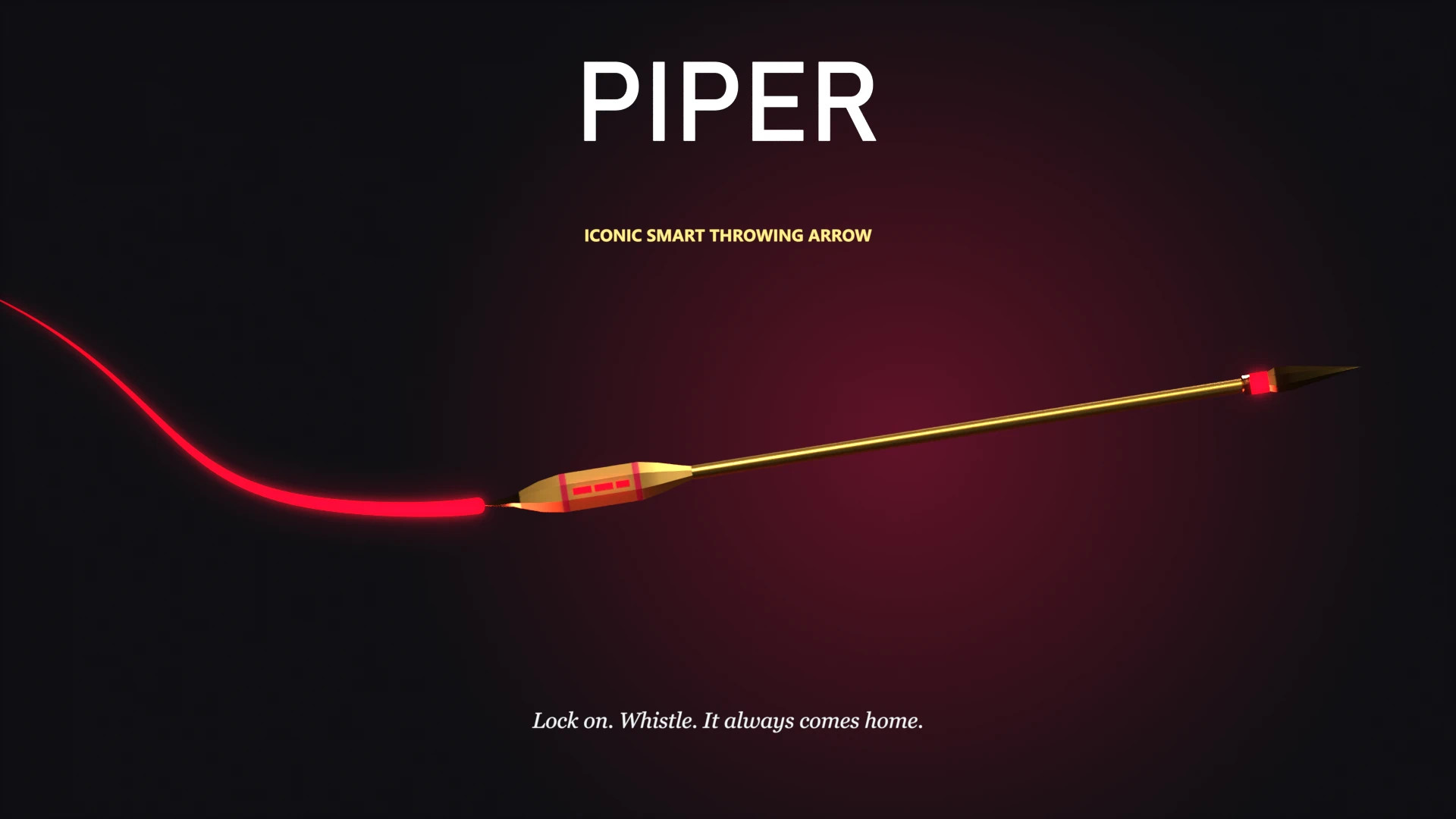
PIPER adds a unique Legendary Iconic throwing arrow to Cyberpunk 2077, featuring automatic target tracking, guided flight, and the ability to return to the player's hand after attacking enemies.
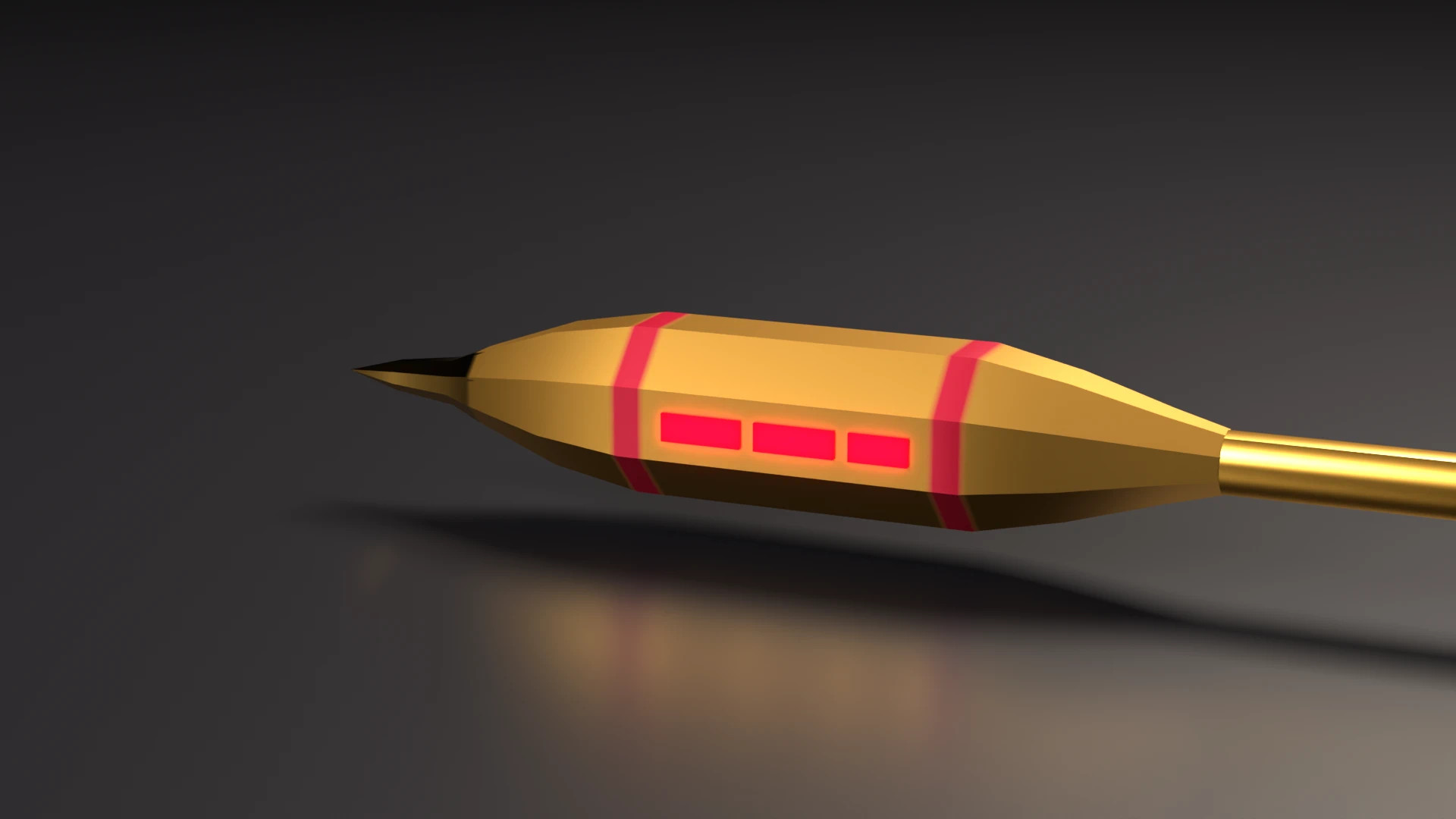
Measuring approximately half a meter in length, the arrow has a slim golden shaft, a faceted golden tip surrounded by crimson light, and glowing red sections along its tail. Its custom flight system allows it to lock onto multiple enemies, strike them in sequence, and return after completing its attack. Unlike ordinary throwing weapons, PIPER can change direction during flight, bounce off walls, and respond to additional commands.
Features
- Custom Weapon Model: Includes a new arrow model, gold-and-crimson finish, thrown model, inventory icon, and flight trail.
- Smart Targeting: Automatically locks onto up to four enemies near your crosshair.
- Guided Flight: Travels between locked targets in wide, curved paths.
- Wall Bouncing: Can rebound from surfaces while continuing its flight.
- Piercing Attacks: Passes through enemies while dealing damage.
- Automatic Return: Flies back into the player's hand after completing its attack sequence.
- Mid-Flight Commands: Redirect the arrow toward another target or recall it manually.
- Unique Sound Effects: Synthesized whistles accompany launching, target acquisition, turns, recalls, and catches.
- Customizable Flight: Adjust flight behavior, targeting distance, speed, and visual trails through the CET overlay.
- Failsafe Recall: Instantly recover the arrow if it becomes stuck.
How to Use
Targeting
Equip PIPER and hold the block button to aim your throw. Up to four enemies near your crosshair will be locked automatically. Each selected target receives a visible outline, accompanied by a rising audio cue.
Throwing
Release the throw to launch PIPER. The arrow will travel toward each locked enemy in sequence, following curved flight paths and leaving a crimson trail behind it. After completing its attacks, it automatically returns to your hand. If no enemies are locked before throwing, PIPER can search for nearby targets on its own.
Mid-Flight Control
While the arrow is flying, press the attack button to issue another command:
- Aim at an enemy to redirect PIPER toward that target.
- Aim at empty space and attack to recall the arrow.
Iconic Effects
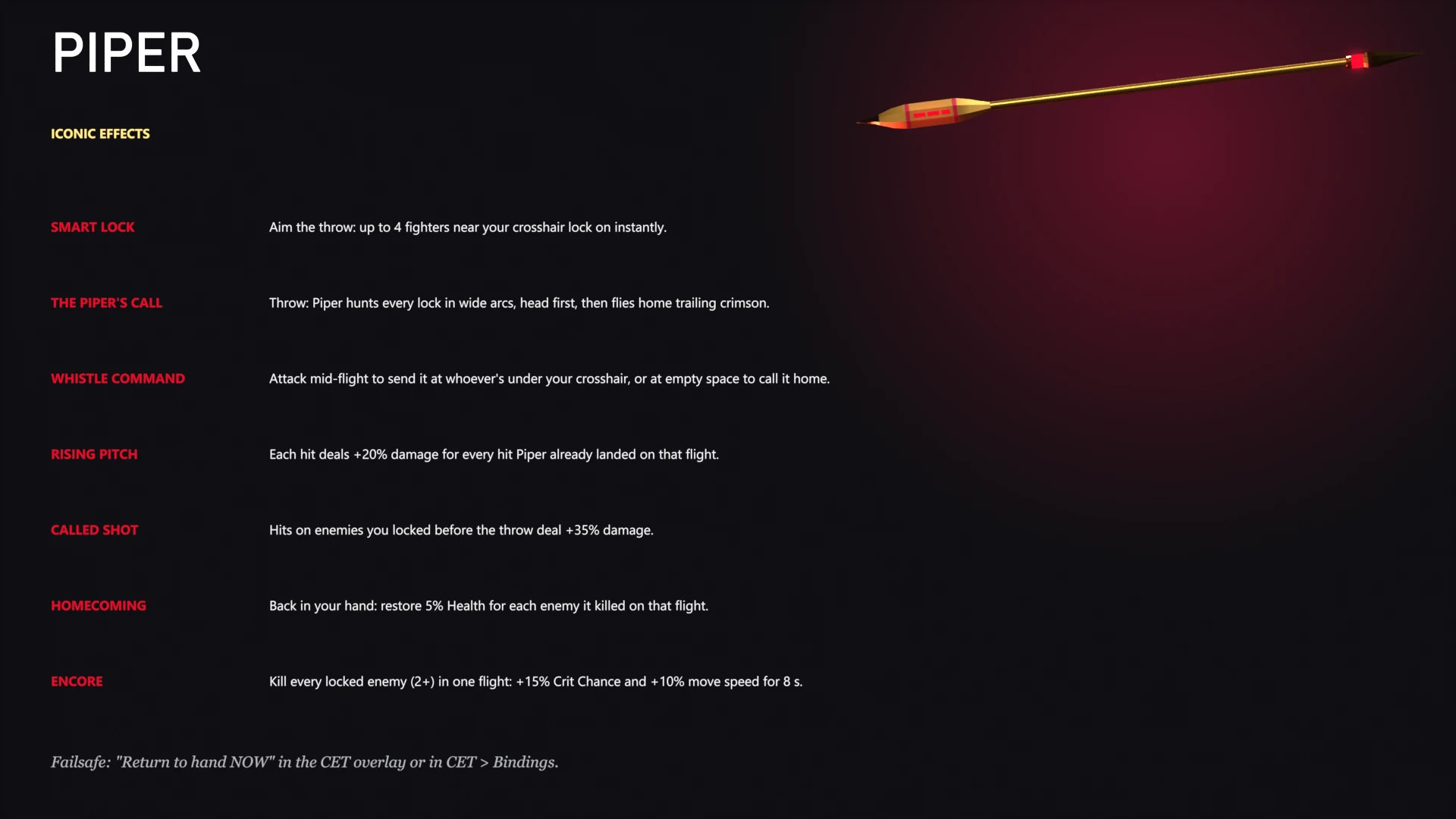
- Smart Lock: Instantly locks onto up to four enemies near your crosshair while preparing a throw.
- The Piper's Call: Guides the arrow through its selected targets in wide arcs before returning it to your hand.
- Whistle Command: Allows you to redirect the arrow during flight or recall it by attacking while aiming at empty space.
- Rising Pitch: Each successful hit increases the damage of subsequent hits during the same flight by 20% per previous hit.
- Called Shot: Enemies locked before the throw receive 35% additional damage when struck.
- Homecoming: When PIPER returns to your hand, you recover 5% Health for every enemy killed during that flight.
- Encore: Eliminating every locked enemy during a single flight (minimum two enemies) grants 15% increased Critical Chance and 10% increased movement speed for 8 seconds.
Flight Settings
PIPER includes a dedicated configuration window accessible through the Cyber Engine Tweaks overlay. Open CET and select Piper Flight Settings to customize behavior.
Available Flight Presets: Piper's Call (Default), Long Glide, Straight Shot, Crown Whistle.
Adjustable Settings: Flight speed, turning speed, flight curvature, maximum number of targets, target search range, and flight trail appearance.
Recall Options: Recall (flies back) or Return to hand NOW (failsafe). Both can be assigned to custom keys through CET > Bindings.
How to Obtain
PIPER can be added to your inventory using the Cyber Engine Tweaks console:
Game.AddToInventory("Items.TF_Piper", 1)
Requirements
- Cyberpunk 2077 version 2.x.
- RED4ext
- redscript
- TweakXL
- ArchiveXL
- Codeware
- Audioware
- Cyber Engine Tweaks (CET)
Phantom Liberty is not required.
Damage Configuration
The base damage can be adjusted in: r6\tweaks\TF_Piper\TF_Piper.yaml
Find Items.TF_Piper_DamageBoost. The default is 1.3x (30% more damage than a standard throwing knife).
Compatibility
- Adds a new weapon without replacing vanilla knives.
- Compatible with Arasaka Smart Knife.
- The Headhunter retains its own flight mechanics when both mods are installed.
Uninstallation: Sell or drop PIPER before removing the mod files.
Installation Instructions
Mod Manager:
Install the downloaded archive using Vortex or Mod Organizer 2.
Manual Installation:
- Download and extract the mod archive.
- Open your main Cyberpunk 2077 installation directory containing the bin and archive folders.
- Copy the extracted files into the game directory, allowing folders to merge.
- Launch the game and use the CET console to obtain PIPER.
Credits
- jrcn1991 (Boz0s)
- psiberx
- jac3km4
- Roms1383
- Cyber Engine Tweaks Team
- WolvenKit Team
- CD PROJEKT RED
Version 1.0
- Initial release.
Description
PIPER adds a unique Legendary Iconic throwing arrow to Cyberpunk 2077, featuring automatic target tracking, guided flight, and the ability to return to the player's hand after attacking enemies.
Measuring approximately half a meter in length, the arrow has a slim golden shaft, a faceted golden tip surrounded by crimson light, and glowing red sections along its tail. Its custom flight system allows it to lock onto multiple enemies, strike them in sequence, and return after completing its attack. Unlike ordinary throwing weapons, PIPER can change direction during flight, bounce off walls, and respond to additional commands.
Features
- Custom Weapon Model: Includes a new arrow model, gold-and-crimson finish, thrown model, inventory icon, and flight trail.
- Smart Targeting: Automatically locks onto up to four enemies near your crosshair.
- Guided Flight: Travels between locked targets in wide, curved paths.
- Wall Bouncing: Can rebound from surfaces while continuing its flight.
- Piercing Attacks: Passes through enemies while dealing damage.
- Automatic Return: Flies back into the player's hand after completing its attack sequence.
- Mid-Flight Commands: Redirect the arrow toward another target or recall it manually.
- Unique Sound Effects: Synthesized whistles accompany launching, target acquisition, turns, recalls, and catches.
- Customizable Flight: Adjust flight behavior, targeting distance, speed, and visual trails through the CET overlay.
- Failsafe Recall: Instantly recover the arrow if it becomes stuck.
How to Use
Targeting
Equip PIPER and hold the block button to aim your throw. Up to four enemies near your crosshair will be locked automatically. Each selected target receives a visible outline, accompanied by a rising audio cue.
Throwing
Release the throw to launch PIPER. The arrow will travel toward each locked enemy in sequence, following curved flight paths and leaving a crimson trail behind it. After completing its attacks, it automatically returns to your hand. If no enemies are locked before throwing, PIPER can search for nearby targets on its own.
Mid-Flight Control
While the arrow is flying, press the attack button to issue another command:
- Aim at an enemy to redirect PIPER toward that target.
- Aim at empty space and attack to recall the arrow.
Iconic Effects
- Smart Lock: Instantly locks onto up to four enemies near your crosshair while preparing a throw.
- The Piper's Call: Guides the arrow through its selected targets in wide arcs before returning it to your hand.
- Whistle Command: Allows you to redirect the arrow during flight or recall it by attacking while aiming at empty space.
- Rising Pitch: Each successful hit increases the damage of subsequent hits during the same flight by 20% per previous hit.
- Called Shot: Enemies locked before the throw receive 35% additional damage when struck.
- Homecoming: When PIPER returns to your hand, you recover 5% Health for every enemy killed during that flight.
- Encore: Eliminating every locked enemy during a single flight (minimum two enemies) grants 15% increased Critical Chance and 10% increased movement speed for 8 seconds.
Flight Settings
PIPER includes a dedicated configuration window accessible through the Cyber Engine Tweaks overlay. Open CET and select Piper Flight Settings to customize behavior.
Available Flight Presets: Piper's Call (Default), Long Glide, Straight Shot, Crown Whistle.
Adjustable Settings: Flight speed, turning speed, flight curvature, maximum number of targets, target search range, and flight trail appearance.
Recall Options: Recall (flies back) or Return to hand NOW (failsafe). Both can be assigned to custom keys through CET > Bindings.
How to Obtain
PIPER can be added to your inventory using the Cyber Engine Tweaks console:
Game.AddToInventory("Items.TF_Piper", 1)
Requirements
- Cyberpunk 2077 version 2.x.
- RED4ext
- redscript
- TweakXL
- ArchiveXL
- Codeware
- Audioware
- Cyber Engine Tweaks (CET)
Phantom Liberty is not required.
Damage Configuration
The base damage can be adjusted in: r6\tweaks\TF_Piper\TF_Piper.yaml
Find Items.TF_Piper_DamageBoost. The default is 1.3x (30% more damage than a standard throwing knife).
Compatibility
- Adds a new weapon without replacing vanilla knives.
- Compatible with Arasaka Smart Knife.
- The Headhunter retains its own flight mechanics when both mods are installed.
Uninstallation: Sell or drop PIPER before removing the mod files.
Installation Instructions
Mod Manager:
Install the downloaded archive using Vortex or Mod Organizer 2.
Manual Installation:
- Download and extract the mod archive.
- Open your main Cyberpunk 2077 installation directory containing the bin and archive folders.
- Copy the extracted files into the game directory, allowing folders to merge.
- Launch the game and use the CET console to obtain PIPER.
Credits
- jrcn1991 (Boz0s)
- psiberx
- jac3km4
- Roms1383
- Cyber Engine Tweaks Team
- WolvenKit Team
- CD PROJEKT RED
External Download Links:
Direct Download Links
About Mod
| Latest Version | v1.0 |
| Game | Cyberpunk 2077 |
| Category | Weapons |
| Game Version | 1.11 |
| Downloads | 3 |
| Created | 7 hours ago |
You Might Also Like »

0 Comments
There are no comments. Be first to comment!